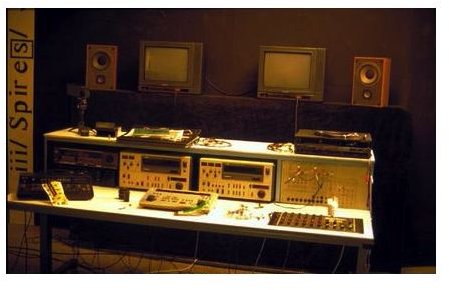
Sitting down to edit a video can feel overwhelming thanks to all the tools and techniques available to editors. While there seems to be an abundance of information to learn, here are the best tutorials to help you get your project off the ground and onto the screen.
Editing is the third stage of creating a video or film project, following the writing and actual filming stages. It is in the editing suite that the movie is pieced together in the format which the audience will see the completed version. While editing a video can seem like an overwhelming task at first, this guide will help get you moving in the right direction regardless of your video project.
Getting Started
One of the most important things to understand when preparing to begin a video editing project is what it entails. It is vital to make sure that your editing computer is up to the task and has the disk space, RAM and video card necessary for the project.
When setting up a video editing project, it is also important to understand that the project will take long hours and you need to make sure you have a comfortable and efficient work area. After everything is set up and ready to go, it is time to get the project ready to edit before you actually start the actual construction of the video.
Once you understand the tools you need and what you need to get your work area set up, you will be able to edit just about anything thrown your way.
- Introducing Digital Video Editing
- The Definition of Video Editing
- Reasons to Consider Finding Someone Else to Edit Your Video
- Creating the Perfect Editing Space
- Choosing the Best Furniture for a Digital Editing Workspace
- Guide to Creating a Computer for Video Editing
- Managing Your Computer for Digital Video Editing
- How to Stay Organized for Smoother Video Editing Workflow
- Designing a Video Editing Plan
The Basics
When editing video, you are faced with a wide array of decisions to add to the movie or video project. The third stage of filmmaking is one of the most important because the editor is tasked with taking the script and the shots delivered by the director and uses everything at his fingertips to create the best possible final project.
Editors have many techniques at their disposal to make the movie flow from one scene to the next in the best way possible. However, it’s vital the editor understands the nuts and bolts of piecing together the video. These are invaluable tips and tricks for putting the individual shots together to create the full video project.
- The Editing Order in Video Production
- Basic Principles of Video Editing
- Understanding Non-Linear Video Editing
- Components of a Non-Linear Video Editing Program
- Troubleshooting Digital Video Editing
- Using Coverage When Editing Narrative Scenes
- Film Editing Tips for Getting Started
- Mistakes to Avoid During Video Editing
Tips for Better Video Editing
Once the video editing project starts to come together, there are also a number of areas that editors need to perfect to make sure the video comes out as professional-looking as possible. While the basic techniques of editing a video are important, there are also many items that should be understood in order to make the scenes flow together properly.
Understanding the techniques of different editing tricks such as transitions, fade and continuity editing is paramount to making the video look its best. The editor also works on a team, or by themselves on smaller projects, to use the editing process to fix problems that might arise during the filming of the video. Whether it is adding credits or rendering the final project into a usable format, here are the techniques to finish your project.
- How to Make a Story Flow through Editing
- Understanding Continuity Editing
- Knowing What to “Cut-Out” When Editing
- Understanding Video Transitions
- Understanding When to Avoid Transition Effects
- Learning the Rule of Six
- Organizing Your Opening Film Credits
- How to Render and Compress Video Files
- Learning How to Back Up Your Video Editing Project
Advanced Editing Tricks
While it is important to learn the basic techniques of editing a video, there are times where problems arise that the video editor must fix or reshoots will be necessary. When sitting down to edit the video, there are also times where the editor must dip into his bag of tricks to come up with special effects or color correction to fix errors in the original shots.
There are also differences in editing music videos, documentaries and regular films. If you are shooting a specialized video, there are many ideas to keep in mind when putting the project together. Whether creating a false background using green screen technology or working to create split screen effects, these are important advanced tips for video editing beginners.
- Differences Between Online and Offline Video Editing
- Performing Camera Techniques in the Editing Room
- Working With Mixed Media in Your Video Editing Project
- Creating Split Screen Effects
- Using Text in Your Video Editing Project
- Green Screen Techniques
- Advanced and Secondary Color Correction
- How to Edit a Video So You Can See What’s in the Shadows
- How to Edit Together Scenes from Documentary Footage
- Editing Music Videos
Software-Specific Editing Techniques
One of the best tools a video editor can have is specialized software. While the lower-end programs allow an editor to accomplish almost everything they need to get a normal video spliced together and ready for viewings, higher-end software allows the user to accomplish advanced techniques with the simple click of a button.
Whether dealing with Windows Movie Maker, Final Cut Pro or another application, we have some great tutorials teaching new video editors all the tricks that the individual software programs allow. From implementing slow motion to adding digital zoom effects, we have you covered with the following tutorials.
Windows Movie Maker
- Adding Extra Blur
- Dramatically Increasing or Slowing Clip Speed
- Tips for Using Mirror and Rotate
- Slowing Down Video
- Applying an Extreme Video Zoom
- Rotating Images
Final Cut Pro
Adobe After Effects
Adobe Premiere Elements
- Basic Features for Video Editing
- Blurring a Face in a Video
- Understanding Masks
- Using Adobe Premiere for Distributed Rendering
Other Software
Video editing is the final step for a project before it is ready to screen for audiences. There are many different techniques available for beginning and advanced video editors and, while is can seem overwhelming at first, following the tutorials created by video editors who have learned the craft through working in the field will help make your first projects a snap.


