Compatibility between computer programs makes it possible to load material into a program even if the original file was not created in that specific application. This saves time, but is not always possible. Here the question, “Can you import a PDF file into Microsoft Publisher?” is answered.
Microsoft Publisher and Adobe Acrobat
Users of Microsoft Publisher 2010 may occasionally want to use material that is contained in an Abobe Acrobat (PDF) file in their publication, so the question, “Can you import a PDF file into Microsoft Publisher?” is fairly common. The question is a little tricky because Publisher cannot directly open a PDF file, but there are some ways to get information from a PDF into a Publisher document.
Opening a file in Microsoft Publisher
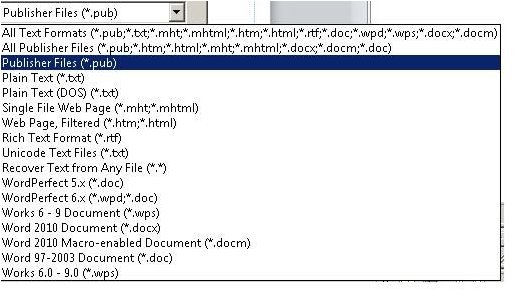
In Microsoft Publisher 2010, a user can click on the “File” tab on the main ribbon and then click the “Open” icon. When this is done, a window called “Open Publication” appears on the screen. By clicking on the combo box at the lower right hand corner of that window, users can see all the file types that Microsoft Publisher can open. The following image shows what options are commonly available.
Because Microsoft Publisher cannot open a PDF file in the standard way, many people will answer “No” when asked, “Can you import a PDF file into Microsoft Publisher?”
Unfortunately, that answer is somewhat misleading because there are ways to get information from a Publisher file loaded into a Publisher document.
Importing a PDF as an Object
Information from an Adobe PDF file can be loaded into Publisher via the “Insert” ribbon. To see how this works, users should either find or a PDF file, preferably one that has text and an image so that the behavior of Microsoft Publisher can be observed.
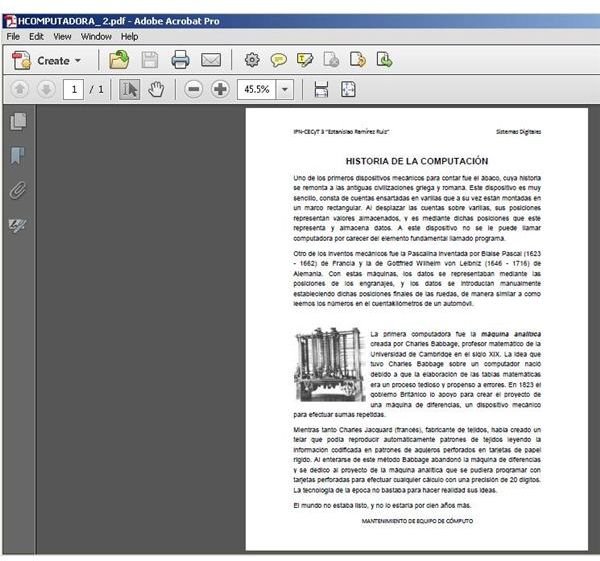
For this example, we will use a page from Historia de la Computacion, a public domain file found on Wikimedia.org .
Click on the “Insert” tab and then click the “Insert Object” button. Normally, “Adobe Acrobat Document” is the first type of object on the list so it is readily found.
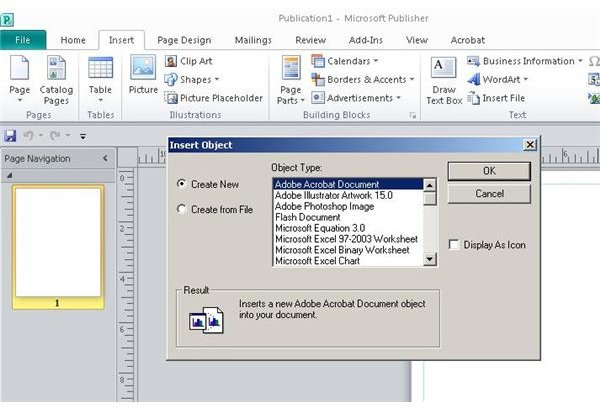
Click on the “Create from File” radio button and then browse to the file using the “Browse” button and the “Browse” window. Ordinarily a Publisher user will leave the “Display As Icon” box unchecked so the document will be visible inside the Publisher document. When the main Publisher window is restored, the user will see the PDF document appear on the page as seen in the image below.
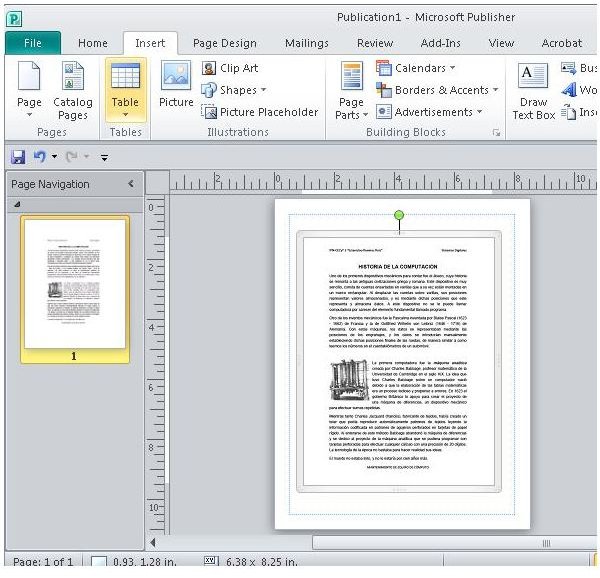
Technically, the PDF file is now imported into Microsoft Publisher, but it is present as an embedded object, not as text and graphics. Double-clicking on the object will open the original PDF document in Adobe Acrobat.
Inserting the PDF document as an object works, but it does not allow it to become an integrated, editable part of the Publisher document. If text and graphics from the PDF must be edited within Microsoft Publisher, an alternate method must be used.
Importing from a Converted PDF File
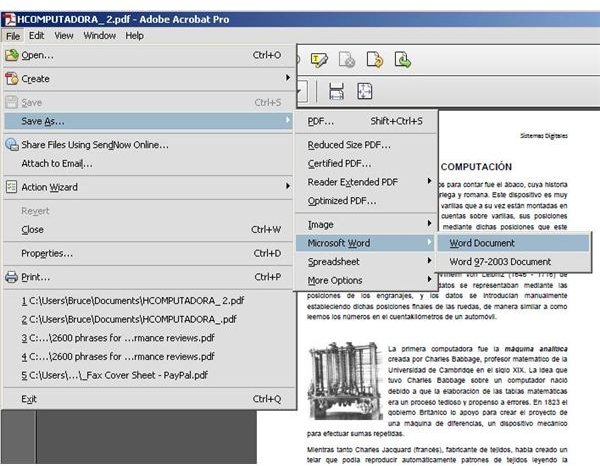
Importing a PDF file into Publisher in a form that allows it to be user-editable can be done, but doing so requires two steps. First, a user must save the PDF file in an alternate format. To do this, click the “File” option on the Acrobat menu and then “Save As” and then “Microsoft Word.” This will convert the document into a format that Microsoft Publisher can open.
In Microsoft Publisher, click the “Insert” tab on the main ribbon and then choose the “Insert File” option. A window that shows the conversion process may appear for a few moments while Publisher works. When the process is finished, the text and images from the converted PDF file are now present inside the Publisher document in an editable form.
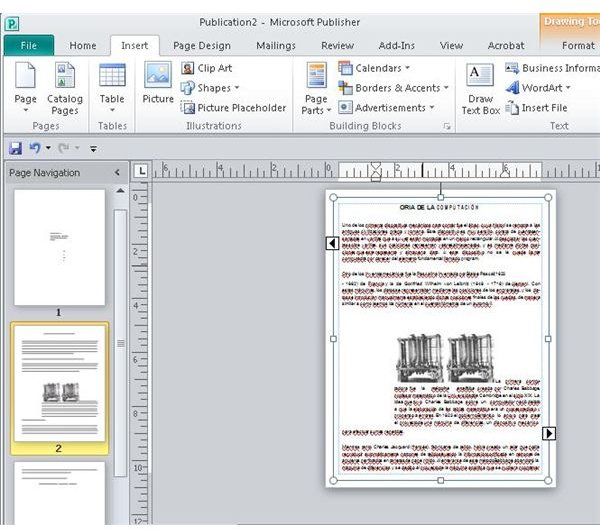
This technically is not “importing” a PDF file, but it usually works. One thing about this method, however, is that it does not preserve the original format of the PDF. Users must manually format the contents of the PDF.
The Bottom Line
The answer to the question, “Can you import a PDF file into Microsoft Publisher?” is technically , “No,” but there are still ways that Microsoft Publisher users can include PDF files within Publisher documents.
Microsoft Publishers should also be aware that Publisher files can be converted into PDFs. Read about it here .
Image Credits: Screen shots taken by Bruce Tyson


