
PowerPoint is a presentation program. You can create slides for a slide show. Then when you are ready, you can run the slide show. These slide shows can be done at the business level, or at school, or even informally for meetings or get togethers. Now there are iPhone apps to run PowerPoint.
iPresenter
This iPhone 4 PowerPoint application includes the core functionality needed for all presentations. You can remotely view the current or next slide from the iPhone, move
ahead or back. You can get an on the spot view of your slides, and show them on your PC or iPod Touch, meaning you don’t have to buy or carry expensive special hardware. Cost $4.95.
Download Link
mbPointer
This iPhone 4 PowerPoint app has many features. Starting with the basics, it has the ability to move through slides, but there are other options. You can include
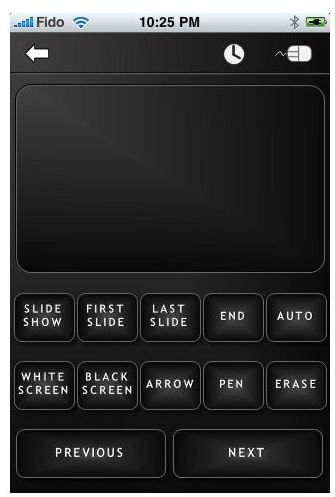
a mouse mode that drives the pointer using a touchpad or iPhone tilts. Another feature of using this as an iPhone presentation app is the ability to modify your slides by scribbling on them for immediate annotation. You can also twist and tilt the iPhone to move the cursor. Most of the PowerPoint slide show shortcut keys you are familiar with are supported too. You can use your iPhone as a wireless mouse for your PC/Mac. The middle mouse button click works well, and vertical scrolling is available too. Cost $2.99
Download Link
iClicker
This app has many features that make it a handy app to have if you are doing PowerPoint slides and presentations. You can see big
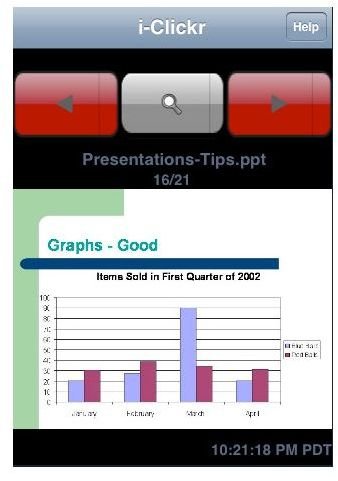
images of the current or next slide on the iPhone; and when you rotate the screen into horizontal view it can fill most of the screen. You can jump to the adjacent slide if you have to, or even make bigger hops to go down to slides further down in the presentation. Another feature is how you can control movement; here if you double-tap and make swipe gestures you can move around easily - you don’t even have to look at the screen.
It supports all versions of PowerPoint from Office XP to the latest PowerPoint 2010 on Windows 7. It also supports the OpenOffice application suite on Windows. Mac is also supported, Office Mac versions 2004 and above, and Keynote on Mac OS X 10.5+. Cost $9.99.
Download Link
Documents To Go
This app is different from the ones already covered, because it is an all-in-one application that provides support for various programs - it’s not just an iPhone app to run PowerPoint.
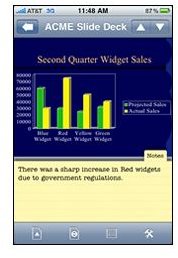
This iPhone app can support Excel , Word, PowerPoint, PDF format, and Apple iWork. It works with Windows and Mac desktop applications providing file synchronization, but is only available in the Premium edition however.
Here are some of the other features: You can work with .ppt and .pptx files. You can view and do online edits of Outlines and Speaker Notes. Cut, copy and paste options are also available. You can a undo and redo operations, insert, delete and duplicate sort slides. Premium Edition Cost $16.99
Download Link
Summary
Here is a quick review of the iPhone 4 PowerPoint applications. Which is the best? iClickr has a lot of features and an uncluttered interface. On the other hand, If you need to draw annotations or control a mouse, mbPointer may be the one for you. iPresenter shows slides on the iPhone, but it doesn’t have a lot of options. Finally, Documents to Go is a more comprehensive app that works with other Microsoft Office apps on iPhone besides PowerPoint. If a larger and more complete Office Suite app is what you are looking for, then this is it.
Source
iPresenter
Source and Image: https://www.makayama.com/ipresenter.html
mbPointer
Source: https://www.mbpowertools.net/pb/wp _c3a98116/wp_c3a98116.html
image: https://www.mbpowertools.net/pb/wp _c3a98116/wp_c3a98116.html
iClicker
Source: https://www.senstic.com/iphone/iClickr/iClickr.aspx
image: https://itunes.apple.com/app/i-clickr-powerpoint-remote/id288087993?mt=8
Documents to Go
Source and Image: https://www.dataviz.com/products/documentstogo/iphone/index.html?device _id=757


