In the second part of our series on keeping your child safe online we look at some of the most popular parental control software. This isn’t necessarily the best or only solution (we’ll look at other tips in the final part of this series), but such programs may be a useful aid.
All four programs in this review aim to block access to sites unsuitable for children, with controls to allow parents to decide which types of sites are filtered out. The programs offer a range of other options which can cover chatrooms and instant messaging, plus added features such as monitoring and reporting.
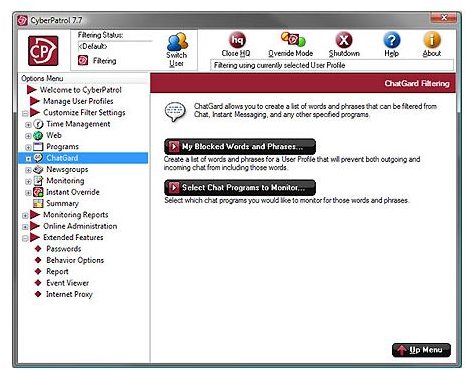
CyberPatrol
As well as filtering websites, this package includes a host of statistical reports which allow you to monitor and restrict how much time your child spends online or see if they are spending a concerning amount of time on particular sites. There are also options to block threatening words and phrases in instant messages and chatrooms. However, these blocks are not as intelligent as some of the filters and don’t always work well unless cyber bullies have good spelling!
Price: $39.95 for up to 3 PCs (annual subscription)
Website: https://www.cyberpatrol.com/family.asp
CyberSitter
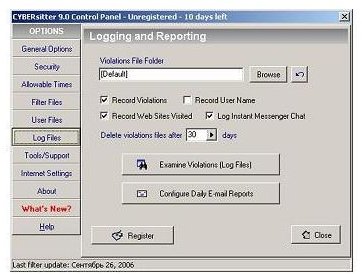
CyberSitter is billed as having been the first commercially available filtering software. It’s notable features include the ability to receive reports on your child’s activity through e-mail, and settings which allow the use of popular social networking sites but with safety restrictions. The software also includes a feature where websites can block access to unsuitable pages while allowing children access to the rest of the site. However, this required website owners to participate and is unlikely to have a widespread take-up.
Price: $39.95 (one-off)
Website: https://www.cybersitter.com/
K9 Web Protection
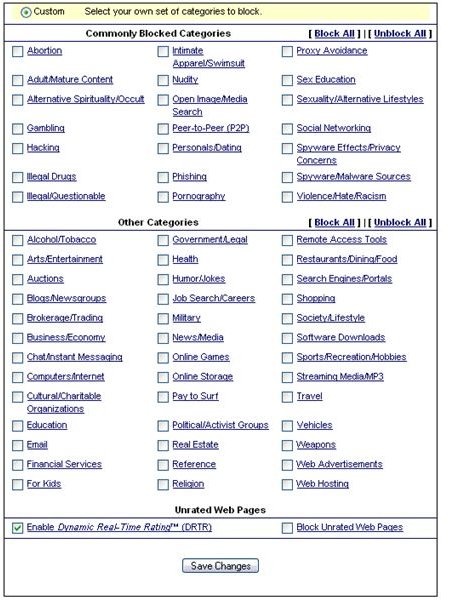
This free package reroutes your internet connection through K9’s web servers, allowing it to filter out unsuitable sites. It gives a great deal of control, letting you choose very specific types of site to block. As well as the obvious categories such as pornography and sexual content, you can block sites covering subjects such as religion or weapons. The package is embedded deeply in your system meaning most children would have to struggle to disable it.
Price: Free
Website: https://www1.k9webprotection.com/
Net Nanny
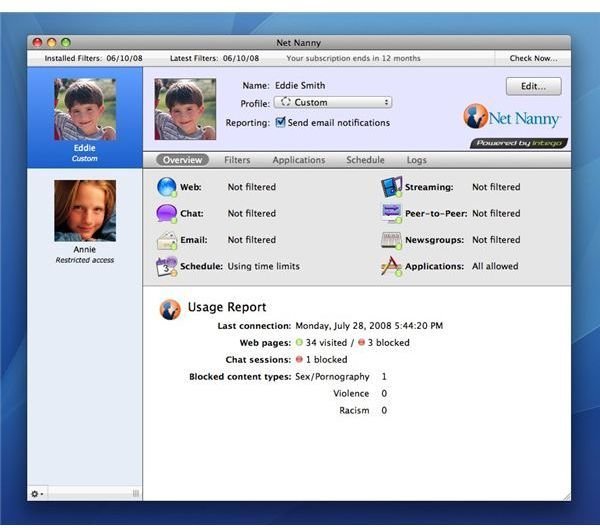
Net Nanny is one of the best known commercial packages and is now also available for the Mac. The basic operation is the same as rivals, but with the extra cost you get added features such as free technical support, remote management (allowing you to change the settings online meaning you don’t have to access your child’s computer) and blocks on adult-rated videogames. The software also automatically sets (and keeps) major search engines to safe search mode. However, given the price (which is an annual subscription rather than a one-off purchase), it may be worth trying free alternatives first.
Website: https://www.netnanny.com/
Price: $39.99 for one computer, $59.99 for up to three computers (annual subscription)
This post is part of the series: Protecting your children online
Many parents worry about keeping their children safe online, In a three-part series we look at the truth about dangers children face on the internet, security packages which can filter unsuitable content, and guidelines for protecting your children.


