Sometimes even the most loyal Linux user wants to run a Windows-based program. In the first of a two-part series we look at the logistics behind running these programs through a Windows emulator.
Why use a Windows emulator?
While there are many free applications which run on Linux and are decent substitutes for Microsoft products (such as OpenOffice in place of Microsoft Office), many new converts to Linux still have Windows programs which they want to continue to run. The answer is an emulator.
Emulators are perhaps known as the Windows programs that allow you to run 1980s computer games on your modern PC. But, an emulator simply runs one system’s programs on a machine running a different system.
Emulating Windows on Linux is a particular challenge. Whereas old computer games are extremely simple programs (and the biggest problem is slowing them down on today’s faster computers), it’s not easy to get the complicated Windows system running on the comparatively simpler Linux.
However, the open-source nature of Linux, in which ‘rival’ developers share ideas and solutions, means some good solutions have been found.
Licensing issues
Since Windows is a system belonging to one company – and a currently active, giant company at that, there are legal issues involved in running Windows programs on non-Windows systems.
Windows emulators for Linux split into two groups: those which need a Windows licence and those which don’t. As we’ll show later on, there are very fewthat don’t need one, and they tend to be much more limited.
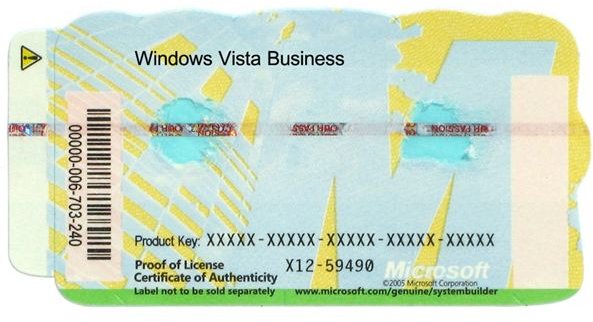
If you’ve just switched to Vista, chances are you already have a valid Windows licence on your machine. If you’ve bought a new machine just for Linux, check the details of any copies of Windows you already have and see if the licence is legally valid to move to another machine.
If you don’t have a copy of Windows you will need to get one to use most Linux emulators. You may be able to save cash by getting an older edition, or a basic rather than professional user version, but make sure it’s compatible with the programs you want to run in Linux.
What won’t run?
Most Linux emulators can’t offer the Direct X system which is used for many multimedia tasks in Windows. This means that it’s difficult to run most Windows video games on a Linux machine. Indeed, even with the few emulators which do support the system, video game performance is unpredictable, particularly for games with complicated graphics.
Related reading
>» Comparison of Computer Operating Systems
>» Linux Operating System: Open Source, Free, Customizable
>» Why use Linux, the Open Source Operating System?
Images
This post is part of the series: Windows emulators for Linux
Sometimes even the most loyal Linux user wants to run a Windows-based program. In a two-part series we explore how this can be done and look at some of the leading emulation software.


