The AutoShapes found in Microsoft Excel are more customizable than most people realize. Read on to learn how you can change the shape.
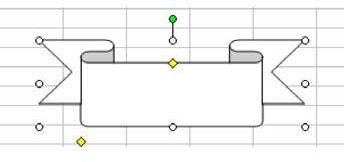
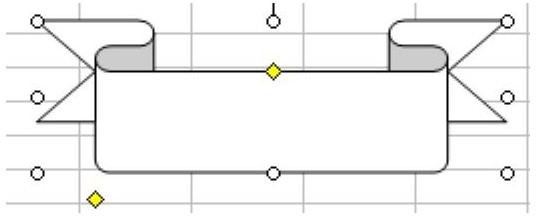
Problem: As shown in Fig. 1377, the AutoShape is almost what you want, but not quite. Can you adjust it to a narrower banner?
Note: Click any of the images below to see a larger view.
Strategy: For many AutoShapes, you can select the shape and it offers one or more yellow diamond-shaped handles. This yellow handle allows you to adjust the inflection point in shapes. In the first image shown, the lower left diamond handle will allow you to control how much overlap appears on the back ribbon.
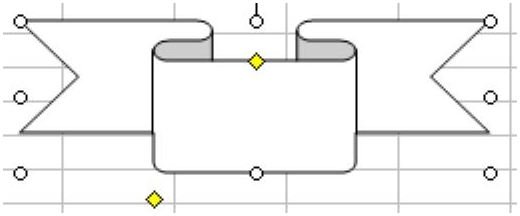
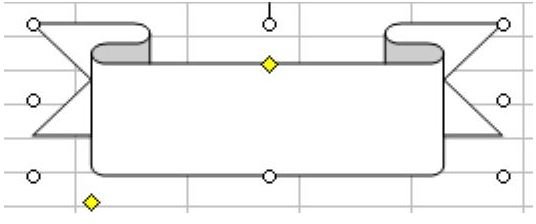
As shown in Fig. 1378, you can make the front portion of the ribbon shorter – or longer, as shown in Fig. 1379.
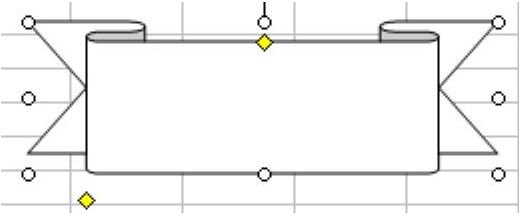
This shape offers a top inflection point. This can make the “fold” of the ribbon narrower, as shown in Fig. 1380 – or thicker, as shown in Fig. 1381.
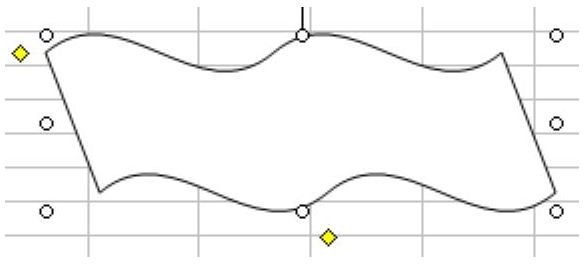
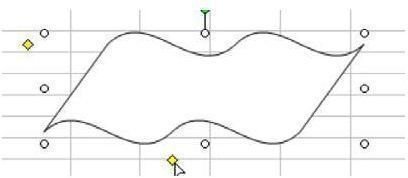
For the Double Wave, the bottom inflection handle controls tilt, as shown in Fig. 1382 and Fig. 1383.
Summary: Use the yellow handle with the AutoShape to adjust the inflection of an AutoShape to create an infinite variety of shapes. Experiment a little with these options and see what different shapes you can create! You may even want to designate a special workbook to save your various creations so you can cut and paste them into different Excel files when needed.
Once you’ve modified the shape, you can also apply different effects – like a drop shadow – for even more visual appeal.
Images
References and Additional Resources
If you’re looking for more tips and tutorials, check out 91 Tips for Calculating With Microsoft Excel . This collection of easy-to-follow guides shows how to customize charts and graphs, different ways to make complex spreadsheets easier to update and even how to play games like Craps in Excel.
Other Resources:
Microsoft Excel Official Site, https://office.microsoft.com/en-us/excel/
Bill Jelen, Microsoft Excel 2010 In Depth, Available from Amazon.com .


