Pictures taken from digital cameras could eat up a lot of space in your harddisk. The average 5 megapixel picture could eat about 2.5MB which is about the same size as an average 128kbps MP3 file. With Windows Live SkyDrive you can use up to 25G of free online storage.
Using Windows Live Photo Gallery
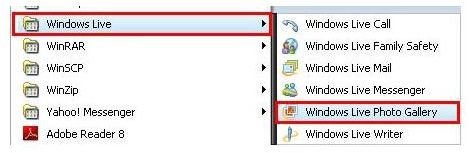
To be able to use Windows Live SkyDrive you will need a Windows Live account. To obtain a Windows Live Account, visit the Windows Live home page. You’ll also need client software called Windows Live Photo Gallery. You can download Windows Live Photo Gallery at the Live Photo Gallery web site.Download the file and it will guide you through the installation process. The download could take a few minutes depending on your Internet connection. Once you have it installed, open the Photo Gallery application under the Windows Live applications:
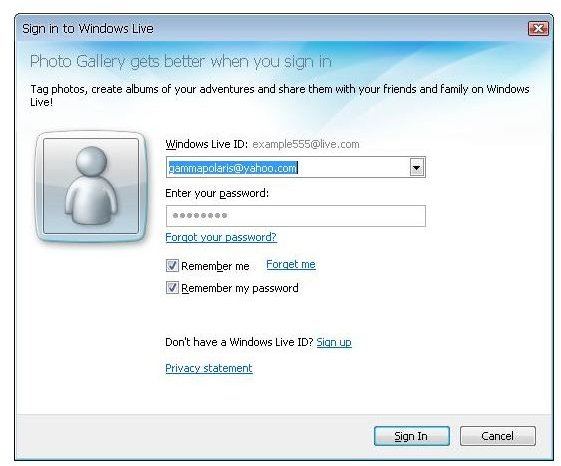
On first use, it will ask you to login using your Windows Live account. Enter your user name and password then click “Sign In”.
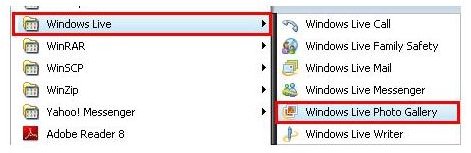
Use the navigation tree on the left side of the GUI to browse the pictures that you want to upload. Click Publish then Online Upload to open the online album creation window.
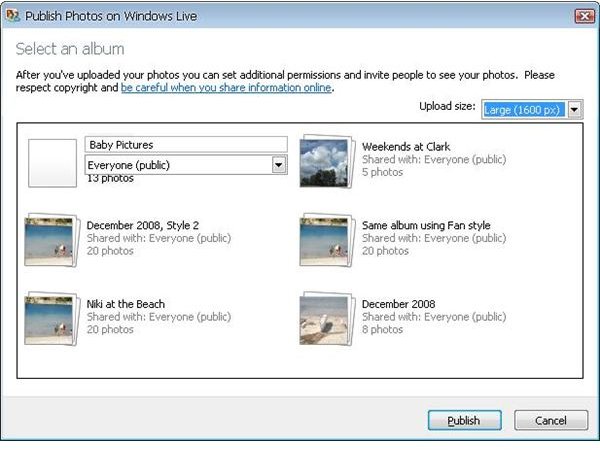
Enter the name of the photo album that you want to appear online. Choose from the privacy option either public or private to allow or restrict viewing of the album online. Click the Publish button to start uploading the pictures you selected.
For more information on Photo Gallery, refer to Joli Ballew’s article, Windows Live Photo Gallery, All You Need to Know.
View your Album and Photos
Once the pictures are uploaded you should see a button that says “View Album”. Click this button to have your default browser open the URL of the album. Below is a sample of my photo album.
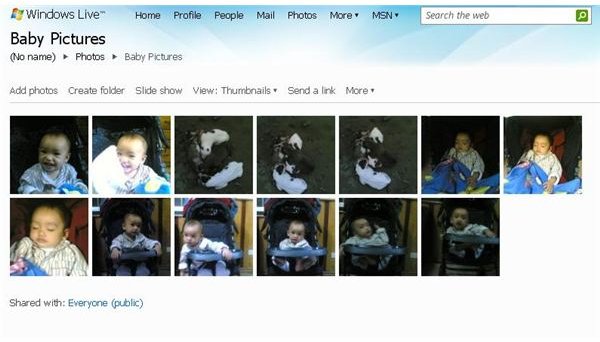
You can use this service to backup your pictures too. It’s more than just a place to share. With SkyDrive you can save up to 25 GBs of files, plenty of room for most users.
There are plenty of other “Live” features to explore, and each one of them is introduced on BrightHub. The article, Windows Live Services , introduces each of them, including Windows Live Mail, Live Contacts, Live ID, and more.


