One of the challenges for a solo trader or home worker who wishes to have a simple web presence to promote their services is how to get people to come to or better still return to their web site. One way is to make the site dynamic offering new content to the returning visitor.
How can a very useful open source script be deployed to add an RSS feed to a site to ensure that a returning visitor sees new content?
For example, supposing that you were a small trader selling goods from producers in developing countries. You could add an RSS feed to your website highlighting stories about conditions in the countries where your goods came from. Or if you were a financial advisor, you could have feeds syndicating stories about the economy or stocks and shares. All that you need is a simple way to do it.
How to do it
I am indebted to Alan Levine of Maricopa Community Colleges, who wrote a script to add an RSS feed to an HTML page and then made it available as open source. Strictly, the tool provided allows you to build your own javascript that you can then incorporate into your web page.
To add your chosen feed to your page, first go to https://itde.vccs.edu/rss2js/build.php . The resulting page allows you to enter your chosen options to select the URL of the feed and them control a number of options:
URL Enter the web address of the RSS Feed
Show channel? (yes/no/title) Display information about the publisher of the feed (yes=show the title and description; title= display title only, no=do not display anything)
Number of items to display. Enter the number of items to be displayed (enter 0 to show all available)
Show item descriptions? How much? (0=no descriptions, 1=show full description text, n>1 = display first n characters of description)
Show item posting date? (yes/no) Display the date the item was added to the feed.
Open links in a new window? (yes/no) Should links open in a new window or replace the content in the page containing the feed?
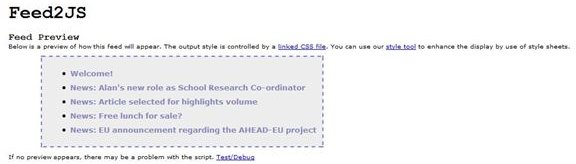
Once you have done this, you can preview the result before generating your Javascript.
.
If you don’t like the way it looks you can control the appearance using CSS and the site provides a tool to help with this.
Here’s a whole page I prepared earlier
I’m not a financial adviser, I’m a professor working in the UK in health informatics, so I used the script to generate dynamic pages based upon newsfeeds from a number of sources including the UK’s National Health Service IT project, NHS Connecting for Health.
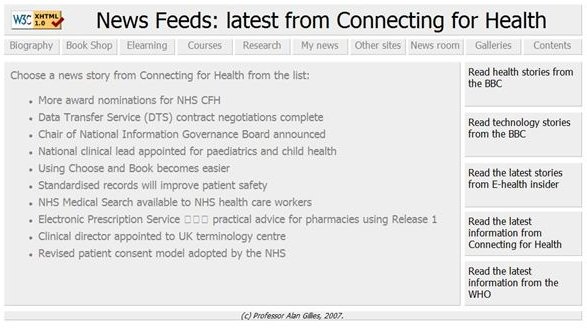
The line in the HTML page that calls the script is:
but I didn’t generate it, I cut and pasted it from the code supplied by the feed2js page.
So if you want RSS, and don’t want the complexity of a full-blown CMS such as Drupal, try adding an RSS feed or two to your site using feed2js.


