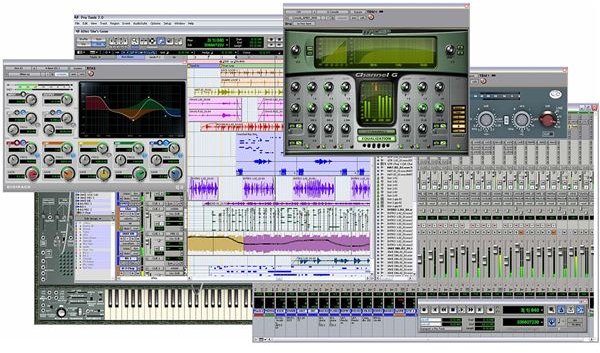
Here are some of the most important keyboard shortcuts used in Pro Tools 8.
Pro Key Tools
Pro Tools has defined itself as the premiere audio mixing program around and is used for audio post-production on a consistent level, with many audio houses running entirely on Pro Tools systems. Like with any editing program, the software acts as a vessel for the creative decisions and mastery of the person using it. The interface of Pro Tools is only to act as an intermediary where different commands can be entered. These commands can also be entered with Pro Tools keyboard shortcuts in an effort to help the process along in a quicker and more intuitive fashion. Here are some of the most important Pro Tools keyboard shortcuts for those new to this type of audio mixing on their Mac computer.
Basic Keyboard Shortcuts and Those for Record/Play
Many of the Pro Tools keyboard shortcuts are needed right out of the gate, otherwise you may not even be able to make it into your general Pro Tools project.
- Record - Command and Spacebar or 3
- Copy - Command and C
- Cut - Command and X
- Paste - Command and V
- Stop Record - Spacebar
- Half Speed Record - Command, Shift and Spacebar
- Enable or Disable Online Record - Command, Option and Spacebar
- Enable or Disable Online Playback - Command and J
- Half Speed Playback - Shift and Spacebar
- Open New Track - Command, Shift, and N
- Track Punch - Command, Shift and T
- Quick Punch - Command, Shift and P
Working With New Tracks
When you are in the Dialog for new tracks there are a number of Pro Tools keyboard shortcuts you can try out.
- Look Through Track Types - Control and the Up or Down Arrows
- Look Through Trake Timebases - Control, Option and the Up or Down Arrows
- Look Through Track Formats - Control, and the Left or Right Arrows
- Add or Delete Track Entry Field - Control and the Plus or Minus Signs
Shuttle
Here are more Pro Tools keyboard shortcuts for shuttle as this mode going to be one of the most important for going back and forth through audio tracks in your Pro Tools project.
- Shuttle - Hold Option While Dragging Scrubber
- Real Time Shuttle Lock - Control and 5
- Max Shuttle Lock - Control and 9
- Stop Shuttle Lock - 0
- Exit the Base Shuttle Lock Mode - Esc Button or Spacebar
Number Pad
Several of the Pro Tools keyboard shortcuts are just based off of the number pad, and many of these are the most standard Pro Tools functions that you will have to go back to on a regular basis.
- Rewind - 1
- Fast Forward - 2
- Record - 3
- Loop Playback - 4
- Loop Record - 5
- Quick Punch Record - 6
- On or Off for MIDI Metronome - 7
- On or Off for MIDI Count - 8
- On or Off for Merge Record - 9
- Play and Stop - 0
If you are in shuttle mode on a TDM system you will have some different options for these numeric Pro Tools keyboard shortcuts on a Mac.
- Quarter Speed Forward - 3
- Rewind Single Speed - 4
- Forward at Single X - 6
- Four Times Rewind - 7
- Four Times Fast forward 9


