With almost every mobile Java application being compatible with the Samsung Eternity, it can be difficult to determine which ones are really needed. Here’s a list of essential Samsung Eternity apps to help you out.
Samsung Eternity
There are not enough mobile applications specifically developed for the Samsung Eternity because this phone can already run Java applications . This means that most of the mobile Java apps are already considered as Samsung Eterntiy apps. Here are 5 of those apps that you are advised to install on your Samsung Eternity.
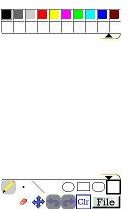
Bantam Paint+ Special Edition
It should be obvious that for touchscreen phones, applications that let you draw are essential. Paint+ is not just an ordinary paint application, though. It can let you open a picture as a layer, a feature that is only seen in advanced desktop computer image editing applications. Of course, it also includes the usual paint tools like pencil, brush, eraser, line, shapes, undo, redo, fill and clear. If that’s not enough for you, Paint+ also saves your current custom color palette. Anyone who enjoys drawing will definitely enjoy this app.
Google Maps
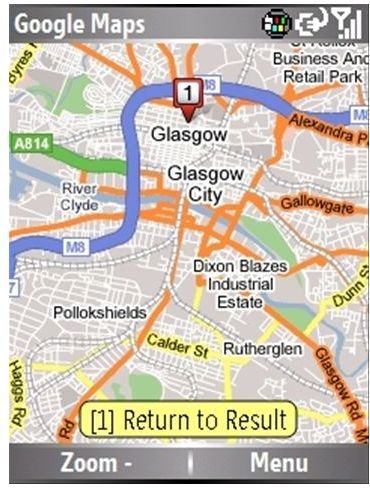
All mobile devices will definitely be considered useful and essential if they have mapping applications. Among mobile mapping applications, Google Maps is leading the downloads. It is the most used and most popular mapping software on mobile devices. This is why it’s consider one of the most essential Samsung Eternity apps available. Quick access to location information and directions is the main reason why all Samsung Eternity owners should have Google Maps installed on their phones.
Opera Mini
If you want to use your Samsung Eternity to browse the web, you will need a good mobile web browser. The built-in mobile web browser does its job, but if you really want a smoother web browsing experience, you should use Opera Mini instead of the built-in web browser. It is considered the best mobile web browser and with good reason. It improves your mobile web browsing experience with its lightweight size and its speed. It also has technology that compresses websites so you can cut down on your data usage.
Noteable
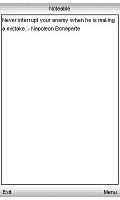
The idea behind Noteable, a basic notepad app, is so simple that it’s genius. A basic notepad on a computer is just another throw-away application, but on a mobile device, it’s extremely useful. Having notepad on your Samsung Eternity is like carrying a scratch paper around. You can take note of little things like to-do items, grocery items and reminders. It supports full touchscreen functionality, 3D cube transition effects and saving into any file extension.
Yellow Pages Mobile
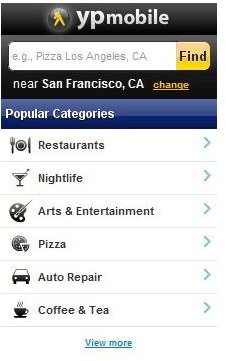
If you need more location information than Google Maps can provide, like information about a specific restaurant, movie house or coffee shop, the Yellow Pages app is for you. It gives you information on the establishments, events and services within easy reach of your current location. This information includes reviews which you can share with your friends and family. If you’re visiting a new place, this app is a must-have on your Samsung Eternity.
Check also the Top 5 Games for Samsung Eternity .


