A company brochure is a great way to display your company’s message and products. But, many people don’t have one. Learn how to create a simple brochure that will impress your clients.
Creating a Brochure
Every company needs a way to communicate their message and display their wares or services. A company brochure is an excellent way to do this. It’s easier to find on a busy desk, faster than a business card, and holds all the necessary information a potential client needs to see what you offer.
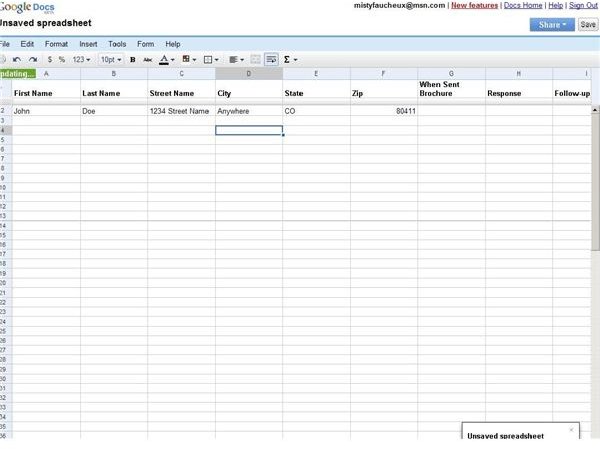
The first thing that you need to do before you start compiling your brochure is to create a mailing list. Google spreadsheets is an excellent tool for this. Unlike Excel spreadsheets, you can create a password protected spreadsheet in Google Docs that you can easily share with coworkers and contractors.
Colleagues can just log into the spreadsheet from their computer to update it. There is no need to email the whole document back and forth.
The next thing is to compile what you want to say. You need a targeted, accurate (not outdated) message, geared towards a specific audience. If you’re not prepared to write this, a good marketing or PR person may be necessary. A PR professional can write copy that is clear, concise and geared toward the audience you want to attract.

Also, you need to include your contact information. This is the most important item to add to your brochure. You want your potential clients to find you easily. It’s best not to put a contact name on it since personnel may change.
Next, you need to come up with a color scheme and attractive text font. For a cheaper budget, you probably only want to use two colors. But, if you’re budget is unlimited, full color looks best. You can add pictures of items or people that correspond to your company’s products or services. A graphic designer can always help you with this process.
Now, you need to take your brochure layout to a printer. If you’ve never dealt with a printer, it may be easier to use your graphic designer for this also. You need to decide on things like paper weight, the look (i.e. glossy versus flat) or special treatments.
Once you go through this process, you need to determine how many copies to make. It’s best to always go over by a few; that way you never have to worry about being short.
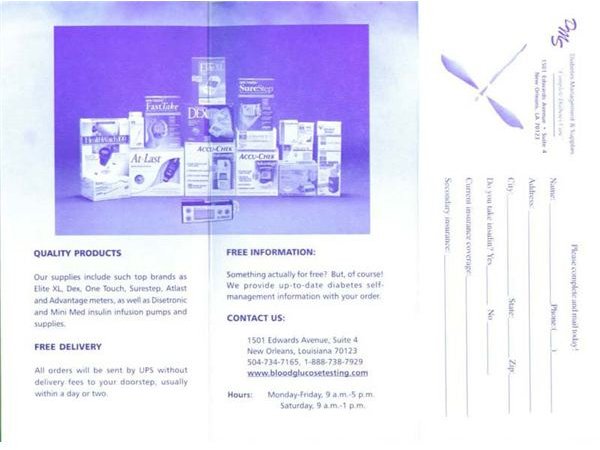
Above all, you want a brochure that represents you. The look and feel of the document needs to correspond to your company and its message.


