Check out the newest internet connected devices for the home theater and discover their advantages and disadvantages.
Going online to view your favorite websites usually takes place at a desktop computer or laptop. Watching your favorite television shows or movies typically takes place in the home theater or entertainment center, either through cable, satellite, or dvd rentals and purchases. These two areas are gradually coming together with the introduction of web-enabled devices into the home theater space. The TV isn’t just a TV anymore, and the desktop computer may become the second option for going online to view sites like Facebook and Youtube. Online streaming services like Netflix and Pandora are accessible from a variety of devices, not just the computer. The following home theater electronics are designed to connect to the internet and operate in a wireless network.
Internet Ready TV
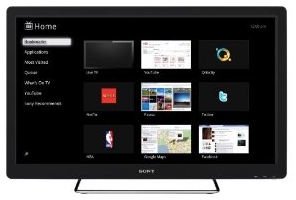
The center of any home theater is the television. Newer models display video in high definition and some are capable of displaying 3D video. A select few feature built-in wi-fi which allows the TV to connect to the internet. LG sells several models with NetCast, which is their internet application package. The LG 32LD550 model offers streaming video services including Netflix, Vudu, and Youtube. It also features Yahoo widgets, which display news, sports scores, and stock info. You can also access photos stored in Picasa albums. Sony’s Google TV features a built-in web browser that connects wirelessly to the internet. The NSX-32GT1 model offers access to Android apps, full web search with Google, streaming video services, and streaming music services. The remote control features a keypad for easy navigation.
Networked Home Theater Receivers

Web-enabled home theater receivers feature an ethernet port, which allows the device to be connected to a router. After it is connected, you can stream music from the internet or from a home computer. The Denon AVR-211CI model incorporates Apple AirPlay to stream music from your iTunes Library, either directly from a networked computer or from the iPhone, iPad, or iPod Touch. It can also access thousands of internet radio stations or stream music from sites like Pandora or Rhapsody.
Wireless Music Players
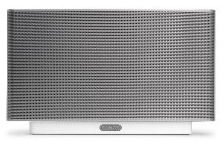
Another option for streaming music in the home theater is to setup a wireless music player. The Sonos S5 connects to a router with an ethernet cable. Browse through your personal collection of songs or go online to music streaming sites like Napster, iTunes, SIRIUS, and last.fm. All this is done through a cell phone, tablet, or Sonos controller. Download the Sonos S5 app to your iPhone, iPod Touch, iPad, or Android smartphone and find the songs or sites you want to hear. Or use the touchscreen of the Sonos remote control to play songs.
Gaming Consoles
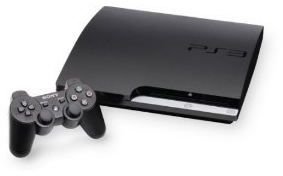
Gaming consoles are probably the most multi-functional electronic device in the home. Their main feature is to play video games, but the current generation of consoles are networked, which means there are several additional features. The XBox 360 and Playstation 3 both are capable of playing online against players from around the world and they can play games in a local area network. The XBox 360 has access to the online marketplace XBox Live, while the Playstation 3 is connected to the PlayStation Store. Both offer downloadable games, demos, trailers, movies, and tv shows. Both have access to Netflix streaming and social networking sites, but only the Playstation 3 has a built-in web browser.
Routers
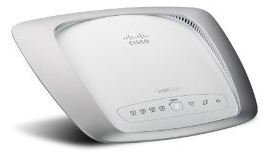
The accessory which bridges all these internet connected devices is the router. A router connects one device to another in a network and gives access to the web for each device. The Cisco Valet Plus Wireless Router features an easy setup process for establishing a wireless network. Connect it to a modem with an ethernet cable and plug the Easy Setup Key into the usb port of a computer. Follow the on-screen instructions to setup the network.
Advantages and Disadvantages of Connected Devices
There are several advantages of having networked devices in the home theater. The main advantage is that online content can be viewed on the main television in the house, instead of being restricted to the small computer monitor. Services like Netflix, which started as a dvd rental company, now stream content to gaming devices and internet connected TVs. Similarly, songs that are stored on a computer, cell phone or mp3 player can now be played with the stereo system of the home theater through the wireless network.
The main disadvantage of connected devices is that the interface may not be that great. This is usually the problem when surfing the internet on an internet ready TV or gaming console. The remote control and game controller lack the fidelity of the keyboard and mouse.
Reference
Crutchfield Wireless Entertainment
Internet Ready TV
Home Theater Receivers
Wireless Music Players
Gaming Consoles
Routers
Image credit - Images courtesy of amazon.com


