The latest hard disk defrag software reviewed here is the much-awaited Diskeeper 2011. There are many new features and you’ll learn more about them in this Diskeeper 2011 review.
Defragmenting Your Hard Disk
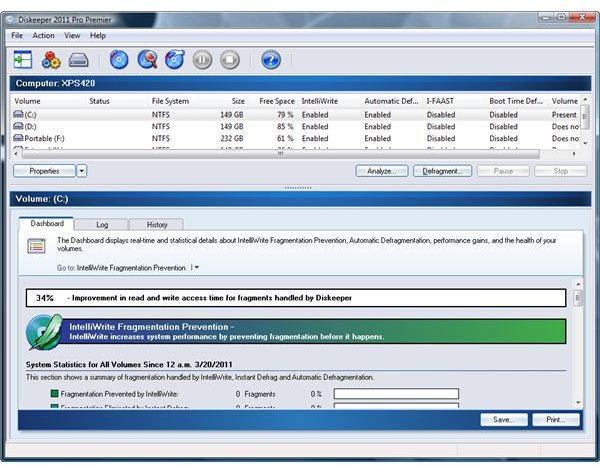
It is recommended to defrag the hard disk to improve its performance. The built-in defrag tool in Windows is not enough if you prefer using a program that will provide more options and features.
Diskeeper is offering the latest version with new features and improvements. Diskeeper 2011 will not only automate but also provide an Instant Defrag feature. You’ll find out more in the next section of this Diskeeper 2011 review on what else to expect in the new version.
Installation and System Requirements (5 out of 5)
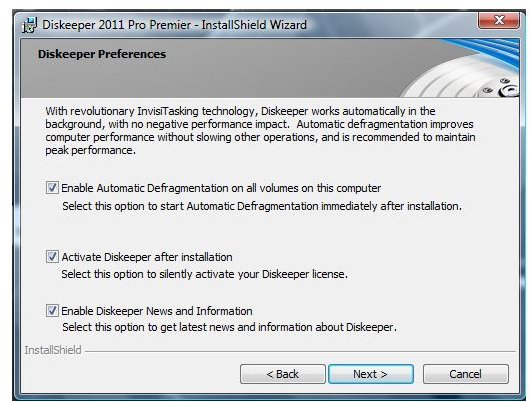
The install process of Diskeeper 2011 is straightforward. There’s no need to remove existing versions. The installer will prompt you to
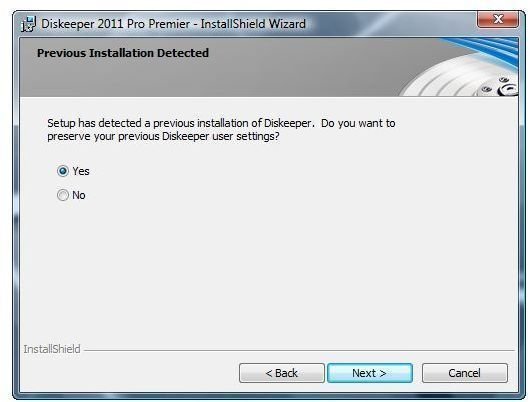
, if you like. New users can simply use the default install method because it can be changed in its configuration option, any time you want.
Diskeeper runs on Windows XP, Vista and Windows 7 for home users while business and enterprise users can use the program in the Windows Server operating systems. It also supports VMware hosted operating systems. You can instantly enjoy using the program because it requires no PC restart.
Tip: If you are upgrading from a previous version of Diskeeper and wish to keep the logs, do this before installing Diskeeper 2011. The previous logs are removed after the upgrade process.
Features and Options (5 out of 5)
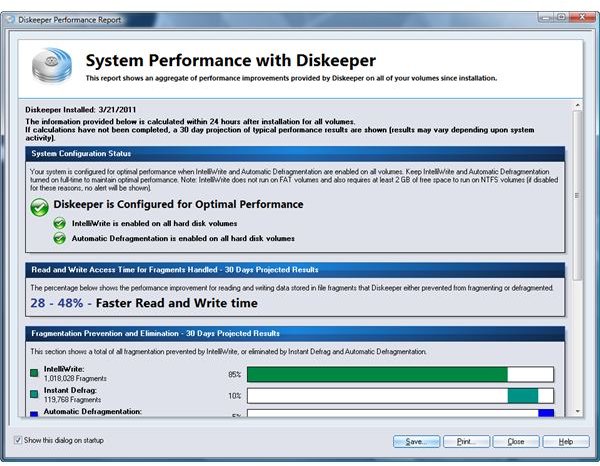
The version of Diskeeper reviewed here is Diskeeper Pro Premier that is designed to handle massive fragmentation , even on large hard drives, and can be installed on all editions of Windows. Below are the features to expect in Diskeeper Pro Premier:
- Instant Defrag - Diskeeper 2011’s new feature to instantly defrag the hard disks. It’s an enhancement to the automatic defrag feature that helps to eliminates any fragmentation.
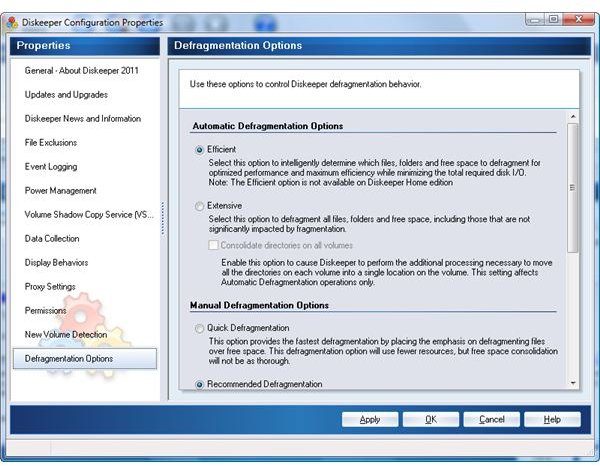
- Efficient Defragmentation - The new version also includes new technology and advanced algorithms to maximize performance while eliminating fragmentation. Note that this feature is not available in the Home edition of Diskeeper.
- File-by-file Defrag - The new version also boasts its file-by-file approach to optimization, time and resource consuming whole-volume analysis and defragmentation. This is useful to large hard disks.
- Diskeeper now tracks I/O’s saved on your system.
Other new neat improvement in Diskeeper is the option to save the performance report as bitmap format. The previous edition will only save the report in text file format.
Performance (5 out of 5)
Diskeeper 2011 will only use 15 MB of memory while keeping the computer’s performance in tip-top shape. The new version is indeed superior to previous versions because of the enhanced automatic defrag. I really like the IntelliWrite Fragmentation Prevention system by this program because it simply does what it has to do which means I don’t have to manually run a defrag.
Programs that require defragged hard-disks before you can install will detect that the computer has been defragged already even if you never open Diskeeper for months. Note that the test system in this Diskeeper 2011 review has been running Diskeeper 2009 to Diskeeper 2010 which means IntelliWrite and Automatic Defragmentation is continuously working to prevent fragmentation. Now that it is using Diskeeper 2011, it detected at once that the Instant defrag feature eliminated 1% fragmentation while Intelliwrite has prevented 9%, and 90% of the fragmentation was eliminated by defragmentation feature. I have not even used the boot-time defrag feature and I don’t see slow performance of the hard disks.
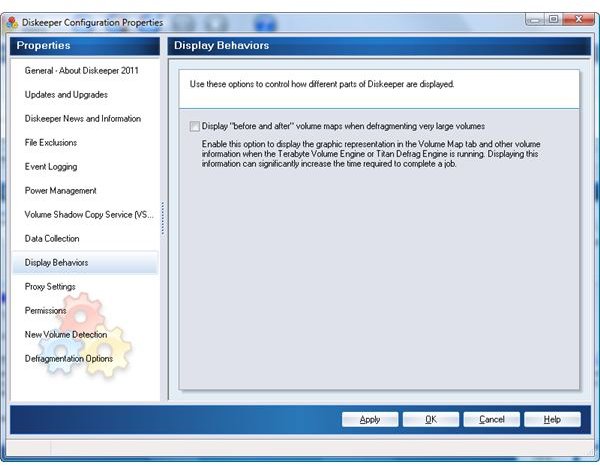
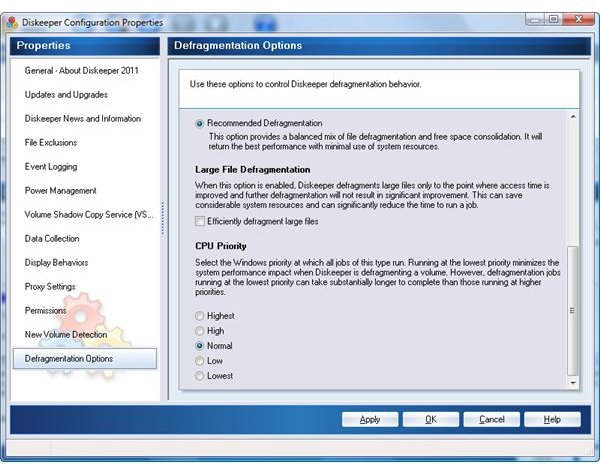
Images: New Defrag Options and Display Behavior Setting
Price to Value (5 out of 5)
New customers of Diskeeper should check the price list of the program at https://www.diskeeper.com/purchase/home/full.aspx . Existing customers of Diskeeper can always take advantage of upgrade price which is often a huge discount e.g. $14 off for Home edition, $24 off for Professional edition and $40 off for Pro Premier edition.
Conclusion
Diskeeper 2011 is not only easy to install and use, but an effective and powerful hard disk defrag software. Similar defrag programs may not be able to beat its new and useful technology in keeping the computer in great shape all the time.
The event viewer in Windows continues to report better boot-time while using Diskeeper program which means Diskeeper is not only keeping the hard disk in good shape but speeding up the PC’s overall performance.
References
- Image credit: Screenshots taken by the author, courtesy of Diskeeper .
- Product version: Diskeeper Pro Premier v15.0.951.0


