With a minimum 25GB of storage, Blu-ray discs offer a wealth of potential with incredible picture and sound quality. Users who want to make their own Blu-ray discs should check this review of the top PC Blu-ray burners. Whether you need it professionally, or just for fun, this guide will list the best Blu-ray burners available on the market.
New to Blu-ray?
If you’re unsure (or even if you are sure) whether or not your computer is well-equipped in order for a Blu-ray drive to run smoothly, it’s recommended that you also check out Making your PC Ready for Blu-ray .
**How this guide works
**Note that the brief reviews of the following Blu-ray burners take place in no particular order. For the most part, I will concentrate on performance, compatibility and price when discussing them. None of these burners are ranked. The purpose of this guide is for you to read about the individual burners and make a decision based on what you’re reading on which one is right for you. No one burner is listed as better or worse than another.
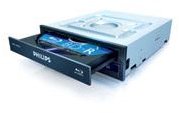
Philips
Philips SPD7000 Blu-Ray Disc Writer
Costs roughly: $400
**
Features**
-
Easy to install
Advertisement -
Writes for a variety of media
Drawbacks
- Only records at 2x speed for Blu-ray, DVD or CD
- Single-layer burning only
- Pricey for its limited features
- Copy Protection messages may prevent the reading or burning of some Blu-ray discs, regardless of whether or not the disc contains original content by the user
Philips Drive Image
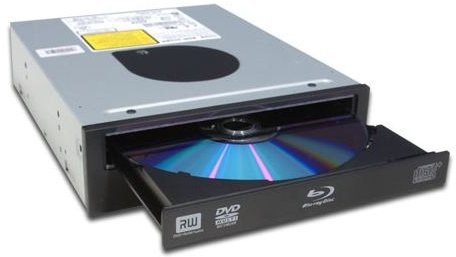
Pioneer
Pioneer BDR-202BK Retail Blu-ray Disc Writer
Costs roughly: $400
Features
-
Can burn up to 4x maximum speed for Blu-ray discs
-
Backwards compatible for burning to DVDs and CDs
Advertisement -
Can be installed horizontally or vertically
-
Lightweight (just over 2lbs)
Advertisement -
Rapid burning speeds of up to 1.5Gbps; takes between 22-25 minutes to completely fill the space of a Blu-ray writable disc
Drawbacks
- Only capable of burning single-layered discs
- Transferring data from a burned Blu-ray disc to the hard drive can be a slow procedure; can sometimes take up to 40 minutes
Pioneer Drive Image
Sony
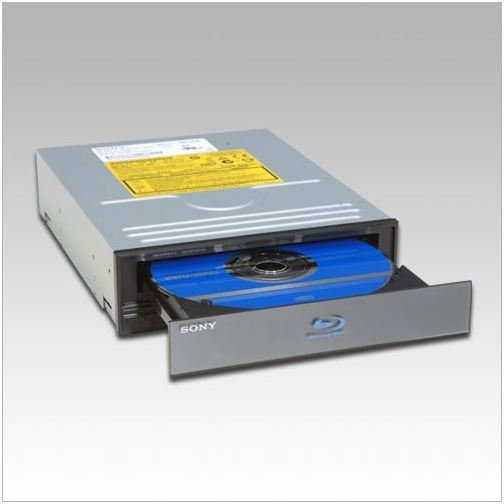
Sony BWU200S Internal Blu-ray Disc Rewritable Drive
Costs roughly: $580
Features
- Burns up to 4x maximum speed for Blu-ray discs
- Backwards compatible for burning to DVDs and CDs
- Creates high-quality CDs and DVDs (16x burning speed)
Drawbacks
-
Expensive, even for current Blu-ray players
-
Bulky, weighs around 3.5lbs
Advertisement -
Can only burn single-layer discs
-
Downloads and updates are required in order to play commercial blu-ray discs. Sometimes these downloads come at a price
Advertisement -
Has some difficulty reading burned Blu-ray discs, such as slow reading times
Sony Drive Image
LiteOn
LiteOn Group LH-2B1S
Costs roughly: $300
Features
-
Incredibly light (under 2lbs)
-
32x CD writing speeds
-
Competitive price
-
Does not require heavy system specs to run (only needs 512MB RAM and 2.0Ghz processor)
Drawbacks
-
Single-layer burning for Blu-ray, but can burn dual-layer for DVDs
-
Blu-ray reading and writing is only at 2x speed
LiteOn Drive Image
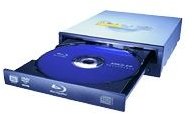
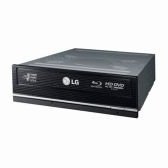
LG
LG GGW-H20L
Costs roughly: $300
Features
- Impressive writing speeds: up to 6x for Blu-ray
- Competitive price
- Can write on double-layered discs
- Able to read now-dead HD DVD discs
- Supports LightScribe technology
- Easy installation
Drawbacks
- Can use up a good portion of your CPU and RAM while burning
- Only reads Blu-ray discs at 2x speed; much lower than its writing speed
- Writing quality of CDs and DVDs is inconsistent
LG Drive Image