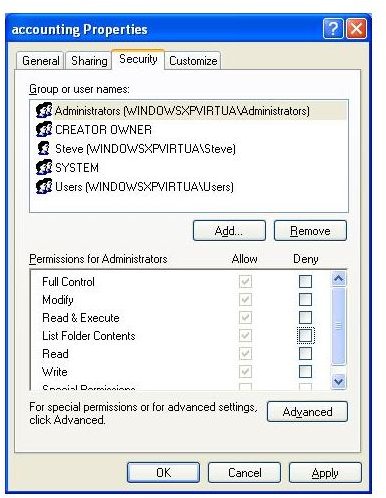
The Security Policies and Group Policies in major Microsoft operating systems allow for the control and tightening of security. With Windows XP Professional, Windows Vista and Windows 7 Beta, these policies help to lock down individual settings.
Policies
Even old administrators like me are often left scratching their heads wondering what Microsoft’s Security Policy or Group Policy means or wants. In this series we will examine the different lines of mysterious and not so mysterious lines in the policies. These settings allow for the ultimate control of local computers. The sole purpose of these tweaks allows for the compliance of security and control of the workstation.
Policies the Basics
The following information is found under gpedit.msc or the security policy under the control panel
Although these areas appear to repeat themselves, let’s examine these line by line-
- Computer Configuration\Windows Settings\Account Policies\Password Policy
- Computer Configuration\Windows Settings\Account Policies\Account Lockout Policy
- Computer Configuration\Windows Settings\Local Policies\Kerberos Policy
- Computer Configuration\Windows Settings\Local Policies\Audit Policy
Password Policy - What It Really Means
Computer Configuration\Windows Settings\Account Policies\Password Policy
Enforce password history - This setting keeps track of your passwords and will not allow a password to be reused within a given time
Maximum password age - The longest period of time a password can be used before the system requires a change
Minimum password age - The minimum amount of time a password can be used before it can be changed
Minimum password length - The minimum number of characters a password must be
Password must meet complexity requirement - The passwords cannot contain the user’s account name or parts of the user’s full name and cannot exceed two consecutive characters on the aforesaid information, the password must be at leastsix characters in length, and must contain upper characters (A - Z), lowercase (a - z), numbers (0 - 9) and contain symbols.
Lockout Policy Meanings
Computer Configuration\Windows Settings\Account Policies\Account Lockout Policy
Account lockout duration - This specifies the time a user will be locked out if the user puts in the wrong username or password
Account lockout threshold - This determines the number of times a username and password can be put in before action is taken
Reset lockout counter after - This setting determines when the account will be reset and the user can try again
Kerberos
Although the first two portions of this policy tutorial are self explanatory; Kerberos is used for advanced security with servers that encrypt data through token (ticket) exchanging. This setting is generally used in a local area network that contains a server that provides this security.
Computer Configuration\Windows Settings\Local Policies\Kerberos Policy
Enforce user logon restrictions - This setting determines whether Kerberos V5 validates every request for a session ticket
Maximum lifetime for service ticket - This setting must be greater than 10 minutes. This policy setting determines the maximum amount of time that a granted session ticket can be used to access a particular service on the server. Time is in minutes.
Maximum lifetime for user ticket - This time is measured in hours. This is the maximum lifetime of a TGT (ticket granting ticket).
Maximum lifetime for user ticket renewal - This policy is measured in days in which a ticket may be renewed.
Maximum tolerance for computer clock synchronization - Kerberos is time sensitive. This is the maximum number of minutes in the client computer and the server’s computer.
Kerberos is one of many security settings that helps in the protection of data and assets in a company.
Audit (Auditing)
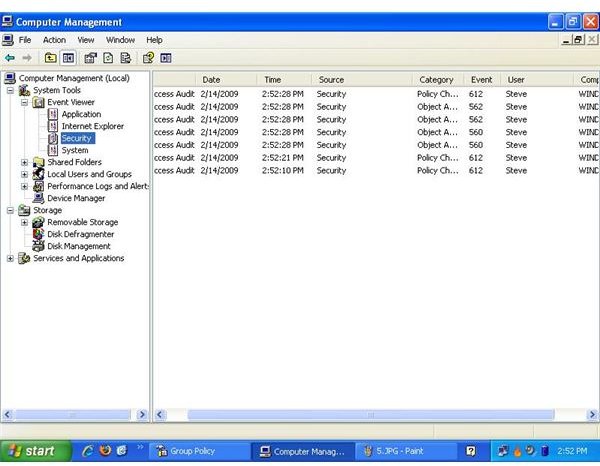
This setting allows you to ‘see’ what is happening with your users, files and folders. If anything is changed by a user, the information can be seen in the security event viewer. To see the information provided by this policy after it is enforced, right click My Computer, select manage, select the event viewer and click on security.
Audit account logon events
Audit account management
Audit directory service access
Audit logon events
Audit object access
Audit policy change
Audit privilege use
Audit process tracking
Audit system events
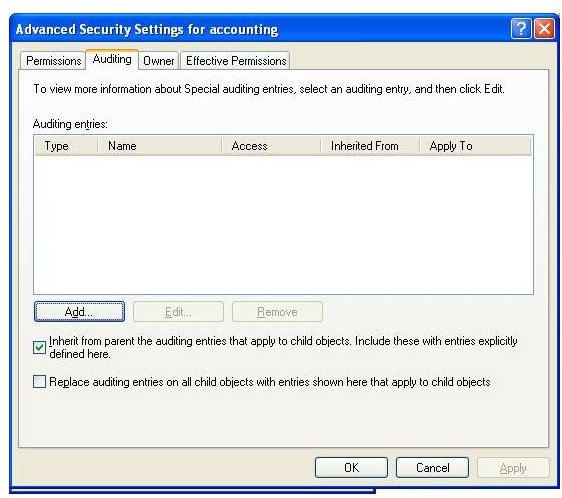
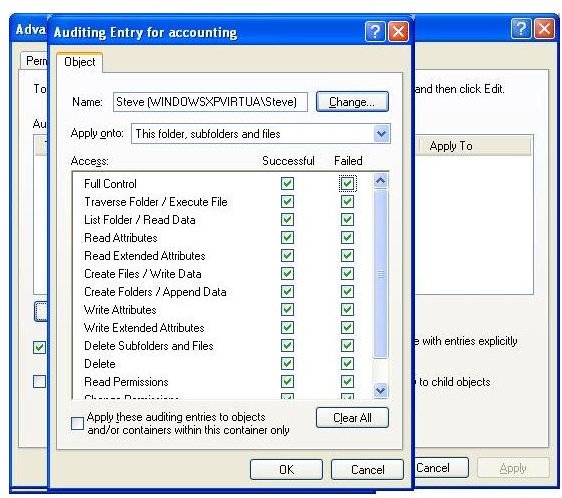
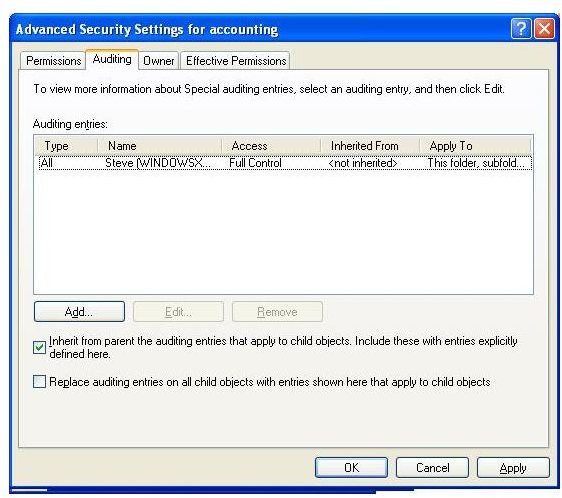
Auditing an Individual User

Conclusion
While this only gives the main Group Policies that are enabled on most computers, microsoft offers an Excel guide that gives descriptions of each of the lines in the group policy. When looking at security, the Group Policies can restrict and give only the permissions that the network administrator or system administrator wants.


