Read Our Adobe Lightroom 3 Review to Find Out if This Truly is the Ultimate Image Editor
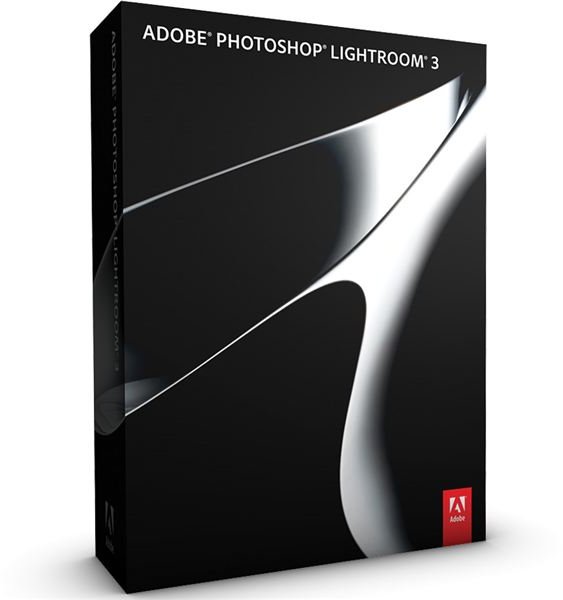
Lightroom 3 is a non-destructive image editor that falls between Photoshop Elements and the full-featured Photoshop CS5 in terms of features, price and functionality. It is aimed at pro and advanced amateur photographers who want to organize, edit and print their high quality RAW and JPEG photos and is available for Mac or PC.
What’s New?
In this Lightroom 3 review, I will start by running through the new features that have been added, or updated, from Lightroom 2. So, here is what you can expect to see in the way of improvements:
- Integrated noise reduction functionality
- Automatic lens adjustments based on preset lens profiles
- An updated and improved watermarking feature
- Drag and drop publishing to Flickr
- A more flexible way to create contact sheets and print layouts
- The ability to create and control grain
- Exportable video slideshows with music
- Two new vignetting styles
- Import and organize video files
- Tethered capture
- Improved picture processing engine
New Features in Depth (5 out of 5)
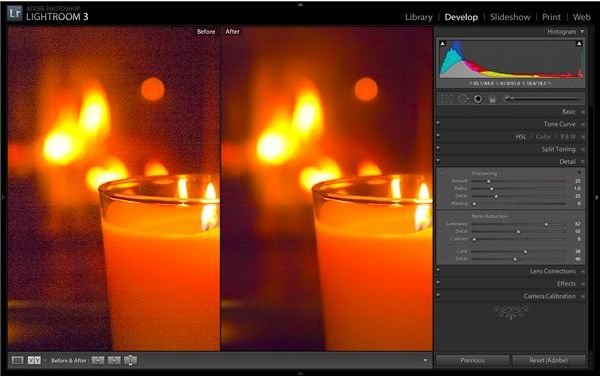
The first big feature that many Lightroom fans will enjoy is the new noise reduction implementation. This is built-in to the Develop module, and no longer requires the plug-ins or work-arounds that some of you may have used in Lightroom 2. It allows you to adjust color and luminance noise in your images, and is actually very good at doing what it is supposed to do. Caution needs to be exercised to make sure that you don’t go too far and smooth out your detail too much, but definite improvements can be seen when using this tool.
Another new addition is the introduction of automatic lens adjustments that are based on some preset lens profiles that Adobe has built-in to the software. You can select from a number of popular Nikon, Canon or Sigma lens profiles, and Lightroom 3 will adjust your picture according to what it knows about the characteristics of your lens. The selection of lens profiles may seem small, but Adobe has instructions on how to create your own lens profiles to add to Lightroom 3. Or, in the manual tab of the lens correction adjustments, you can also manually adjust for keystone distortion with horizontal, vertical and rotational sliders.
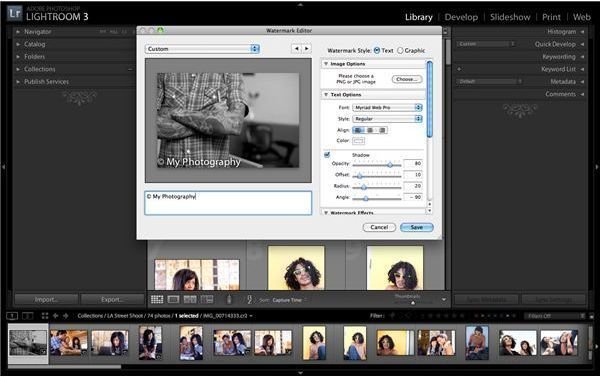
The watermark functionality has been updated to be more flexible and provide more options for photographers. Watermarks can be text or logos now, they can have their opacity, size, and position all adjusted with ease, and they can be saved as presets for future projects. The Library module has also had some updates to the import engine to make it speedier and easier to navigate, but the functionality is essentially the same.
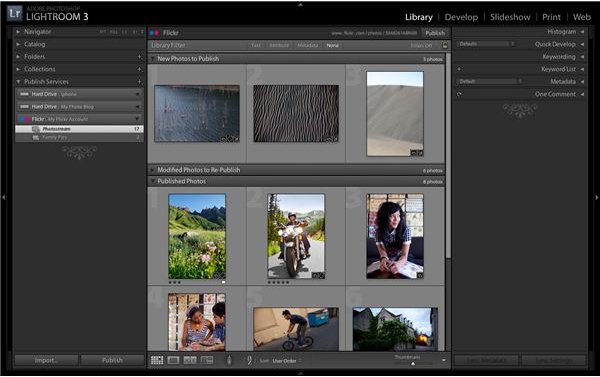
Publishing to the web has been made easier with drag and drop functionality to post to your Flickr account. Simply authorize your account to receive uploads from Lightroom 3, and then drag the images you want to Lightroom’s Flickr logo and it will upload, and sync any changes to images you choose.
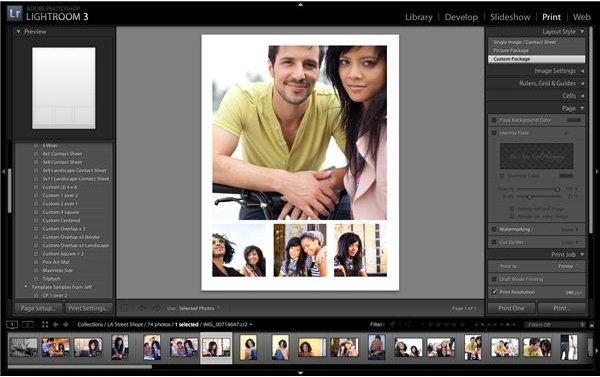
Creating contact sheets and print layouts is now easier than ever, with all restrictions on layouts removed. You can create whatever you want, and have any number of frames on a page at one time. You can use standard sizes, or custom sizes, and really this is a big improvement for Lightroom 3 that many people will be glad to see included. Finished products can be printed or exported as jpegs.
Another popular update will surely be the ability to add music to picture slideshows. Select your photos, upload your music track, and Lightroom 3 will automatically work out how long each slide should be. You can also add an intro and exit screen that you can include text or graphics on. There is no control over transitions or individual slide timing, but Lightroom still does a good job of producing some professional looking slideshows that can be rendered up to 1080p.
For the continuation of this Adobe Photoshop Lightroom 3 review, please go to page 2.
Ease of Use (5 out of 5)
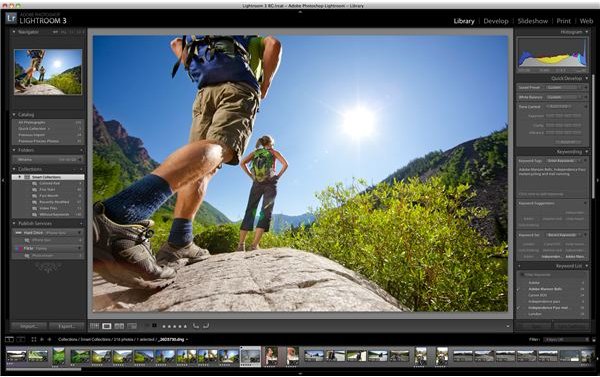
Lightroom 3 is split up into five distinct modules. Each have their own specific function within the program, and each can be accessed by clicking on the tab-like interface in the top right of the screen. The Library module is used for cataloging and organizing your images. The Slideshow module lets you set up exportable slideshows from your images, while the Print module lets you create those custom contact sheets and print layouts that I mentioned earlier. The Web module lets you create and customize HTML and Flash photo galleries to use on a portfolio website.
The Develop module, however, is where you will spend most of your time. Editing photos is accomplished quickly, easily and efficiently. On the right hand side of the interface you have a number of panels, each of which have sliders for you to adjust different settings. Based on the Camera Raw processing engine, there are a wealth of settings you can adjust, and the excellent targeted adjustment option gives you the chance to make local changes to specific areas. The tone curve is great for bringing out highlights and shadows, while the eight channel adjustments for black and white images means that you can fine tune your results in as much detail as you need.
The Lightroom interface will take a little bit of getting used to if you have not worked with it before, but it is generally very intuitive and there are several default settings you can change to make it even easier to work with. There are also several great video tutorials from Adobe to help you get started.
Value for Money (4 out of 5)
In a way, it is a shame that new users have to pay $299 to get software as good as this. However, Lightroom 2 users can upgrade to version 3 for $99, while teachers and students can get a special edition for $99. At this price, Lightroom 3 is a steal. Its value for money grows when compared to other non-destructive image editors like Capture One. To get the same functionality as Lightroom 3, you will have to purchase the Capture One Pro Edition, and that will cost you $399.
Is it worth upgrading from Lightroom 2 to Lightroom 3? Absolutely. You get a significant number of upgrades and improvements that are well worth the upgrade fee. In fact, you will likely notice that if you do upgrade, there may be a change in the photos you edited with Lightroom 2 when the adjustments are read with the new software. But fear not, Adobe has safeguards in place for that scenario, and it is merely a reflection of the improvements to the editing process.
Is Lightroom 3 worth $299 for new users? Probably. There is a lot to this software. It is powerful, feature packed, and will make your photos look better than ever. It would be nice if Adobe saw fit to include the ability to use layers, (as they do with Elements and Photoshop CS versions), but everything else that you would likely need is included. Studio photographers will love the easy tethered capture option, while the ability to add and organize videos is a tip of the hat to the modern age of today’s digital SLRs. Besides, if it is good enough for professionals like Scott Kelby, then it should be good enough for you!
Overall (5 out of 5)
It is easy to end this Lightroom 3 review with full marks for Adobe. This product stands head and shoulders above the competition in an increasingly crowded sector. Only Apple’s Aperture really comes close, but even that will only be an option for Mac users, when Lightroom caters to both systems. It is a great choice for professionals and advanced amateurs who are looking to for the best way to improve their digital workflow, and it has an appropriate learning curve for those who are new to this series of editors. In short, it may be all you ever need.
This post is part of the series: Adobe Lightroom 3
Tips and information about Adobe Photoshop Lightroom 3 and what it can do for today’s digital photographers.