AKVIS ArtWork is a photo editing application that allows you to take a digital photograph and turn it into a work of art. However, there’s currently a lot of competition in this particular area of image editing. How does ArtWork compare to the rest?
AKVIS ArtWork v2.0
In today’s market, there are a number of applications that claim to be able to transform a digital photograph into a painting, cartoon, or sketch with very little effort. Some of these programs are extremely easy to use and give great results, while others can be a little frustrating and time-consuming. AKVIS ArtWork falls into the former category as it is relatively simple to learn, yet it still produces some truly nice quality images.
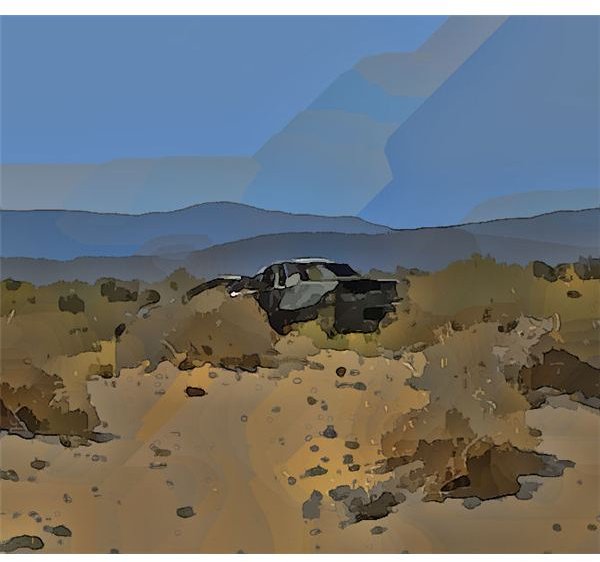
ArtWork is available in two versions – as an independent application and as a plugin compatible with several photo editing programs including Paint Shop Pro and Photoshop . With this tool, you can take a digital photo and turn it into an image resembling an oil painting or comic either by using the default preset conditions or your own custom configurations. A sample image created using the default comic preset is shown below. (Click any image for a larger view.)
In this review, we’ll take a look at Artwork’s capabilities as a standalone product and when used as a plugin for Paint Shop Pro. The user interface is basically the same for both versions.
Download and Installation (5 out of 5)
The download of AKVIS ArtWork went as expected, and I had no problems installing the Windows version of the product. Although I did not test the Mac version, it should be noted that the plugin and standalone application require two separate downloads for the Mac while both are combined in a single download file for Windows systems. Additionally, if you are a Mac user, you’ll need to choose from two different plugin versions of the application, depending on which photo editing application you use.
Plugin users may need to perform a couple of other steps after the installation process to make sure that their photo editor recognizes the new application. If you’re a Paint Shop Pro user, check out Installing Paint Shop Pro Third-Party Plugins for more information.
Ease of Use (5 out of 5)
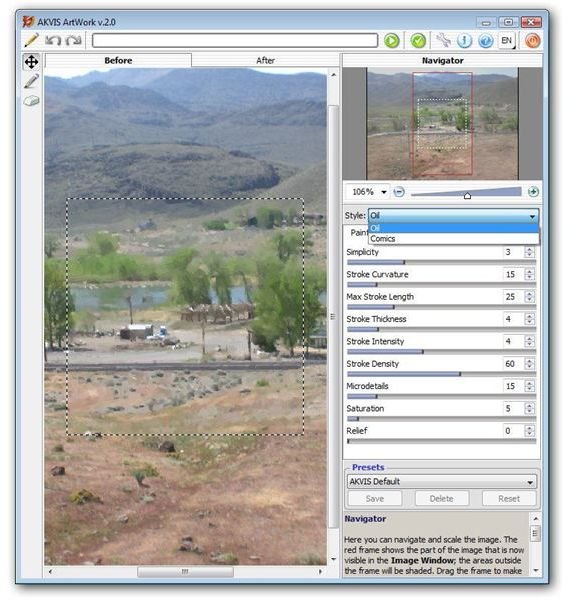
The user interface of ArtWork is clear-cut and easy to understand, and it is virtually identical for both the independent and plugin versions of the product. The only real difference is that the standalone version has additional icons that allow you to open and save files which are not needed in the plugin version as the photo editor itself handles those functions.
Although the default settings for both the Oil Painting and Comic style produce nice results, you can quickly and easily modify these settings by adjusting the various sliders found in the right panel of the application. A large preview area dominates the main window of the application, and you can view your proposed changes here before applying them to the photo.
If you’re unsure about the function of any of the sliders, simply mouse over the area and a brief, but full, explanation of the tool will appear in the lower right panel of the application.
Features and Performance (5 out of 5)
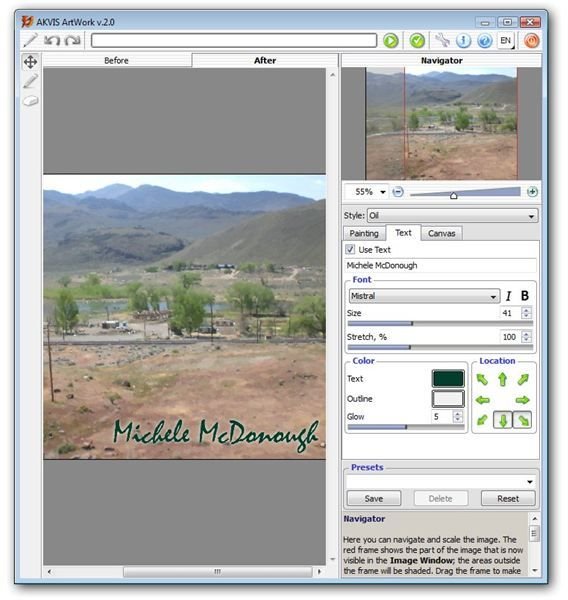
In addition to the Oil Painting and Comic effects found in AKVIS Artwork, you can also choose to add small areas of text or a canvas-like texture to the image. Although a small block of text can only be placed in one of the corners of the image, there are a number of fonts and special effects that can be applied to this text area. Basically, this tool provides a nice way to add a “signature” or watermark to your photo.
One feature that I really like about ArtWork is the built-in texture library that allows you to explore different canvas effects that can be applied to the painting or comic. In addition to the 32 different textures that come bundled with the application, there is an option to add your own favorite texture creations to the library.
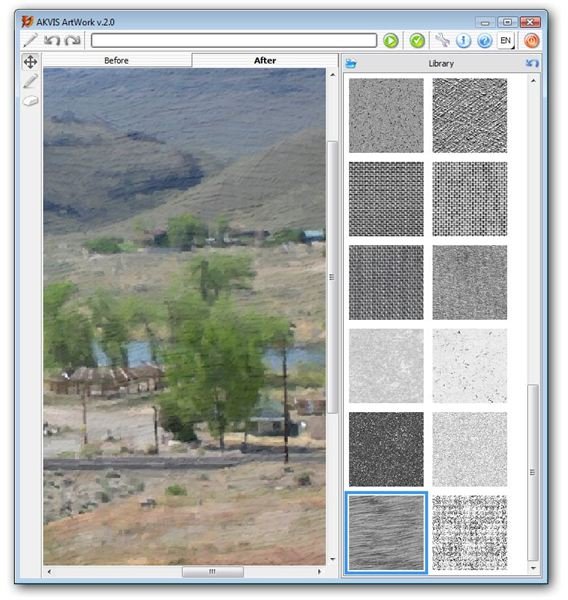
Plugins of this nature generally have a tendency to run a bit on the slow side when dealing with large images, because a lot of details are being processed at once. However, I was still quite impressed with the memory management of the software, and the previewing abilities save you from having to process the entire image each time you want to see how a change or two would appear.
Price to Value (3 out of 5)
AKVIS ArtWork has three different types of licenses: Home, Home Deluxe, and Business. The Home License runs $72 and can be purchased for either the plugin or standalone version of the software. At $129, the Home Deluxe License includes both the plugin and standalone products. If you plan to use the product for commercial purposes, you’ll need to upgrade to a Business License which is currently priced at $189. All three licenses allow for two registered installations of the software.
The Business License isn’t a bad deal for those who plan to sell or derive some other form of profit from photographs modified with ArtWork. However, the standard Home license is a bit on the high side. Even if you are only interested in purchasing one of the two versions of the application – the plugin or the standalone – it is probably worth spending the extra money and investing in the Home Deluxe version. This way, you’ll have the convenience of using the plugin with your standard photo editor in addition to the versatility of the standalone application.
Overall Rating (4 out of 5)
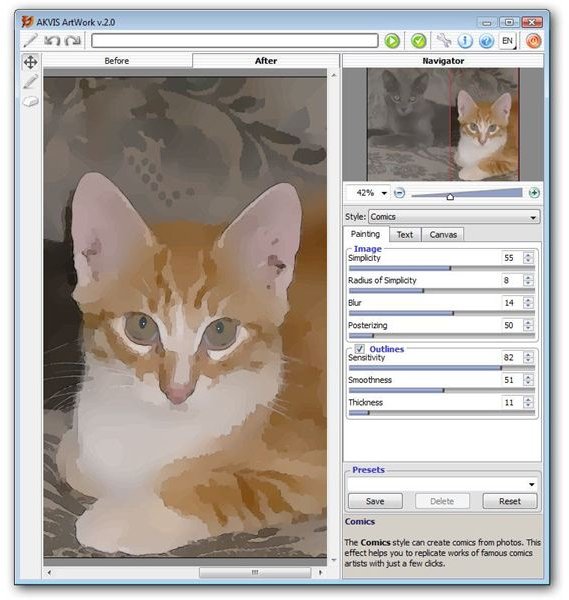
While it may seem a bit more expensive than other applications that perform the same function, AKVIS ArtWork is, overall, a very nice product. It’s worth the investment if you’re looking for an easy-to-use, but highly versatile, tool to turn digital photographs into works of art. In particular, the Comic style available in this latest version of the software is one of the best renderings I have seen in products of this type.
If you’re also interested in some of the other products in the AKVIS line, such as Retoucher or Coloriage , you may want to check out the Alchemy bundle . This package includes 13 different products in the AKVIS line at a substantial discount.
To find out more about other products that are compatible with Paint Shop Pro and how to use them, take a look at the library of plugin reviews and user guides found here on Bright Hub’s Digital Photography Channel.


