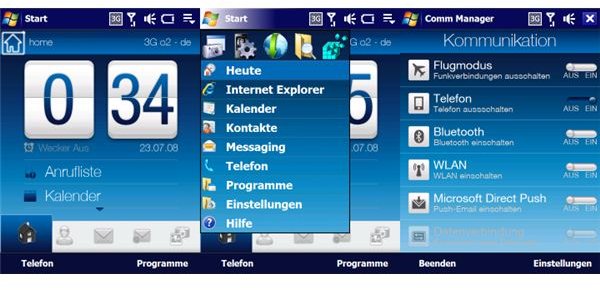
There are various ways in which you can tweak, customize and upgrade a Windows Mobile phone, from installing new ROMs to adding software keyboards and even running Android!
It may come as a surprise to users of older Windows Mobile devices, but there are many ways in which you can customize your handset, from adding new themes to giving the phone a complete makeover!
If you’re particularly lucky you might even own a device that you can install a new operating system on, such as Android or Windows Phone 7 for the ultimate customization!
HTC Windows Mobile phones typically ship with TouchFLO 3D (with a small number running the successor, HTC Sense) and this can be customized in a number of ways, from adding a background to completely replacing the installed version of the user interface with a newer release.
How to Upgrade HTC Touch Software
If you own an HTC Touch, upgrading the software onboard your phone is a great way of applying a new theme. You might be happy to just upgrade the theme if you’re only looking for a basic change, but a full upgrade can bring some considerable performance benefits.
Owners of HTC Touch phones are able to upgrade their desktop theme with a variety of impressive options. These handsets are particularly stunning to start off with, and changing the theme really brings them to life.
Spb Mobile Shell 3 Review - Windows Mobile App
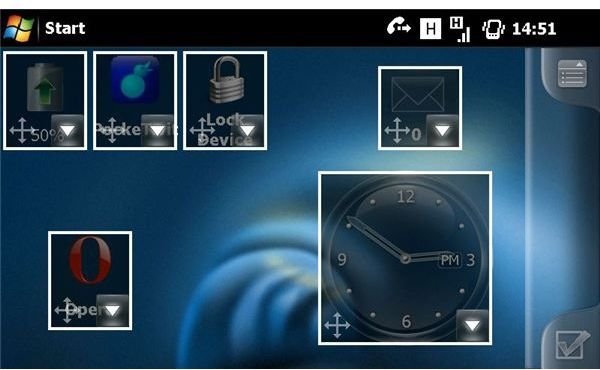
One of the most popular ways of customizing a Windows Mobile is with Spb Mobile Shell. The latest version, Spb Mobile Shell 3, offers a whole new way of using Windows Mobile, making the platform fully touch friendly! Delivering user interface benefits that rival Android and iPhone, this is a great choice for anyone looking for an affordable upgrade to their WinMo device.
Setting Up Background and Widgets on Spb Mobile Shell 3 for Windows Mobile
Users of Spb Mobile Shell 3 will find that they have considerable customization options, from changing the background to configuring widgets and apps across the home screens.
Give Your Windows Mobile Today Screen an iPhone Makeover
Another popular customization option for Windows Mobile owners is to try and emulate the user interface of the iPhone. There are several ways of doing this, each with its advantages and shortcomings (such as the inability to install iPhone apps!). It remains a popular upgrade option for any Windows Mobile owner, however…
Using Winterface To Make Your Windows Mobile Pocket PC Look Like The iPhone
For instance, Winterface can be used to make a WinMo handset resemble an iPhone with some clever configuration options, allowing you to basically customize the way your Windows Mobile UI works. Slide to unlock and other typical touch-based user interface options are available, all of which sits upon your Windows Mobile operating system which can of course still be accessed.
How to Give Your Windows Mobile Device an iPhone Style Software Keyboard
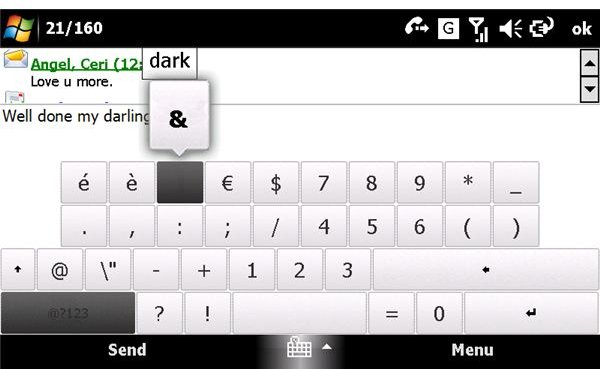
One area where applying any new theme falls down on Windows Mobile is when it comes to the keyboard. If you have a hardware keyboard on your device this shouldn’t be too much of a problem, but for other devices the default software keyboard is difficult to use with a stylus. The best response to this is to find a usable iPhone-style finger-friendly keyboard.
Installing New X-Panels on the Sony Xperia X1
In an attempt to replicate the success of the iPhone, the Sony Ericsson Xperia X1 phones featured a menu screen featuring X-Panels. These represented device-specific apps that could be launched from the X-Panel launch screen - something that could be easily customized with new launch panels.
How to Update Your Sony Ericsson Xperia Panel Manager
Although running Windows Mobile, the Sony Ericsson Xperia X1 is capable of running device-specific software via the X-Panel, something that can be upgraded for customization purposes, allowing your X1 to run apps from the rare X2.
How Do I Upgrade My Current Version of Windows Mobile? A Simple ROM Update Guide
There is no better way to customize a Windows Mobile phone than to install a new ROM. These are usually available via particular websites such as XDA-Developers, and feature improvements on the original software with additional utilities and apps included for an improved user experience.
How to Install Android on a Windows Mobile Handset
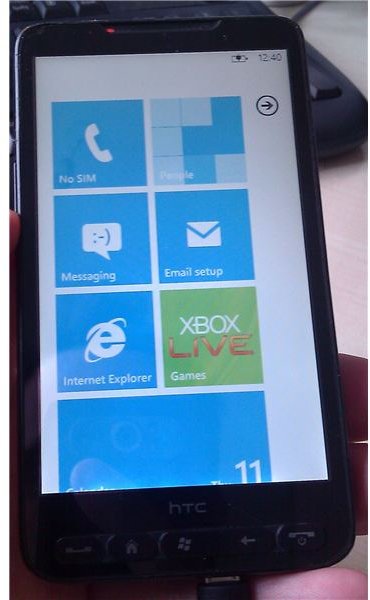
Many Windows Mobile phones are capable of running earlier versions of Android, with varying degrees of success. There are different methods for different handsets, but largely the process involves running Android from a memory card on your WinMo device. In most cases performance is acceptable, and Android is certainly an improvement!
Can I Install Windows Phone 7 on an HTC HD2?
If you’re lucky enough to own an HTC HD2, you can install Android on your handset OR you can install Windows Phone 7! This is probably the ultimate customization for any Windows Mobile owner, but is only possible on the HTC HD2 because of the high hardware specification of the phone.
References
- All references from https://www.brighthub.com
- All screenshots and photos provided by author.


