Most of use have several devices connected to at least one TV. If you have recently added a satellite receiver or a DVD player, you may be wondering how they can both hook up to the TV. These steps will help you get connected.
Hook Up the Satellite Receiver
The first thing you will want to do is hook up the satellite TV receiver to the television. Most of the time, the installation is provided for you by the satellite company. But if you have a new TV or your satellite is not connected for some other reason, you can do it yourself - no tools required.
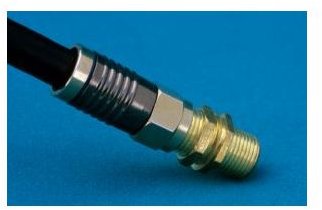
First, connect the coaxial cable from the wall to the Cable In or Coax In input on the back of the satellite receiver. This allows the receiver to access satellite programming. Next, you will need to connect the receiver to the T

V.
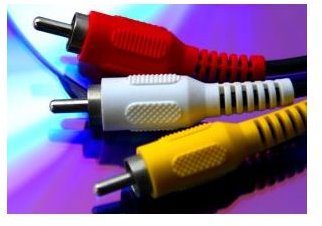
Normally, you would plug the red, white and yellow RCA connectors into the corresponding jacks on both the satellite receiver and your television. After this is done, all that is left to do is plug in the satellite receiver’s power cord and it is good to go. When you turn on the TV, the satellite receiver may need to boot up, which could take several minutes. (This will not occur every time you turn on the TV.)
However, if you also want to hook up a DVD player , the steps will be slightly different. While you will still connect the coaxial cable from the wall to the satellite receiver, you will need to hook the satellite receiver up to the DVD player next.
Photo Credits: sxc.hu/tlloyd and sxc.hu//uflorin
Hook Up the DVD Player
You have two options to hook up the satellite receiver to the DVD player. Your options may be limited to one or the other, based on the types of jacks on both devices. One option is to use another coaxial cable. Plug one end into the back of the satellite receiver in the Cable Out, Antenna Out or Coax Out jack. The other end will connect to the DVD player. Plug this end into the Cable In, Antenna In or Coax In jack.
If you do not have coax connectors on either device, or you would simply prefer to use RCA adapters , you can use this m
ethod, as well. However, you will need to make sure you have a way to connect the DVD player to theTV. From here, all you need to do is either plug one end of a coax connector into the Cable Out, Antenna Out or Coax Out jack on the DVD player and the other into the Cable In, Antenna In or Coax In jack on the TV, or use RCA connectors to connect the DVD player to the TV.
Again, if you are having satellite TV installed in your home, most providers and installers are more than happy to set up all of your devices while they are there. These competent folks could probably do it with their eyes closed! You might consider rewarding an installer who helps you hook up your DVD and satellite to your TV with a plate of fresh baked cookies.
Picture Credit: sxc.hu/ugaldew


