So you’ve got a converter box and a bunch of cables, but now what? Don’t worry. Even if you are uncomfortable with electronics gear, installing a digital converter box is easy.
Even if the back of electronics devices and their tangle of wires is your least favorite place on earth, hooking one of these boxes up really is easy. Start by unplugging all the equipment - TV, VCR, and so on - from the electrical wall sockets. Not only is this safety first, but it is also better for your electronics.
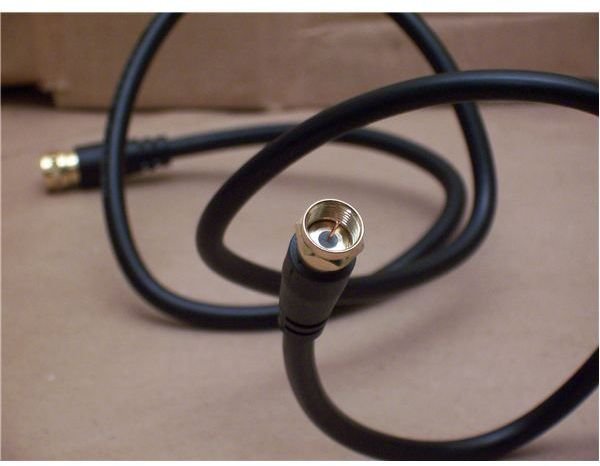
Right now, there is a wire hooking up your antenna to your TV (or VCR, and the VCR is hooked up to the TV). It is probably a coaxial cable, in which case you can just unplug it (you might need to rotate the end counterclockwise, sometimes the cable is screwed on), and plug it into the input on your converter box.
Take the coaxial cable that came with the converter. Plug one end into the converter’s output, and the other into the TV, VCR or wherever you unplugged the antenna from in the first step.
My Antenna Uses a Different Wire
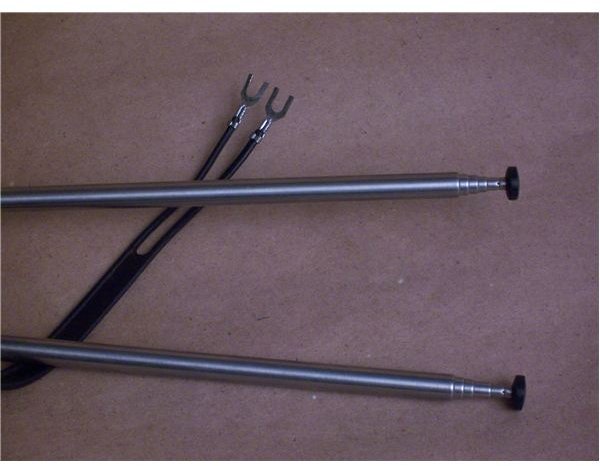
No problem. You probably have a twin lead cable, which is flat with a wire on each edge that both end in a two-prong fork. A screw goes through each fork, hooking the antenna up to the TV. You will need a matching transformer that costs about five bucks. They should have them wherever you bought your converter box. The full name is a 300-ohm twin lead to 75-ohm coaxial matching transformer.
The transformer has two screws to which you attach the forks of the cable from the antenna. You can then plug the transformer into the converter box, and hook up the converter to your TV as we did in the last section. If your TV only has the screws for the twin lead wire’s forks, you will need a second, different, adapter (called F-Type to twin-lead) to connect the box to the TV.
RCA Component Cables and Analog Passthrough
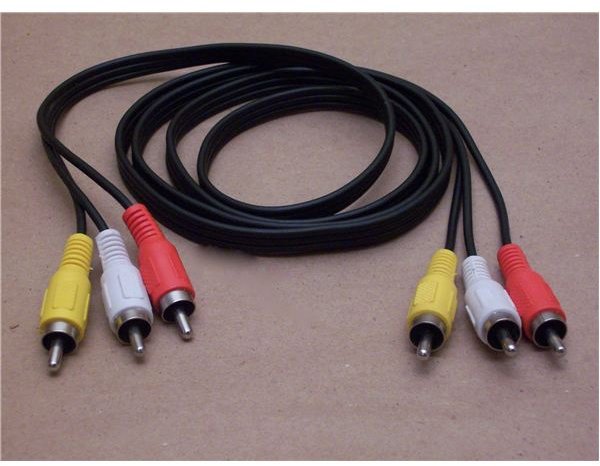
Your converter may also have RCA (threesomes of Red, White, and Yellow connections) inputs, outputs, and cables. If your TV or VCR also has these connections, use them instead of the coax for a small increase in picture and sound quality. Just match the color-coded plugs and ports.
If you do not watch low-power stations or stations from outside the US, or your converter box has analog pass through (explained in the last article), you are ready to setup your digital channels, which we cover in the next article.
If your converter box does not have analog pass-through but you want to watch analog channels, and your TV or VCR have RCA connections you will need a splitter, two coax cables, and an RCA cable. Some of the cables will be included with your converter.
The cable from the antenna goes into the splitter. One coax from the splitter goes straight to the TV or VCR. The other one goes to the converter box. Now use the RCA cable to connect the converter box to the TV or VCR. Your analog channels will come through normally, and your digital channels will be on another input (more on switching inputs in the next article).
Your TV or VCR remote will switch the analog channels and the input, and your converter remote will switch digital channels. You can program one remote to do both jobs: check your manuals.
Watching Analog TV without Passthrough or RCA Jacks
If your converter box doesn’t have analog pass-through but you want to watch analog channels, and your TV or VCR don’t have RCA connections, you will need a splitter, three coax cables, and a switch. Some of the cables will be included with your converter.
The cable from the antenna goes into the splitter. One of the cables from the splitter goes to the switch. The other goes to the converter box. The third coax cable connects the converter box and splitter. The switch output connects to the TV. One setting from the switch will send analog signals, and the other will send digital. Unfortunately, there is no remote control support for this setup.
Once you’ve made all the connections, including the new converter box, plug your equipment back in to the electrical sockets, turn everything on, and head to the next article where we show you how to set it up.
This post is part of the series: How to Get Digital TV Broadcasts
This simple guide starts off by finding out if your equipment can receive and play digital signals. If it can’t, and you don’t have cable or satellite TV, the guide goes on to explain everything you need to know about getting and installing a converter box and finding DTV channels.


