Identifying an unknown font can be a time consuming task. However there are certain font identifier tools that you can use to identify a font without much hassle. This article is about a few such font identifier tools.
Remember the last time you came across a font that looked beautiful and you wanted to use it in your own design–but the problem was that you didn’t know which font it was? Trying to identify fonts from a sample can be a frustrating and time consuming affair. However, there are font identifier tools that can identify any font and save you a lot of time and hassle. Let’s take a look at a few such tools.
Identifont
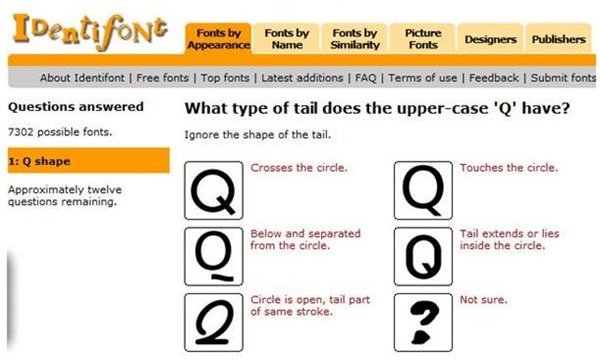
Identifont is an independent directory of typefaces with a large database of information about fonts from hundreds of publishers.
Using Identifont’s font identifier tool you can identify a font just by answering a set of questions. The questions are very simple; for example, “What type of tail does the upper-case ‘Q’ have?” You just have to select the answer by clicking on the correct answer from a choice of multiple answers. And these steps are repeated until Identifont has sufficient information to identify the font.
WhatTheFont
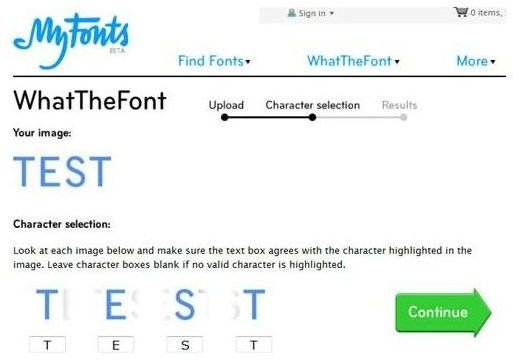
WhatTheFont is an easy-to-use tool to identify fonts. Unlike the first tool discussed in this article, you don’t have to go through a series of quizzes to identify the font. All you need to do is to upload an image of any text written in the font in question and WhatTheFont will identify the font for you. And in case you are not satisfied with the result, you can always submit the image to WhatTheFont Forum for any of the expert members to view and identify it.
TypeNavigator
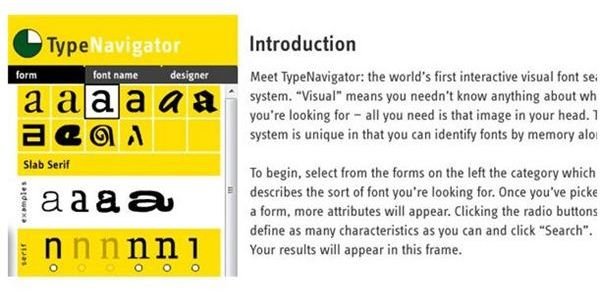
TypeNavigator is an interactive visual font search tool. Identifying a font with TypeNavigator involves selecting the form of the font that is closest to the font you are looking for. Once you have chosen the form, more attributes like width, angle, weight, etc., appear. You need to define the characteristics of the font you are looking for by clicking on the option buttons for the attributes and then click on the search button.
Typophile
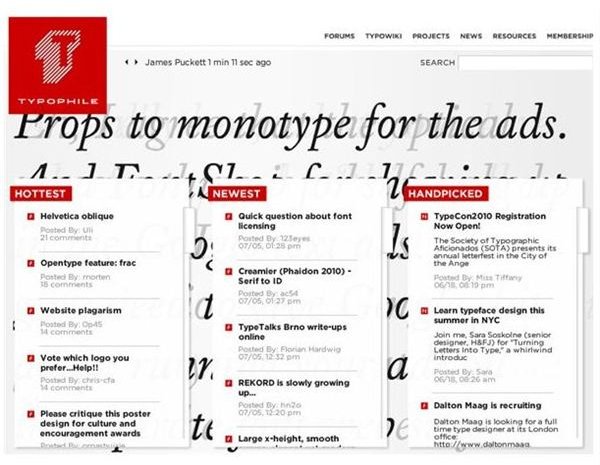
Typophile is a resource for typography news, blogs, and wiki. Typophile doesn’t have any dedicated tools to identify fonts, but its forum is a great place to ask about any font and get expert answers from the community.
WhatFontis
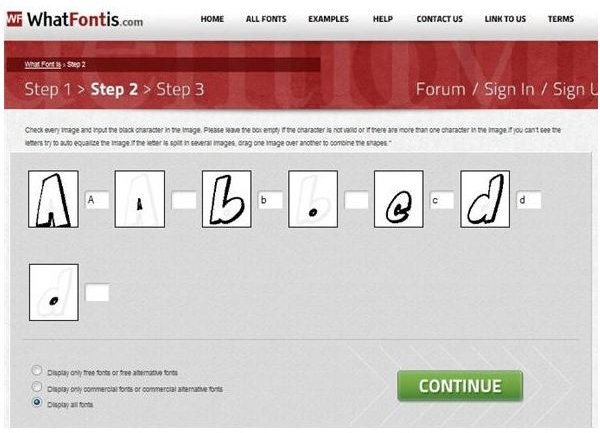
WhatFontis is an online tool that tries to identify a font from an image of a text written in one line and in the font that you need to identify. So, if you just have a mental image of the font that you may have seen somewhere, this tool is not useful. However, if you have an actual image of any text written in that unknown font, you can try identifying it with this tool.
To use this tool, you need to upload your image or specify the URL to the image; in the next step it will break up the characters in the text and display a box next to each character. In this step you need to input the characters into the box next to it (Please refer to the image below). Once done, click “continue” and it will display a list of fonts that are similar to the font the text was written in.
Screenshots prepared by the author are from each of the websites identified.


