
Producing a manual from scratch can seem like quite a daunting obligation. Fortunately, when you work in MS Word you have the benefit of beginning with a template. Select the one that best suits your purpose and find guidance to help you customize it, as well.
Using These Templates
Making a manual can be stressful, to say the least.
There is so much more to it than simply sitting down at your computer and whipping up a new document. You must first decide the specific purpose of the publication and then plan exactly what your manual should contain. You will likely need to collaborate with others, particularly if you are writing a business-related manual. You may need to obtain other files, such as policies and forms specific to your company or organization so that you can incorporate them into the document. Finally, once you have a strategy, an outline and the necessary components, you can begin putting the manual together.
Rather than begin with a blank page, however, you can use one of our free Microsoft Word manual templates as the framework for your own, custom publication. Once downloaded, you can modify and change the documents to meet your precise requirements.
The templates described in this article were created in MS Word 2010 and are in .dotx format. This means that you can use both templates in Word 2007 or 2010. If you have the Office Compatibility Pack installed, you can also use them in Word 2003. Once you determine which manual is most like the one you wish to make, you can download the template by clicking the corresponding link in the References and Resources section at the end of the article.
General Manual
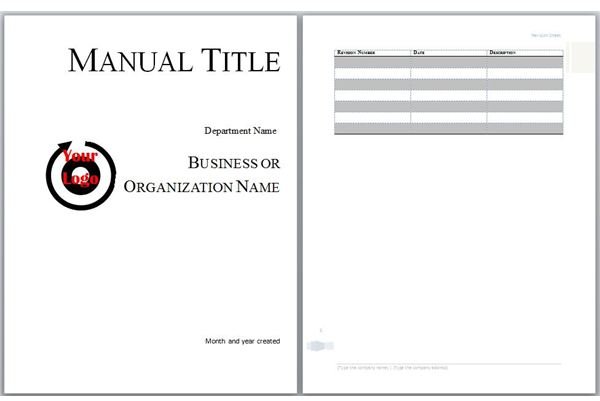
Whether you want to create a user’s guide for software or a product, a training handbook for students or employees or any other basic instruction book, you might prefer to use the Basic Manual template.
The first page of this template is the manual cover. Replace the sample logo with your own by right-clicking the image and selecting Change Picture. Locate the logo image file on your computer and click Insert. Select the text in the Manual Title text box to replace it with your own title. Change the sample text provided in the remaining text boxes as well.
The second page is the revision sheet where you can denote updates and changes made after the original creation and printing of your manual. The title of this page is inserted into the header, and the page contains a table with the headings, Revision Number, Date and Description. As you enter revisions over time, you can automatically add more rows to the table by placing the cursor in the last cell of the table and pressing the Tab key. You can also change the format and design of the table to better suit your requirements, if necessary.
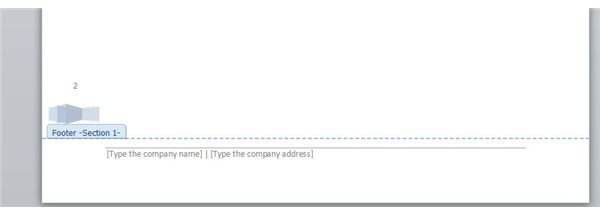
The footer information begins on the second page of the template, as well. Replace the sample text of the footer with your own by going to the View menu in Word 2003 and selecting Header and Footer or going to the Insert tab in Word 2007 or 2010 and selecting Footer in the Header & Footer group. This footer, along with page numbers and an understated accent, continues through the rest of the document.
The remainder of the file consists of a standard table of contents and pages onto which you can enter chapter titles, sections and subsections.
Employment Manual
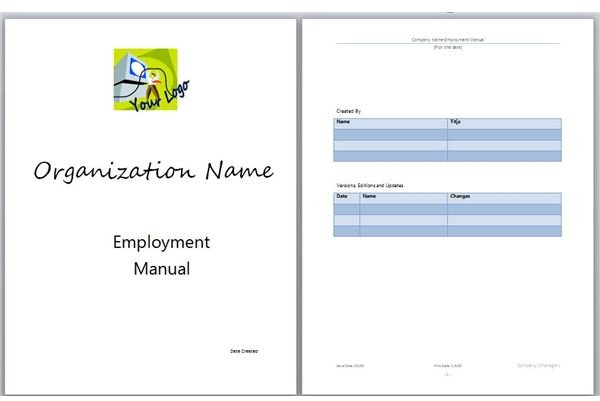
Responsible for an employee handbook, HR guide or other employment-related manual? The Employment Manual template might be more up your alley.
The first page of this template is the manual cover. Replace the sample logo with your own by right-clicking the image and selecting Change Picture. Locate the logo image file on your computer and click Insert. Select the text in the Organization Name text box to replace it with your company’s moniker. Change the sample text provided in the remaining text boxes as well.
The second page contains two tables. The first allows you to enter the names and titles of those responsible for creating and updating the manual. The second is for denoting updates and changes made after the original creation and printing of your manual. As you enter revisions over time, you can automatically add more rows to the table by placing the cursor in the last cell of the table and pressing the Tab key.
The header and footer information begins on the second page of the template, as well. Fields in the header include Company Name, Manual Title and a Date Picker. Fields in the footer include Save Date, Print Date, Company and Manager, as well as page numbers. Edit this information by opening the header and footer as explained in the previous section.
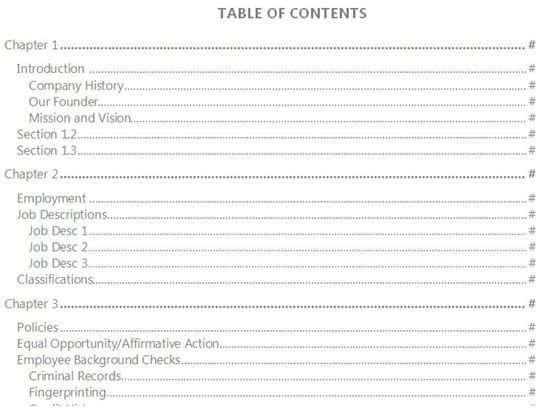
The remainder of this template includes a table of contents with sample titles and subsection titles, such as Introduction, with subtitles including Company History, Our Founder and Mission and Vision. The pages following the table of contents include these sample titles broken into sections, which you can customize and change as you wish.
Once you have downloaded the manual template of your choice, be sure to save it in a location and with a file name that you will remember so that you can work on it to completion.
Are there other sections or types of manuals for which you would like to see templates? Please share your thoughts and ideas in the Comments section below.
References and Resources
Template Downloads
Basic Manual Download Page
Employment Manual Download Page
References
Microsoft Support: How to Install the Microsoft Office Compatibility Pack; https://support.microsoft.com/kb/923505
Microsoft Help and How-to: Save a Word Document as a Template; https://office.microsoft.com
Images
The Stress: sxc.hu/carl dwyer
Screenshots provided by the writer


