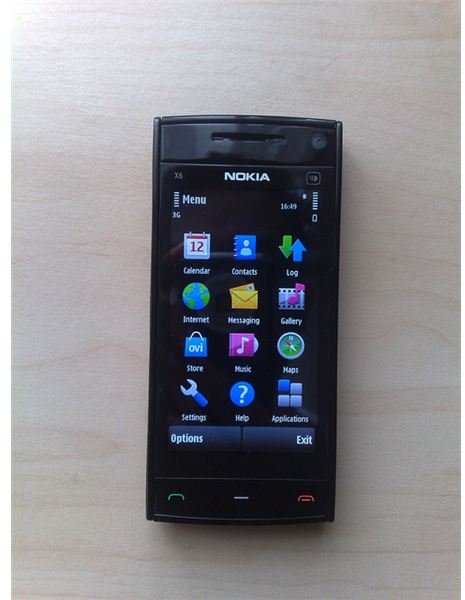
Nokia introduces a wonderful mobile device - the Nokia X6. The Nokia X6 is a device especially made for music lovers and people who love to have luxurious mobiles. This gadget is a complete entertainment package. Find out how to use it in this Nokia X6 guide.
Introduction of Nokia X6
The first of its kind, the Nokia X6 was the first Nokia phone made with full capacitive touch screen capabilities. Unlike the previous XpressMusic released by Nokia, the Nokia X6 has room for almost unlimited music downloads with a built-in storage of 32 GB. Aside from this, it’s relevantly easy to install any
application. These are only a few reasons which will have you wanting to pick up this phone. There are several tips and tricks that make the phone user-friendly and we take a look at them in this Nokia X6 guide.
Exploring the Cool Tips and Tricks
Taping the screen
All touch screen phones have the same feature. When using the Nokia X6, all you have to do is tap it to launch or select something on your menu. Double tap would mean selecting what you need on the first tap and once you’ve selected what you need, the succeeding tap will perform whatever task it was made to complete.
Texting
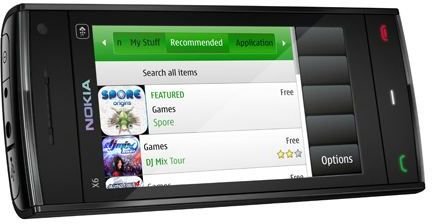
Well, it is quite easy to text using a touch screen phone. When your phone is in portrait layout, you can easily locate the virtual keypad where you can type your text. Or you can use the QWERTY keyboard if you want both hands working. All you have to do is to experiment.
Best way to take a picture
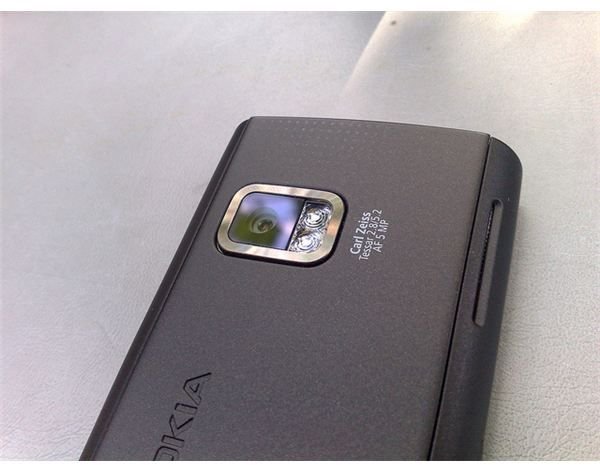
Although the Nokia X6 may not have the best features when it comes to the camera, it is better than many competing phones. Be thankful as you can still focus on any subject you point your camera at. When using your camera, do not attempt to zoom it as you’re only sacrificing quality because the resolution of the picture decreases. Remember to shoot with good lighting as shooting with dim lights will only disappoint you.
Locking and unlocking your phone
One feature of the Nokia X6 is the key lock switch at its right side. The key lock usually switches on after the phone has timed-out. The phone does this to save power so don’t worry if your phone appears to be turned off as it has only been keylocked. If this confuses you, you can change your settings in the phone management menu.
Using your phone’s media key
When using your phone, do not forget that it comes with a Media key that automatically pops up with shortcuts to your music player. If you want to change your current music, you can easily touch the media key then lightly tap on the music player icon. By pressing and at the same time holding the main menu, you can automatically switch back to other applications on your Nokia X6.
With all the features of the Nokia X6**,** you are sure to experience music in a different light. Not only is this a great phone, it is also one of the most user-friendly phones suitable for any age group. Nokia also gives you a detailed Nokia X6 guide so you can easily use and play with your Nokia X6. Its simple features and the Nokia X6 guide make it stand out from all other cell phones. Just unlock the touch screen and start surfing the Nokia X6.
Image Credits:


