The BlackBerry LED is usually taken for granted by a lot of people. Thanks to the LED Notifier app, that attitude will now change. The LED on a BlackBerry device can now be an important factor in receiving messages in a more convenient way.
There are some people who consider the BlackBerry LED annoying, while some people even deem it useless. Of course it is not, but the general feeling is that it does not add value to the device. However, thanks to the BlackBerry LED Notifier app, nobody can now deny that it is indeed quite useful and it even offers functionality that cannot be seen in most of the other mobile devices on the market. This app can tell the user who is texting, e-mailing or calling them just by flashing the appropriate colors on their BlackBerry’s LED .
User Interface (4 out of 5)
The app lets users set the colors for their contacts in a very straightforward manner. There are no confusing menus or option screens. It actually just functions within your existing address book, which lessens the clutter on your BlackBerry. It is all pretty straightforward, giving the impression that the app is not powerful, but it most definitely is. After setting up the colors for the contacts, the app pretty much stays out of the way, just sitting quietly in the background as you go on with your usual tasks with other BlackBerry apps. For a simple and unobtrusive user interface, it gets a rating of 4 out of 5.
Features (4 out of 5)
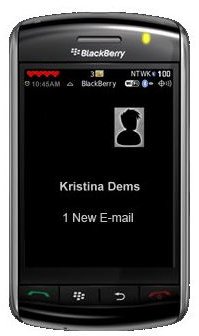
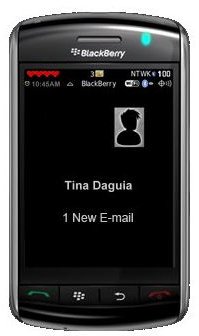
The main feature of the app sounds so simple, yet as you begin to use it, you will realize how extremely useful and powerful the app is. The app makes the LED blink a different color indicating a particular contact every time that contact calls, e-mails or sends a text message. This makes receiving text messages, e-mails and calls easier for you, even in environments where notification sounds are inconvenient.
The app tends to run quietly in the background, never getting in the way of other BlackBerry apps. It also starts up automatically whenever you restart or reboot your BlackBerry. There is no need to manually start the app. There is, however, the convenient option of disabling or enabling the app at your leisure. For these seemingly simple yet totally powerful features, this app gets a good rating.
Performance (5 out of 5)
Downloading and installing the Blackberry app is fairly easy even for those who are new to the world of BlackBerry devices. It can be set up to run in no time. It also hardly uses up extra resources on your BlackBerry device, like processing power or battery life. Adding the LED changer app does practically nothing significant to change the performance of the BlackBerry hardware or software. It just lets the device do its usual LED notifications but in a different way. For this ninja-like performance, it gets a perfect score.
Conclusion (4 out of 5)
All in all, this app, which manipulates the BlackBerry LED indicator , is lightweight in terms of resources but is a heavyweight in terms of being a useful app. It brings the user more convenience with the way they receive calls, emails and text messages. For the overall usefulness and unobtrusive behavior of the LED Notifier app, it gets a rating of 4 out of 5.
You can download this useful BlackBerry LED Changer for $3.99.
References
BlackBerry App World, https://appworld.blackberry.com/webstore/content/5817


