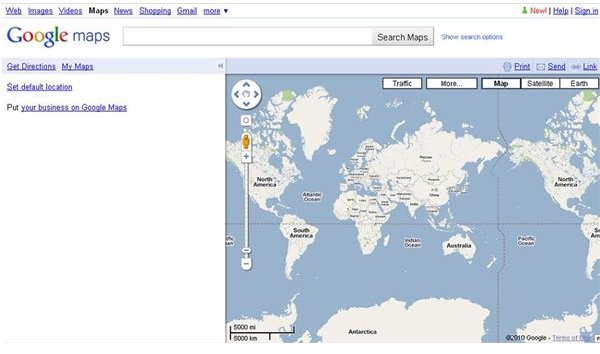
Google Maps is a web mapping service application that can be easily integrated into a website or blog. It is quite useful for locating an exact place and route planning. Many business websites find integrating Google Maps into their website provides a benefit for their customers.
Google Maps
Google Maps is a useful feature for online users. Many website owners decide to integrate Google Maps into their website because of its usefulness. Google Maps can be introduced as a web mapping service application and the technology is provided by Google. Many map-based services such as Google Ride Finder, Google Transit, the Google Maps website, and numerous maps embedded on third party websites via the Google Maps API are powered by this technology. Google Maps offer street maps, a route planner (for travelling by a vehicle or by foot), and an urban business locator for many countries around the world.
Advantages of Integrating Google Maps into a Website
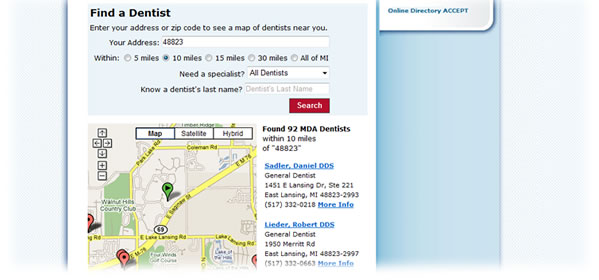
Integrating Google Maps to your website is quite easy with its new features. So it is important to understand why it is useful for your website. When a Google Map is integrated to your website, your visitors know where your business is located and how to visit it when they want to. This is a huge plus point in terms of credibility of your website. Credibility is quite important for any type of business and it is particularly true for an online business.
If you sell physical goods through your website, your visitors can locate your business through the Google Map and go directly to your store. This is also helpful for the growth of your business.
How to Integrate Google Maps into Your Website or Blog
In the earlier versions of Google Maps, embedding a map into a website or blog was a somewhat complex procedure. With the introduction of its new version, Google Maps is easy to insert into a website. The Google map integration method is described here for a website, blogger blog or Wordpress blog.
Step 1:
First go to Google Maps website - https://maps.google.com and locate the map you need to add into your website. Navigation and interface of this website is very simple and easy to understand so you don’t have to worry about that.
Step 2:
Then click ‘Link to this page’ in the top-right corner of the map.
Step 3:
Copy the HTML under ‘Paste HTML to embed in website’, and paste it into the source code of your website or blog. You may customize the size of the map by changing the width and height values of the HTML code.
If you have a Wordpress or Blogger blog, follow these steps to add the HTML code to your blog.
For a Blogger Blog:
First log in to Blogger.com and select the blog where you want to integrate Google Maps. Then simply follow this procedure;
Layout > Page Elements > Add a Gadget > HTML/JavaScript > (copy and paste above HTML code) > Save
You may adjust the size of the Google map according to your needs.
For a Wordpress Blog:
Log in to Wordpress.com , select your Wordpress blog and follow this procedure to add the Google Maps HTML code into your blog.
Expand the ‘Appearance’ drop down menu and click on Widgets. Then drag and drop ‘Text’ widget to one of the side bars. Simply paste the HTML code in to the widget box and click save.
If you are familiar with simple HTML, then you can easily integrate Google Maps into your webpage or blog. Even if your website isn’t a business website, embedding Google Maps may be useful for your users and may be beneficial in the long run.
This post is part of the series: Google Maps
Google Maps is another interesting product of Google that gives you the ability to locate places around the world. Read more about Google Maps and enjoy this beneficial application.


