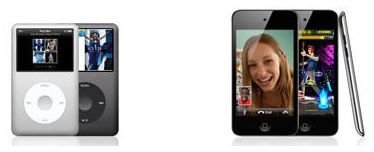
It’s a bummer when your iPod won’t sync to iTunes, especially if you don’t have an iTunes alternative software installed. Itunes is notorious for freezing up mid-sync, especially if you’re working on a PC. Learn about the reasons your iPod won’t sync to iTunes and how you can find a workaround.
Why Does iTunes Freeze Up?
Itunes does not always play well with a Microsoft operating system based PC. It’s much more seamless when working with its native Mac, but even still, you can encounter syncing problems with a Mac.
Itunes freezes up for a number of reasons. Oftentimes, users try to sync too many songs at once and iTunes gets bogged down. Other times, the PC is already running so many programs that iTunes drains too much system resources and locks up the whole computer.
Itunes Isn’t Updated
One of the biggest causes for an iPod not syncing with iTunes is that iTunes is not updated. Itunes often locks up if a user is not running the most updated version.
You can update iTunes by downloading the most recent version from Apple’s site or by selecting “Help,” “Check for Updates” in iTunes. This will give you the option to download the latest version and install it on your computer.
Ipod Touch Won’t Sync with iTunes
The reason an iPod touch won’t sync with iTunes is many times due to the fact that there are so many different syncing options available. You can select “Manually manage music and movies” under the “Summary” tab in iTunes, but this doesn’t affect the photos, applications, podcasts or games. These are synced automatically.
Manually managing music and movies helps iTunes not freeze up on a iPod touch because iTunes does not try to sync with the music library the minute you plug in the iPod. This also gives you more control over which songs get deleted and which ones you want to add to your iPod. But you might not always want to add them to your library, which is why manually managing your iPod music is a good idea, since it also helps iTunes sync better with the iPod touch
Itunes Won’t Read the iPod
Many times an iPod won’t sync to iTunes because iTunes can’t read the iPod. Sometimes users don’t plug their iPods into a live USB port, which causes iTunes to just hang.
Other times the user forgets to authorize the computer, so iTunes refuses to read the iPod. You can fix this by selecting “Store,” “Authorize This Computer” from the iTunes menu bar.
Often times, you can simply unplug the iPod and plug it back in, and iTunes will sync with the device.
Ipod is Corrupted
Sometimes the iPod library gets corrupted. This can happen for a number of reasons, but the result may be that you need to restore the iPod. If iTunes gives you an error message that it cannot sync because of a corrupted library, chances are that you have no choice but to restore your iPod.
That’s why you always want to make a backup of your iPod when it’s in good condition, because you might need to restore it from a backup after restoring it to factory settings.
Source:
My experience with iTunes and iPods
Image credit:


