Most people use their digital music players to play their own digital music collections. However, your favorite music player provides access to a much greater library of music available via Internet radio. Here’s how to access Internet radio from your music player.
Accessing Internet Radio Stations from iTunes
iTunes is often associated with the iPod music player. Over 220 million iPod players have been sold, but it is likely that over twice that many copies of the iTunes software have been downloaded. Each one of these provides an opportunity to access all the music available via Internet radio stations.
Here’s how:
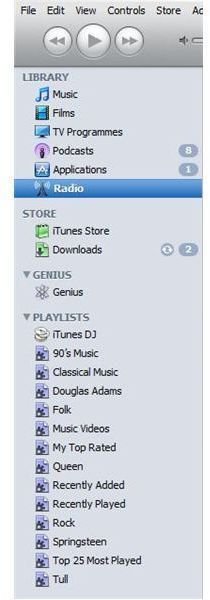
On the left hand side of the iTunes screen, select the Radio option from the list of music sources.
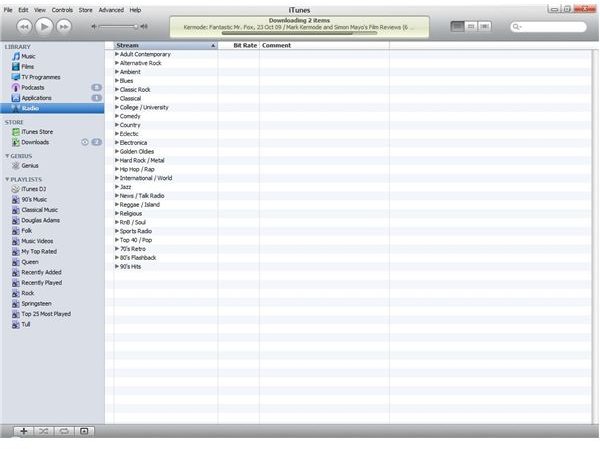
In the main screen, you will see a list of music genres to choose from.
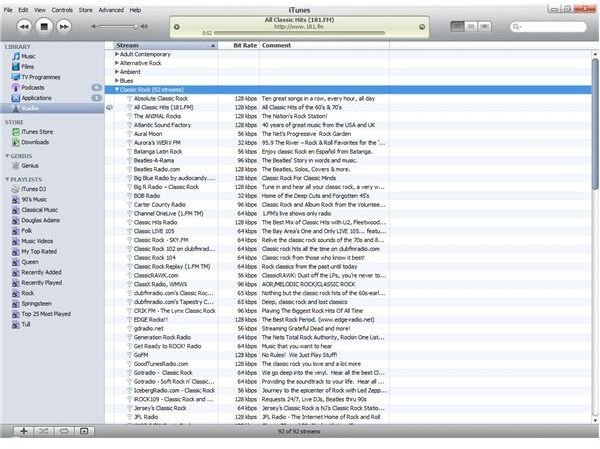
Click on your chosen genre and you will see a list of stations to choose from. Each station lists the bit rate used for the audio stream. The higher the bit rate, the better the audio quality
If you don’t see your favorite radio station, then iTunes offers an easy route to adding your favorite radio station. From the Advanced menu, choose Open stream and type in the URL of the internet radio stream directly. ITunes will add the stream to your library. However, when I tried this with some of my favorite radio stations, iTunes struggled to pick up the audio stream, as opposed to the default channels, which loaded quickly and easily.
Internet Radio on iTunes
Accessing Internet Radio Stations from Songbird
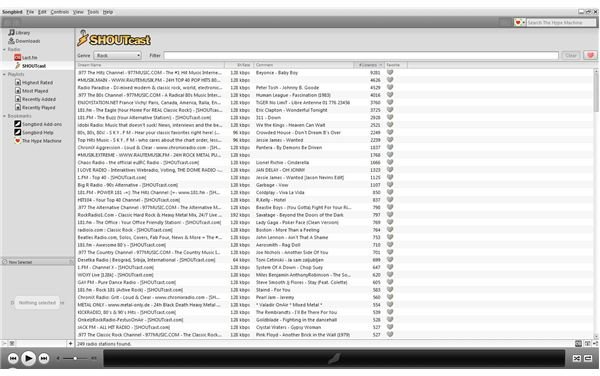
Songbird depends upon its add-ins facility to add Internet radio channels. Currently add-ins are provided to access Internet radio from Shoutcast. Shoutcast offers 33,000 stations at the time of writing, so there is no shortage of stations to choose from. The Shoutcast screen appears to provide more information than the default iTunes screen, and you can easily sort the stations by bit rate to prioritize those with the highest bit rates and therefore the best audio quality. However, the comment column confused me as it appears to indicate the current track available, but does not actually do so:
Conclusions
Both music players offer a convenient way to access a huge library of music. They provide a convenient way to access the default Internet radio stations. Both appear less reliable and convenient when accessing other stations. If I wanted to access a library of music, then both players offer a convenient way to do this. Overall, the functionality within iTunes is better integrated than Songbird. However, if I wanted to access a specific radio station I would simply go directly to my browser, and access the station directly or through or to a portal site like Shoutcast or live 365.com if I knew my favorite channel was included.


