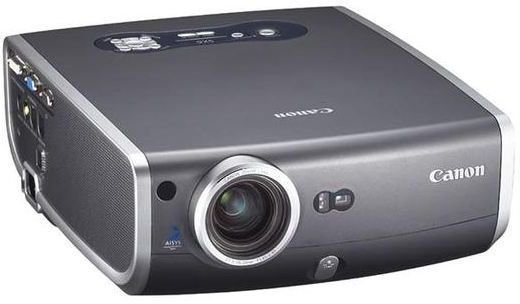
Currently, multimedia projectors are one the hottest computer peripheral units. A projector can be used for multiple purposes like projection of videos on walls, watching movies, and giving board room presentations or seminars. So, let’s see how to select a good one.
Overview
Choice of a multimedia projector depends greatly upon several factors, most important amongst which are purpose of usage, the features that you need, and, of course, the budget range. In order to select your choice of features, you should first of all decide for what purpose are you planning to buy the projector, i.e., either for business or home usage.
Multimedia Projector Brands and Types
Choice of Brands
Amongst the many brands of these projectors, you have the choices of NEC, Infocus, Cannon, Epson, Panasonic, Optima, Sony, and several other reputable brands. It is totally a personal choice to pick the brand that you like.
Multimedia Projector Types
Turning the focus towards the various types of multimedia projectors available, you’ll find mainly four different types. Firstly, there is the liquid crystal display (LCD) that is suitable for activities that involve high color resolution and, secondly, the TFT (Thin Film Transistor) active matrix, which is a form of LCD. Apart from LCDs and TFTs, there are digital light processors (DLPs), which are comparatively more portable in comparison to the other two types and usually come with a deeper black background. And, the hottest choice these days are the HDTV home theaters, which are undeniably far more expensive but offer unparalleled performance.
After Sales Services
You should also be prepared for bad times when your projector conks out. Hence, you must be aware of the kind of after sales services that your vendor provides. It is essential to enquire about the repair time from the vendor, whenever the need arises, and whether you’d be offered a temporary standby device in such an event, or not. Also, you must check whether the vendor is fully certified and authorized by the manufacturer.
General Considerations When Buying a Multimedia Projector
After deciding upon your requirements and picking the brand, it is necessary to ensure that the projector you pick is user-friendly and offers you the desired level of operation. So, here are some general considerations that must be kept in mind when buying your first multimedia projector.
First of all, projector controls as well as remote controls must offer a high level of ease of usage, and the bulb must have a long life (as they’re quite expensive). Next, the projector must be compatible with your PC/laptop, and, if you’re planning to use the projector on the move, it is not a smart idea to pick a bulky one. You must also watch out and ensure that the fan is not too noisy and that you get a good carrying case to keep your projector safe while you drag it through airport doorways and transport it in your car.
Brightness and Contrast
Brightness
Usually the brightness requirements primarily depend upon the kind of environment used for projection. For instance, 450-650 ANSI lumen brightness level is sufficient for a dimly lit room while 700-1000 ANSI lumens may suffice for a partially lit room, and 1000+ ANSI lumens brightness level is needed for a room that has all the lights switched on.
Contrast
Contrast ratio is calculated as ratio of brightest part to darkest part of the projected image. It is responsible for controlling the depth of an image and plays a crucial role in projecting video images.
Advanced Factors
Resolution
It is advisable to look for projectors that are compatible with two or more resolution levels differing from the base resolution value so as to minimize compatibility issues.
Digital Keystone Correction
Digital keystone correction is an important feature that allows you to eliminate the trapezoidal shapes in images and square them up while projecting at an angle. This feature is handy while making PowerPoint presentations, although it can be quite painful with Excel sheets in which the values with the rows and columns may not be visible after squaring them up.
Panel-on-Prism
Remember, there are high possibilities of misalignment after a while, and panel movements may result in varieties of problems. However, with advancement in technology, the projectors that use Panel-on-Prism are free from such problems.
The Bottom-Line
As far as pricing is concerned, you may buy a projector for as low as $500 or as high as $17000+. Keeping all the abovementioned factors in mind, you should pick a projector that best suits your needs and your budget, too.


