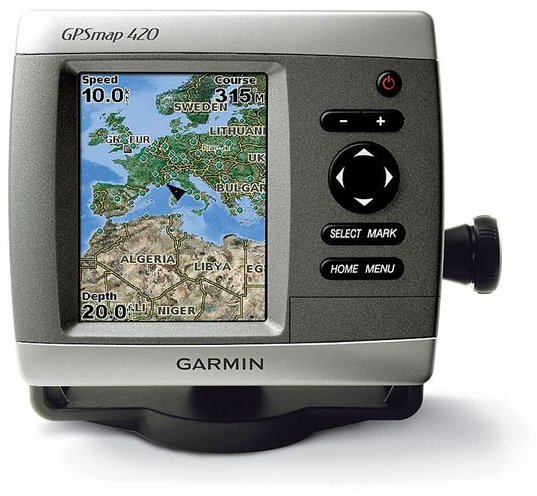
The Garmin GPS 420 is a nice navigator, but things may get ugly if your Garmin GPS 420 starts freezing up, and becomes useless. So, here’s a list of known issues, and troubleshooting steps to fix them.
Garmin GPS 420 Freezes Unexpectedly … Help!
When everything seems to be alright, you may suddenly notice a warning message with an update dialogue box stating problem with update, and once you tap the ‘Finish’ button, you may see the screen going blank.
You may observe that the device freezes up; despite trying to run firmware update, you may not find even the GPS when you connect it to the PC, and you may not be able to power up the device either.
This could happen due to a number of reasons, and these are discussed in detail one after the other. Remember, before you try any of the troubleshooting steps, don’t forget to seek help from the superb customer support team of Garmin!
Garmin’s Customer Support Can Help!
In some cases, it may be possible to fix your Garmin GPS 420 without having to send it to service center. So, give a call to Garmin’s customer support right away, and try to follow the instructions.
However, in few cases, you may have to physically take your GPS device to Garmin service station, and even pay to get it fixed.
Tweaking with Video Display Settings
There are many small little things that can do a lot of damage, or cause your Garmin GPS 420 to freeze. One of the most common problems reported by several Garmin owners (applicable to other Garmin units too) is changing the video display setting to a higher value that can’t be handled by your screen.
Troubleshooting Steps if USB GPSr Isn’t Recognized
1. Download latest firmware update, and double click the .exe self-extracting archive, save its contents.
Note: If you already have other Garmin applications installed in c:\garmin, then choose another location (other apps like MapSource).
2. If the Garmin GPS 420 isn’t really recognized by the firmware updater by itself, Garmin customer support team may give you some keypad combination to trick the updater.
You need to hold down the power button, and directional ‘Up’ button (“^”), and then double click the Updater.exe file in the respective directory where you had extracted the firmware updates
If the trick has worked, you should be able to see the GPSr, and you just need to click ‘OK’ to start firmware update.
3. Continue to hold these buttons, and wait for the firmware update to finish (even if your fingers start paining, as the update process may take up to several minutes).
Once the update process is over, you should be able to power up your Garmin GPS 420 again!
More Problems and Solutions!
Sometimes, your Garmin GPS 420 may freeze up, and when you re-boot the device, it may stop getting charged.
There could be multiple reasons behind the problem again - the battery could have gone bad or have a bad connection.
Quick Fix
You may need to remove all eraser crumbs, and try using a NEW pencil eraser on contacts.
How to Hard Boot When It Is Not Powered On?
You may need to reset the unit while the power is off, and to get this job done, you’ll have to use a pencil eraser, and insert it at the very bottom right hand part of the display.
Once you do a hard reset, you will be prompted with the same questions that you’d have seen while powering on the new unit for the very first time.
Now, you need to install the latest firmware update to prevent the problem from persisting.
So, there you have it - few common issues related to Garmin GPS 420 freezing up, and possible remedies!


