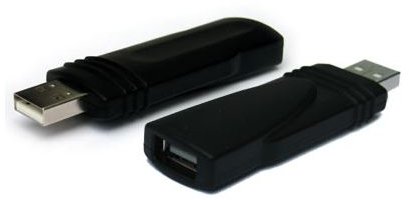
Stuxnet is the newest USB exploit unearthed in the wild by security researchers in July 2010. This article discusses facts about this new trojan, what Windows vulnerability it uses and how to protect your system from the trojan exploit.
Stuxnet Trojan USB Exploit
USB flash drives are one of the most common and popular storage mediums available today. From students to office workers and computer enthusiasts, almost everyone uses USB flash drives to transfer files, store pictures or even copy videos. Just recently, seeing a boom on their usage, virus authors began using USB drives as a medium of propagation for their malicious programs, also termed malware by the security community. They used the autoplay feature of Windows to automatically execute the malicious programs inside a USB flash drive. However, disabling the autoplay feature of Windows will render those malware programs useless. Using this technique, professionals thought that their systems were safe … who would have thought that this was a false sense of security?
On July 2010, security researchers discovered Stuxnet, a new type of malware family that targets Microsoft operating systems using USB flash drives. The malware automatically executes when the infected USB drive is introduced to a Windows system. Unlike its predecessors, even if autoplay is disabled, Stuxnet would still be able to infect your computer just by browsing the USB drive that contains it.
How Will I Know That I’m Infected?
Unfortunately, once you get infected, you won’t be able to tell because Stuxnet uses rootkit technology that allows it to hide when users try to view the Task Manager or Windows Explorer. The infection starts when you insert the USB containing Stuxnet into your computer. An infected USB drive typically consists of a manually crafted shortcut file and the malicious program. Once the USB drive is inserted, the specially crafted shortcut file will load the malicious program into the system resulting in potential information theft, computer hijacking and system crashes.
Technical Details
The malware employs a feature in Windows that allows it to execute a malicious code by using a specially crafted shortcut file. This “feature” can be exploited and is actually a design flaw in Microsoft’s implementation of parsing shortcut files. It occurs when Windows tries to display the icon of shortcuts and fails to check certain parameters resulting in a possible execution of arbitrary files, located even on remote shares.
This exploit was verified to be working on Windows XP, Vista, 7, Server 2003 and Server 2008.
How Can I Protect My System?
Although disabling Autoplay will offer some form of protection, it is still NOT enough. You will need to get the latest patch from Microsoft, either by turning on Windows Automatic Updates or by manually downloading the latest patch from Microsoft. And although average users have no way of knowing that their system has already been infected, they can protect themselves by ensuring that their antivirus definitions are up-to-date. It’s been a while since the vulnerability was publicly disclosed and many antivirus products are already detecting the Stuxnet Trojan USB Exploit.
You’ll find that our collection of free antivirus reviews are very useful in choosing what suits you best.
Image Credits: USB drives on Toptechreviews.net


