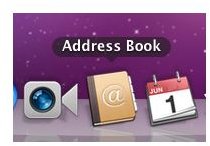
Mac terms that start with the letter “A” that are used often in the BrightHub Mac channel.
The Letter A
Adware – Often unwanted software, Adware can be installed without your knowledge and cause harm to the computer. Adware can also be used to target your purchasing habits or to place toolbars on your Web browser. Some adware can be useful though, if the user desired it (as with toolbars the user chooses to install).
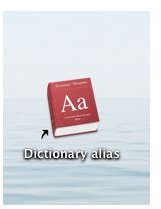
Alias – A shortcut in the form on an icon usually placed on the Desktop. Clicking the shortcut takes you to the file location. Because it is a shortcut, it can be deleted easily and will not affect the original files or folder.
Anti-Virus Software – Software you purchase, install, and manage that protects the computer from Internet ills like malware, adware, viruses, worms, and similar threats.
Apple – A generic name that represents anything Mac-related. Mac’s used to be called simple “Apples”, before there were iMacs, iPods, and the like.
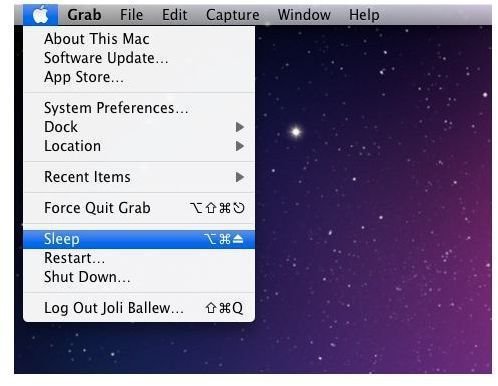
Apple Menu – A menu on the menu bar that allows access to preferences, settings, logging off, shutting down, and more.
Applet – An applet has nothing to do specifically with Apple. Applets are java programs that are embedded in web pages, and cannotperform unauthorized functions like accessing system files. Applets are often used to provide animations and calculations on a web page, to enhance the user’s visit there.
Application – A software program that allows you to perform specific tasks such as writing a document or creating a presentation. Safari and Mail are applications, as are Photoshop CS4 and GarageBand.
Applications Folder – A folder on the Mac’s hard drive that contains application files and links to applications stored on the hard drive.
Archive – The process of storing rarely used files for the long term. Used with compression, archived and compressed files take up less space on the hard drive.
Attachment – A file sent with an e-mail that contains additional data. Often, attachments are documents or pictures, although they can also be videos, spreadsheets, presentations, and more.
AutoComplete - A feature included with Mail that lets you start typing a name and then, based on your Address Book entries and previous addresses you have used, offers suggestions so you don’t have to type the entire contact or e-mail address.
AutoResponder – A features of many e-mail programs that sends out an automatic response as e-mails are received. The messages are generally configured to reply stating the user is out of town or out of the office for a specific period of time.
Images
References
- The author took the images shown here on a Mac OS X Lion computer.
This post is part of the series: A Glossary of Mac Terms
A glossary of terms used in the Mac Channel on BrightHub.


