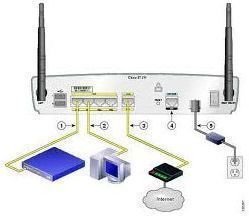
Network security relies on a variety of techniques. Passwords are one of those techniques, and they play a very important role in securing digital information. If you want to perform a Cisco router password change, this article will tell you how it’s done.
Why Is It Neccessary To Change the Password
You might be wondering why someone would need to change the password for a Cisco router , right?
Well, Cisco routers don’t have default passwords. Just like having a password for a PC, a password is used to protect a router.
As stated earlier, passwords are not already set on Cisco routers, so either a computer user or a network administrator will need to configure a password. Note: When a Cisco router is purchased, it will require somone to manually set it up to use an “Enable” password.
Example:
- Router>enable
- Router#
Note: In the upcoming sections, the article will explain how to change the password for the Console, the Virtual Teletype Terminal, and for the AUX Port. In addition, there is a section on how to “Enable” a password and a secret one too.
Attention Network Administrators: When managing Cisco routers in an office, it’s very important to set up and maintain passwords.
How To Change Console Password
Setting the console password on a router is useful when multiple people on the network have to access the router. When this password is set, people who aren’t authorized can’t access and change any of the router’s configurations.
To change the console password of a Cisco router, enter the following commands in the router’s console:
- enable
- config t
- line console 0
- password “your-new-password” (without quotes)
- login
How To Change Virtual Terminal (VTY) Password
The Virtual terminal, commonly referred to as the Virtual Teletype Terminal (VTY), password is the telnet password of a router. From telnet, you can change all the router settings. Therefore it is crucial to set a strong telnet password.
To change the virtual terminal (telnet) password of a Cisco router, use the following commands:
- enable
- configure terminal
- line vty 0 4
Note: Here with 0 4, you are changing all the telnet lines. To change the password of only one telnet line, type vty 0 (0 to 4)
- password “your-new-password” (without quotes)
- login
How To Change Enable Password
The Enable password of a router is similar to the Administrative or super user password. It is required to restrict unauthorized access to the executive mode of the router. In the privileged “EXEC” mode a full range of commands can be used and the router can be programmed
To change the “Enable” password of a Cisco router, use the following commands:
- enable
- config
- configure terminal
- enable password “your-new-password” (without quotes)
Note: When you set the enable password, it’s visible in the router’s configuration file. In order to hide it from there, you should use the “enable secret” command. Changing the “enable secret” password of a Cisco router is described below.
How To Change Enable Secret Password
Enable secret is the encrypted and invisible password which, once set overrides the enable password of the router (if it is already set). In other words, when you set the enable password and then set the enable secret password, the enable password will not be used. To change the enable secret password of a Cisco router in the global configuration mode, use the following commands
- enable
- config
- configure terminal
- enable secret “your-new-password” (without quotes)
Type enable secret
Example:
- Router(config)#enable secret cisco
Note: Same passwords for enable and enable secret can not be set. You must set two different passwords for each.
How To Change the AUX Port Password
On some routers, the auxiliary (AUX) port password may need to be changed. To change the AUX password of a Cisco router, use the following commands:
- config t
- line aux 0
- login
- password “your-new-password“ (without quotes)
Remember that once you perform a Cisco router password change you must place the new password in a safe, secure place for future access.
Reference Section
Cisco: Configuring Passwords and Privileges:
Tomax7: Cisco Router Configuration Commands
Image Credit: Networks Training


