Any 21st century computer can process images - but with the right CPU a PC, notebook or Mac can process images at blazing fast speeds.
Low End PC - Not the Best for Image Processing
Developing and editing images on a low end PC can be tricky – and slow. Without the right equipment you might find that the project you’re working on takes longer to create, open and save, not to mention require a lot of additional time on adding new elements and layers.
Naturally having the right software installed is important, but so is performing these tasks on the right type of computer.
Whether you’re working with popular image editing software such as Adobe Photoshop or Illustrator or perhaps some other design software, with a computer equipped with the best CPU for image processing you should find that the job is made much easier.
What Images Are You Processing?
The type of images you’re processing will determine whether or not your current setup is sufficient and also whether or not you should be spending top dollar for an Intel CPU if an AMD device would suffice.
For instance if we’re talking about photographs taken on a standard digital camera that are then edited and manipulated a Pentium 4 running at over 2 GHz would be sufficient, although you might prefer to use a more modern option such as an Intel Core Duo.
However if you expect to be processing and polishing up images taken on a high end digital camera or scanned hand-drawn illustrations that are then enhanced in Photoshop or Illustrator, a more modern CPU should be used in conjunction with sufficient memory.
Best CPU for Image Processing on a Windows PC
However there are other things to consider. For instance you might be hoping that an Intel Core i3 powered low-end desktop computer would be sufficient for your tasks – and with the right graphics card, sufficient RAM and a low-profile operating system it might be. However to cover all bases you should be looking at the other end of the product range.
Intel – At the very least you should be looking at a system with a Core i5 CPU and 2 GB of RAM – however you will probably find that most websites and salesmen will attempt to sell the Core i7 CPU for image processing. However with sufficient RAM (at least 2 GB) the Core i5 should serve your needs.
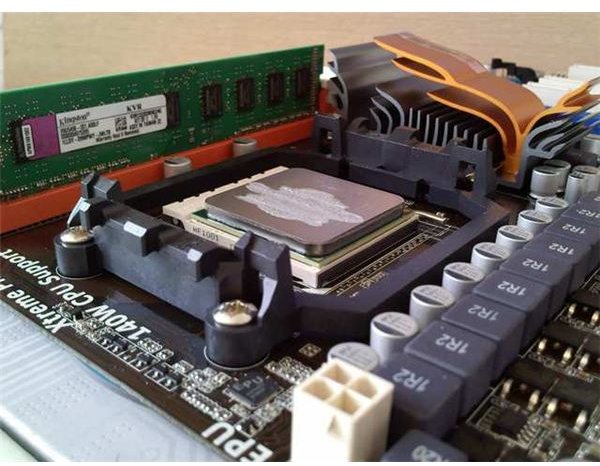
AMD – The Phenom II 955 (quad-core, pictured) CPU is one of the most popular among gamers even after the arrival of the original range of Intel Core i7 CPUs. As such it is suited to graphics and image processing, and when used in conjunction with Crossfired graphics cards the performance is indistinguishable from that of an Intel system.
Apple Alternatives
It’s also worth considering using an Apple Mac is you’re planning on using your computer for image processing. CPUs in Macs are now provided by Intel and are the same as those found in Intel PCs, so you should expect to experience roughly equal image processing performance.
Macs have long been used for designing and computer based art, so by opting for an Apple Mac computer with an Intel CPU suited to image processing you will find yourself joining a worldwide “club” of graphic designers using Macs.
References
Sources:
- Author experience
Image credit:
- CPU photo by author


