With so many choices in handheld computers and tablets available, it is easy to make an expensive mistake. Before buying, try to learn the distinction between tablets and PDAs
Tablet or PDA - Which is Best?
If you’re shopping for a tablet, you might have noticed the similarity between tablet PCs and PDAs.
Tablet PCs are the portable computers that you might hold with one hand (much as you might hold a clipboard) while you tap away on it with the other, possibly using a stylus to “write” onto the screen.
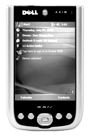
PDA’s are best described as the smaller, handheld devices used by waiters and couriers when you sign for parcels, and these have in fact been around for a number of years.
But what are real the differences between a tablet PC and a PDA?
What’s the Difference? Well, What Have They Got in Common?
Before establishing the differences between a tablet PC and a PDA, it is important to first get to grips with the similarities, something that can be best outlined by explaining what a tablet PC is and what a PDA is.
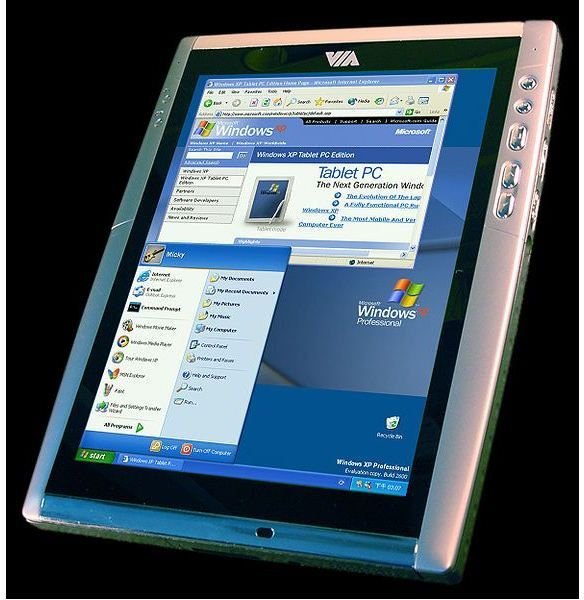
Tablet PC – For the past 10 or so years, various manufacturers have been developing tablet PCs (such as the one pictured here) of different shapes and sizes for various purposes; for instance a particularly expensive range of tablet PCs with plenty of rubberization and shock proofing is intended for warzone and extreme environments, whereas the more recent explosion of tablets are a mix of Windows 7, iPad and Android devices are intended mainly for office tasks and gaming.
PDA – Generally smaller than tablet PCs, PDAs – portable digital assistants – first came to prominence in the 1990s, and have been used ever since for various tasks that require a small, portable computer with a means of collating and recorded data, such as taking bets at a racetrack. Usually PDAs run a version of Windows CE or the Windows Mobile operating system, and as such there are often applications that will run on both, making PDAs ideal for office tasks.
Identifying the Differences: Tablet PC versus PDA
The key differences between tablet PCs and PDAs centre on the following:
- Size – PDAs are almost all handheld devices, whereas tablets are larger can be held with one hand or across the forearm.
- User interface – Generally you cannot use your fingers with a PDA; instead a stylus should be used. In contrast tablet PCs are optimised for use of fingers rather than a mouse.
- Build – PDAs are lightweight (although Palm supplied a variety of high-end devices) whereas tablet devices can range from lightweight and flimsy (some cheaper Android tablets) to heavy and sturdy (some Windows tablet PCs).
- Operating system – A tablet PC version of Windows 7 is available for suitable devices, although the most common tablet operating systems currently are Android and iOS, the operating system used on the iPad.
- Purpose – You’re limited with what you can achieve with a PDA, whereas the various types of tablet PCs have software available to assist you in performing almost any task.
Note that within the tablet PC category you will find further differences when comparing Windows 7, Android and iOS devices.
So as you can see, there are considerable differences between PDAs and tablets, just as there are between tablets and desktops.
References
Source: author experience
PDA image: https://upload.wikimedia.org/wikipedia/commons/6/64/Pda.png
Tablet PC image: https://upload.wikimedia.org/wikipedia/commons/thumb/b/b2/VIA _Tablet_PC_Reference_Design.jpg/573px-VIA_Tablet_PC_Reference_Design.jpg


