Looking for an easier way to extract objects from digital photographs? AKVIS SmartMask supports several different methods of selecting and removing items from photos, depending on the complexity of the situation. Read on to find out more.
Overview of AKVIS SmartMask v2.0
AKVIS SmartMask is an image editing application that lets you extract objects from a digital photograph. Certain modes in the software operate similarly to the Background Remover Plugin that comes bundled with the Corel Paint Shop Pro Photo X2 Ultimate package. However, there are other features included in SmartMask that make selecting and extracting specific items in photos even easier.
The screenshots below should give an idea of what SmartMask is capable of with just a few moments work. Here, we wanted to isolate and remove the flower from the background of the first photograph to prepare it for use in another project. The second image shows the results of this extraction. (Click any image for a larger view.)
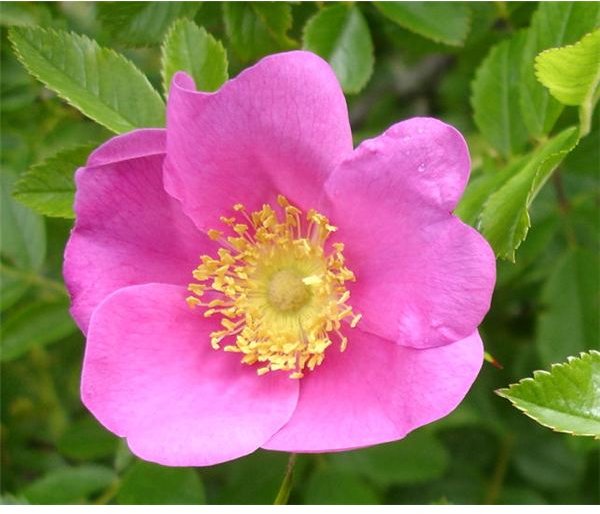
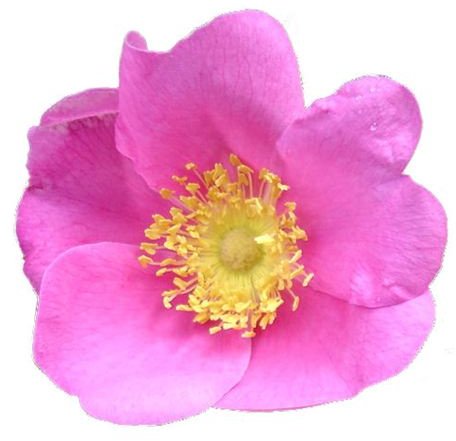
Although many other AKVIS products also have standalone versions, SmartMask is available only as a plugin. However, it is compatible with several photo editing applications including Photoshop , Paint Shop Pro, and GIMP . In this review, we’ll be focusing on the program as it is used with Paint Shop Pro as the host editor.
Installation and Setup (5 out of 5)
I encountered no problems when downloading and installing AKVIS SmartMask. The application does come packaged with a self-installation utility so the setup is quick and easy.
You may need to make some minor adjustments to the host photo editing application in order for it to recognize SmartMask. If you’re a Paint Shop Pro user, see this article on third-party plugins for more information.
Ease of Use (4 out of 5)
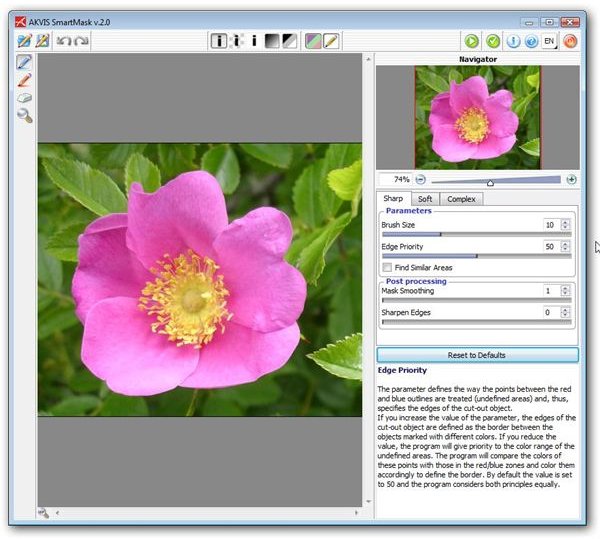
Although the user interface of AKVIS SmartMask is extremely intuitive, it will still probably take most users some time to get used to the application’s tools. However, the time spent learning how to get the most out of the program is very well spent, especially if you’ve been looking for an easier way to extract objects from one digital photograph to use in other editing projects.
There are three different modes that you can enter when attempting to extract an object or remove a background. One very nice feature is that you can pass seamlessly from one mode to another and incorporate tools from each one when editing the image. While it will take practice to perfect this process, all tools are clearly labeled and you can find out additional information about their usage in a help section located in the lower right-hand corner of the application.
Please continue on to the next page of this review to find out how AKVIS SmartMask performs, how much the product costs, if it’s worth the money and what the overall rating is.
Performance (5 out of 5)
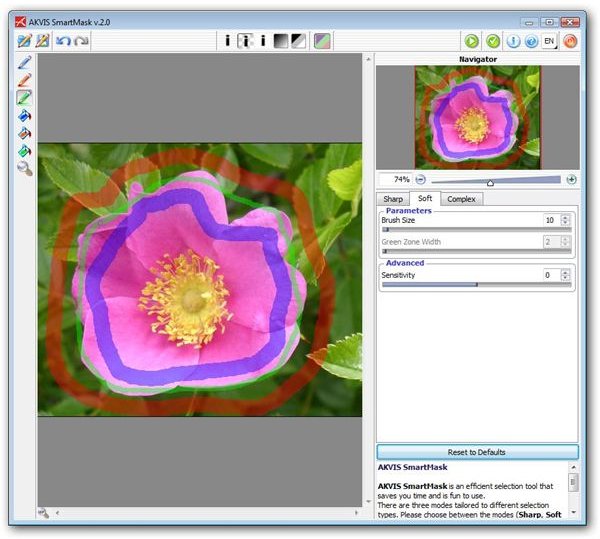
After spending quite a bit of time testing AKVIS SmartMask, I am very impressed with its performance. In general, object selection and extraction can be a very tedious process, even with the help of plugins and other utilities. Not only does SmartMask make this type of editing as painless as possible, but it actually makes it enjoyable.
You will need to convert your image to a full raster layer (or create a duplicate layer) before invoking the plugin. Once you’re working in the SmartMask interface, you can approach the selection and removal process in a couple of different ways. The first, more common method is to use different colored pencils to
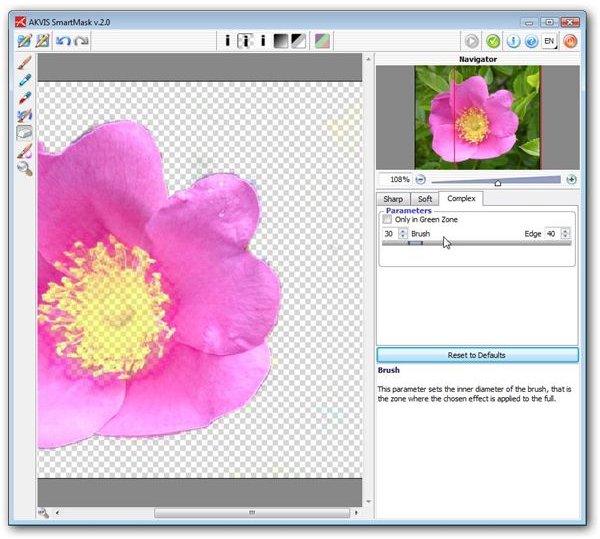
trace around the objects you want to keep or remove. Alternatively, you can designate specific color tones to keep and erase away everything else in the image. Even nicer, you can combine these two methods so as to get the “big chunks” out of the way before launching into finer, more detailed work around object edges.
The preview window lets you see the progress of your changes at all times, and you can always revert back to earlier stages if a mistake is made. When you’re happy with the modifications, you can apply them to the image and return to the host application to continue working on your photo editing project.
Price to Value (4 out of 5)
The Home version of SmartMask retails for $120 and only covers personal use of the application. If you plan to use the plugin for commercial purposes, you will need to purchase a Business license for $240. Although this price might seem a little on the high side for a plugin, I believe it to be well worth the investment if you do a lot of image manipulation. Plus, both the Home and Business licenses allow you to register the software on two separate computers, and this does mitigate the price a bit.
Overall Rating (5 out of 5)
Despite its higher price tag, AKVIS SmartMask is definitely one of the plugins that I would put on my list of favorites. It may take a little more time to learn to use than other applications, but that is mostly due to the richness of the application. If you’re considering other products in the AKVIS line, you may want to hold off and purchase the entire Alchemy bundle containing 13 plugins, including SmartMask, Retoucher , and Magnifier .
For more information on plugins compatible with Paint Shop Pro, check out the collection of reviews and user guides available on Bright Hub’s Digital Photography Channel.


