Photoscape Review: Is This Free Photo Editing Software Worth the Download?
Overview and System Requirements (5 out of 5)
Photoscape is a great free photo editing software application for creating collages, editing photos, capturing screens, and more. The Editor section is easy enough for beginners to use, while the other sections of the program may be a little more difficult. You will need a little knowledge about creating animations to use the Animated GIF section. You will also need to know how to navigate through your folders on your computer using the folder panel in Photoscape to locate the photos that you want to use. The good thing about being a beginner and using this program is that they have a nice help file. To install and use Photoscape you will need the following:
Windows 98/Me/NT/2000/XP/Vista/7
User Friendliness (5 out of 5)
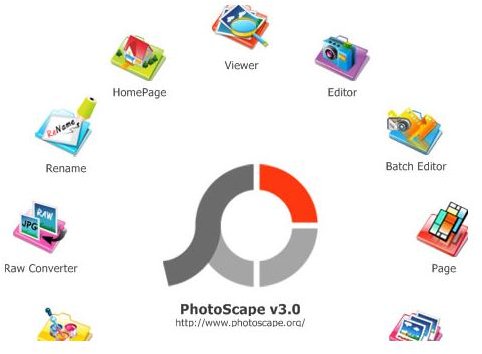
I find that Photoscape is very user friendly. When Photoscape is first opened, you are presented with an interface. On this interface is everything that you will need to get started. Click a task and you will be carried to that panel. The toolbars are nicely organized and you can easily navigate through the section. Some of the tasks, like Screen Capture, do not have a panel. Instead it pops up a box.
Screen Capture Effect (5 out of 5)
There is a feature in Photoscape called Screen Capture. It is a great feature that will allow you to capture screen shots. When you click
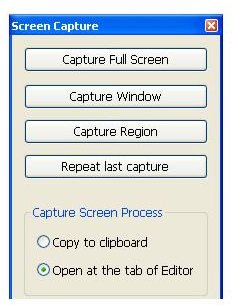
the Screen Capture, you will be presented with an options box. In this box you can select what part of your screen you want to capture. Once you click the button of your choice, the screen will be captured. The capture will then be opened in your Photoscape Editor.
Page Editor (5 out of 5)
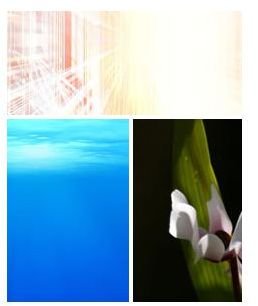
The Page Editor allows you to choose a page layout and add photos. The Page Editor is great for printing more than one photo on a sheet of paper. It is also great for making a collage for a website. The Page Editor is very easy to use. You simply find the photos that you want to use and drag them to the page. There are many different layouts to choose from.
Photo Editor (5 out of 5)
The Photo Editor in this program is great. You are presented with many options when editing the photos. Some of the options available
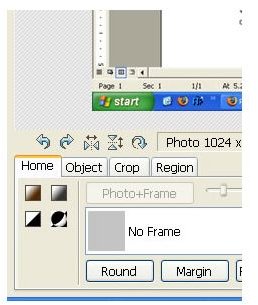
are adjusting the color, cropping a photo, rotating a photo, adding frames, adding objects, adding text, and more. I love this photo editor in Photoscape. Editing the photos is easy. You can do most of the editing with a couple of clicks of the mouse.
Rename Tool (5 out of 5)
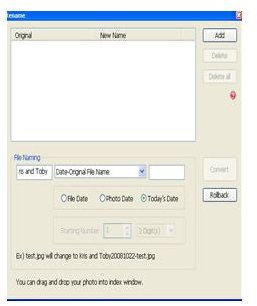
There is a tool in Photoscape called Rename. This tool allows you to rename your photos. You can quickly open photos and rename the filename using this tool. You simply type in the new name and click Convert and it changes the name for you. This is a quick way to rename a lot of files at one.
Overall and Pricing (5 out of 5)
Overall, I will say this is a great program. I cannot find one complaint. If you are a beginner using this program, take a look at the help file that they offer. The photo editing section is pretty self-explanatory. The screen capture is also self-explanatory. Creating the animated GIFs and collages will probably be a little more difficult if you have never done it before. But the help file will walk you through that. So, I recommend Photoscape for beginners and advance users.
Photoscape is free to use. You can read more about Photoscape and download it from their website.
References
All screenshots were taken by the author for educational purposes only.
Photoscape,https://www.photoscape.org/ps/main/index.php