Top 10 iPhone Applications You Shouldn't Live Without
How To Choose - The Best of The Best
I don’t think anyone would dispute the fact that when Apple introduced in the iPhone in 2007 they also invented the concept of ‘apps’ that now no one can do without, no matter what phone they have. It’s a pretty tough task then, to narrow down these apps from the 350,000 apps currently on offer in the App Store to the top 10 iPhone apps. Tough, but not impossible.
There is also such a great range of ’types’ of app too, although this is where I did have to do some narrowing down. I based this top ten list on which apps are the best of the best in their app genre. I’m talking the kind of apps that would suit most people, rather than selecting from a narrow field. So, which ones made the cut?
Best Radio Application
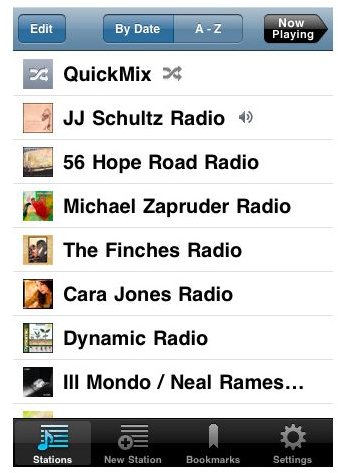
Pandora Radio offers some of the best music streaming channels around, and is so much more than just a radio app – it’s basically a personalized radio where you can create your own radio station.
The program literally lets you select your favorite band and then it streams their music, along with other bands considered to be close “companions” to the band you have selected. For instance, Jason Mraz would also play Jack Johnson, while a Led Zeppelin channel may also play the Who. Best of all, the program works well on Edge Network speeds which means users of the original iPhone will still receive excellent playback. The best part of the program? If you hate a song you can ask it to never be played again, while your favorites can be bookmarked and remembered by the program for later playback.
There is one slight drawback with this app, in that it’s a stand alone application, meaning while it can be played on your iPhone, you can’t be doing anything else in the background. But, it’s great if all you are doing is listening to music.
Top iPhone Game

No great surprise here, in that I’m going to say Angry Birds RIO is an iPhone game you shouldn’t be without. There are so many choices out there, but the popularity of this game speaks for itself. I’ve picked the RIO edition, rather than the original, because it has a much better feel to it – you also don’t have to deal with the annoying laughs of those pigs. The color of the RIO game is superb, and although you certainly don’t get a 3D effect from it, the atmosphere of the game is much more satisfying in its multi-layered backgrounds.
Ridiculously simple to play, this game is addictive no matter what your age and is an easy pick up and play option, which is what makes it so great for the iPhone. You can just play a few minutes here and there and feel you’ve had a bit of a gaming fix for the day. My other top faves in this category are Cut The Rope, and Need for Speed Hot Pursuit.
Best Photo/Camera App
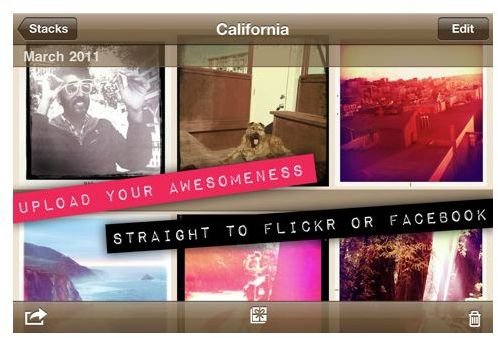
One of the (many) great things about the iPhone is the superb camera, and using the Hipstamatic app lets you take your picture snapping to new levels. Even the greatest iPhone camera has its drawbacks, but now there’s a way to make your camera seem more real and add a multitude of effects.
If you want your snaps to feel more old-school then this is a perfect app. Recreate the feel of throw-away or toy cameras of the past and select from a range of lenses to give your pictures a different look. You can make your iPhone camera feel more real by purchasing “lenses” just as you would do with a regular camera. If retro chic or photo-editing is your thing, then this is the perfect photo app for you.
When you’re done you can easily upload your unique pics to Facebook and Flickr to share with others.
Most Innovative Music App
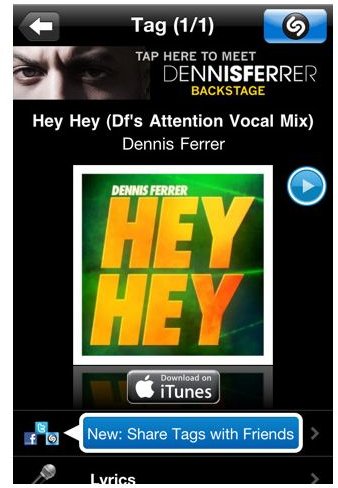
The idea behind Shazam is a simple one, but boy is it effective. This is an app that actually solves a problem that we all have at some point – you hear a tune and yet you just can’t place what it’s called. Hold your iPhone to any music source, whether it’s coming out of a stereo, a TV, or wherever; it doesn’t matter. Then, within seconds, Shazam will tell you what song you’re listening to, what artist sings it, and where to buy it.
The program works by users placing tags on their favorite music, which then helps identify the music. But wait, there’s more. Users can also view related YouTube videos by clicking on a defined icon, and they can even email their contacts the music info for download and listening purposes. One of the best features is that it can link straight through to the relevant iTunes track. So within seconds you can identify the tune and have it on your iPhone with little fuss or switching between several different applications.
If you tend to forget songs, or you really want to know what you’re listening to, this is the perfect solution.
Best iPhone Location Based Software
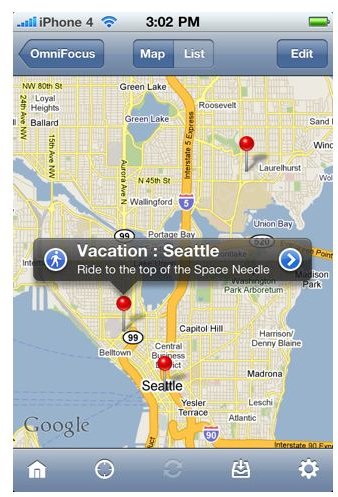
There is no question in my mind that the OmniFocus app is the best location based software available for the iPhone. The program developed by The Omni Group is a perfect “Location Based Organizer”. For instance, let’s say you have an appointment at the corner of Main and Front Street, and you need to pick up groceries and get a hair cut that same day. If your appointment is close to a hair salon and a grocery store, the application will actually remind you of each task while providing directions and location based reminders for the stores to complete each task within your area.
Taking this app one step further, if you have created a list of food that you need, for instance, the program will store your shopping list alongside the closest grocery store.
Essentially OmniFocus, in the words of the OmniGroup, allows users to “Keep track of actions by project, place, person, or date. Bring up a shopping list, agenda items to discuss at work, tasks for home, and any other lists you need.”
At $19.99 this application is probably going to the most expensive app purchase you’ll make, but the price is totally justified in how useful it is.
Please continue to page 2 where our selection of top ten iPhone apps continues.
Best Aggregate News Reader (RSS Feeds)
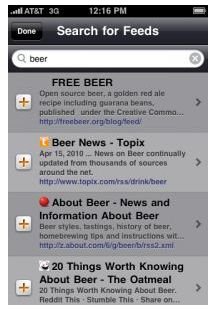
RSS readers are newspapers of modern times with many more attractive features – they are constantly updated and you only have to read about stuff you are interested in. This last point is what makes MobileRSS Pro the best iPhone news reader app for me.
Not only can it pull together more well-known news sources, it can keep you updated through blogs you like to read, people you follow on Twitter and it’s all brought together in one place. Not only that, but it’s hugely satisfying to both use and look at.
There are also some other little features that made this app a stand-out choice for our top ten list. You can view up to 200 items on your iPhone even if you’re offline (images and all), you can archive items as you wish and easily save any photos straight into your Photos album.
The only slight negative would be that because it’s so comprehensive it might be nice to have a categories feature to separate out all your different kinds of themes as it can get cluttered if you’ve got a lot on the go.
Best Social Network App
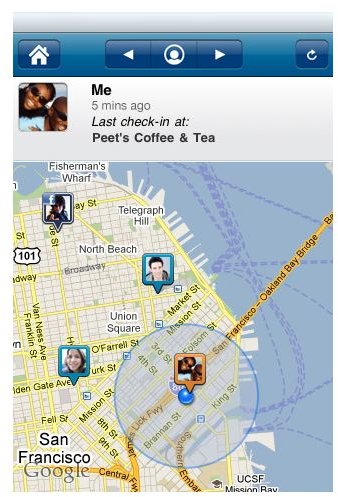
Loopt Mobile is a location based social network. Think of it as a Facebook-cum-travel guide for mobile users on the go. Let’s say you’re in an area and want to find fun places to go, you simply log into Loopt and any suggestions tagged in that area by your friends will show up with their comments/suggestions.
You can also find out where your friends are and what they’re doing. The program does require users to approve their list of friends, which means complete strangers can’t track your whereabouts. The downside to this as well of course, is that enough of your friends have to use this app to make it worthwhile.
You can also send your friends comments and location suggestions, tag your photos, and even find “suggested” locations based on popular services such as Yelp. It’s like Facebook with extras and could become awesome if enough people use it.
Best eBook App
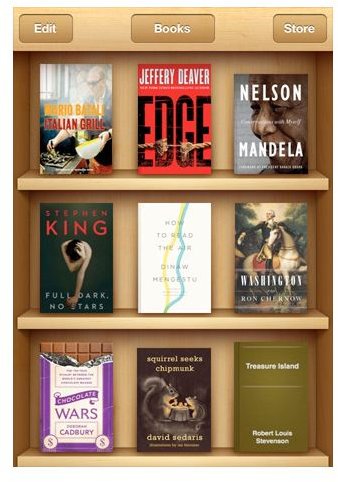
Bit of a controversial choice this one, as I’m going to opt for iBooks over the Kindle iPhone app. Tough choice to make as both these iPhone eBook readers have their strengths and weaknesses. But for me, iBooks wins out as being closer to the book experience – that being it can include sumptuous color photos not just flat text, which is especially useful for cookery or children’s books. The books are still a little overpriced, and yes they really need to up the choice, but it’s building and there is choice enough to keep most of us happy.
Once downloaded, the iBooks app gives you an empty bookshelf ready to fill. The shopfront is easy to navigate and actually it includes a large amount of free texts too. There is also the option to download a sample to see if you like the look of it, before making a full purchase.
Books in your iBooks library also use the internationally recognized EPUB format, as opposed to Kindle’s specific format. iBooks has loads more great features too which is why it’s my winner. Choose white or sepia color pages, get the app to read text to you, choose from different typefaces, adjust screen brightness…. and loads more customizable options.
Best iPhone Weather Application
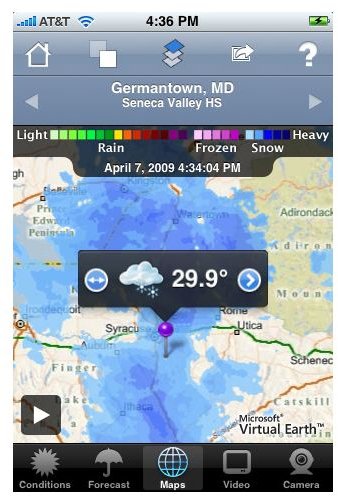
WeatherBug offers over 45,000 locations worldwide which should satisfy even the most traveled users. Simply type in your area or zip code and you’ll get as much detailed weather information as you can handle. In fact you can store up to ten favorite locations to get information about quickly.
Aside from the location database, the application also brings up satellite information, radar maps, current radars that stream to your device in seconds, detailed forecasts, and weather cameras. It also has a pretty neat feature in the form of extreme weather alerts sent directly to your device..
With WeatherBug gone are the days of sitting in front of your radio awaiting news of the most severe weather, now you can get those updates at any time, and even on the Edge network the downloads are fast and offer very concise information.
Best App for Traveling
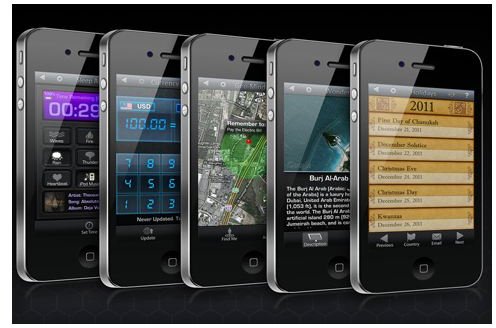
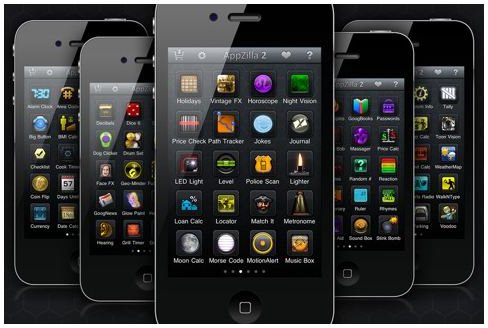
This was a hard category to narrow down, as travel apps come in so many different forms; from apps to help you at the airport, travel guides, and translation apps for the iPhone to name but a few. If you want a great all rounder, then Appzilla 2 is a monster of an app (hence it’s name I guess), that includes over 100 apps in one. It’s got many mini apps in there to help you out with lots of travel assistance. There is a translation app, alarm clock, currency converter, GPS locator, and night vision (especially great for camping holidays). There are of course plenty more than you might find useful, these are just great ones I think would help when traveling.
The downside to all this though, is that this monster app also requires monster room on your iPhone – over 91MB of it.
As a great translation app I would go for Google Translate, but Appzilla is a great all rounder for your travel needs.
What’s The Ultimate App?
Even though the iPhone doesn’t have a microSD card to up your disk space, there should still be enough room to accommodate all of these apps should you wish to - remember that Appzilla and iBooks (if you have lot of pictorial books) will soon eat into your space though.
It’s impossible to give just praise to all the great iPhone applications out there, but if this top ten apps list has any notable omissions then be sure to leave a comment and let me know.
References
- Pandora Radio
- Hipstamatic
- Angry Birds RIO
- Shazam
- OmniFocus
- MobileRSS Pro
- Loopt
- iBooks
- WeatherBug
- Appzilla 2
- Screenshots supplied by iTunes or taken by the author – copyright remains property of the respective developers.