Review of Calorie Counter for Google Android
Overall (5 out of 5)
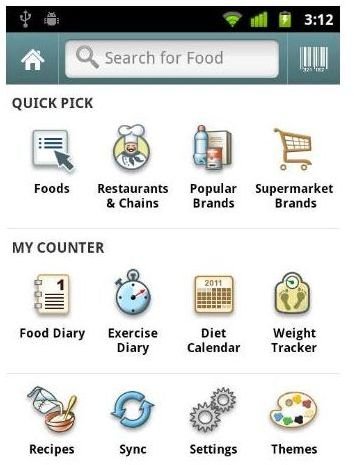
My personal favorite part about Calorie Counter is the easy to find ingredient info screen. The main screen features several categories users can use to find ingredients and even full meal information. Those areas include: Foods, Restaurants and Chains, Popular Brands and Supermarket Brands. If you’re in the store, this means you can easily compare a brand name versus a store brand if they are not located right next to each other. Also, finding nutritional values for fast food chains (which is not the easiest task when at those locations) is now only a few clicks away.
Basically, if you need to find different types of foods for different situations then Calorie Counter is a great option.
Here’s a look at the Calorie Counter Food Finder Menu:
Features
Aside from searching an entire database to find the foods you’re looking for**, Calorie Counter** also allows users to scan foods directly from their device’s camera using the camera as a barcode scanner. On the one hand you may be thinking, “I can just check the back of the box.” However, if you’re planning meals based on calorie counts, it makes more sense to save those recipes in the calorie diary found on your device thus allowing you to plan your calorie consumption ahead of time.
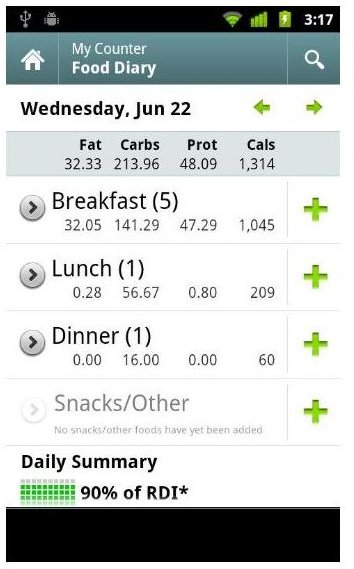
Take a look at this screenshot: as you can see, the Food Diary is shown with the calorie intake for each meal, making it easy to keep track of calorie counts for the types of foods that you eat on a daily basis.
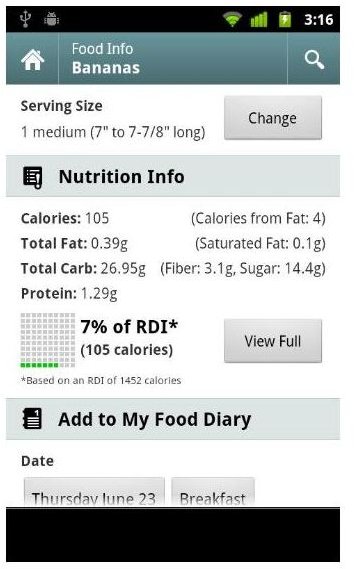
Finally, once you find the ingredients or meal you want to eat, you can simply choose how many servings you’ll be eating. The serving sizes are a great addition as they don’t rely, as some other programs do, on simplistic terms such as weight sizes. Rather, they focus on the actual distribution sizes of the foods. For instance, if you have a box with 12 packets in the box, the screen will tell you the serving size (if it’s 1 packet or half a packet). This makes it easier to understand the exact serving size required to hit a certain calorie count.
Give it a Try!
Calorie Counter for Google Android is a very competent mobile application that allows users to easily track their calorie counts and other nutritional values on the fly. Overall, I found the mobile app to be very comprehensive and easy to use while the on-board diary made it very easy to track my own meals over a 3 day period. I tend to use 10-15 mobile apps across various platforms in a 1-2 day period, so I have very little time to mess around figuring out the basics. With Calorie Counter, there are no basics – you can literally jump right in. Give it a try, you won’t be disappointed.
References
- Android Market: Calorie Counter by FatSecret, https://market.android.com/details?id=com.fatsecret.android&hl=en
- FatSecret: Homepage, http://www.fatsecret.com
- Screenshots provided by writer.