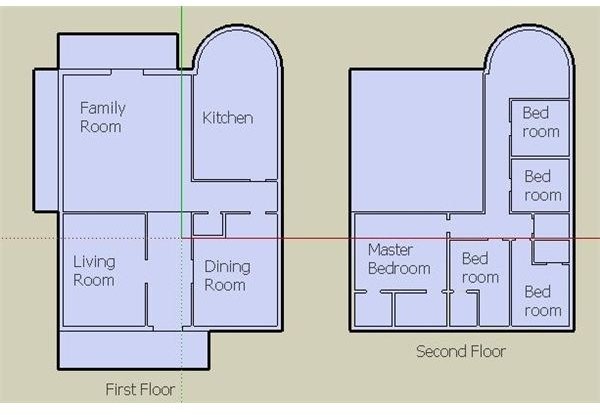
Designing your house has never been easier. The folks at Google have made 3D modeling so simple that the average user can download and design, without much effort. Here’s what you need to know about designing your house in SketchUp, starting from the beginning.
With Google SketchUp, you can design your dream house, redesign your kitchen, or visualize furniture placement in your new apartment. SketchUp is a 3D design software, offered free from Google. It’s very user-friendly. And, it’s easy to start designing immediately after you download the program. Within a short amount of time, you’ll be able to design impressive floor plans and 3D models. In this series, we’ll discuss the very basics of designing your house. This series is not intended for the advanced user, as it’s more of an introduction for the novice user ready to get started.
Before delving into SketchUp’s 3D aspect, start with a clear idea of what you want to accomplish in this project. If you’re designing a house, think of how you would like that house to look as the final outcome. It’s a good idea to look through architectural magazines and websites for inspiration, and to get a feel for the technical aspects of your dream house. It’s best to start with the big picture and then fill in the details.
Start drawing an outline of your floor plan on paper. Although you can, and will, do this in SketchUp, drawing it on paper will provide you with a point of reference when you start sketching it digitally. If you have graph paper available, draw the outline on it, instead of white or notebook paper. Graph paper is comprised of 1/4" inch boxes that are great when you’re drawing to scale. Each 1/4" inch box can represent 1 square foot.
Gather measurements of your house. The measurements to consider are the outside and inside dimensions, the thickness of outer and inner walls, and the height of each level. Generally speaking, outer walls are usually thicker than inner walls, and height of each floor is usually over seven feet. If you aren’t sure of measurements because you’re creating a dream house from scratch, compare your current house– think of its measurements, and if you’d like your new house to be bigger or smaller. Another great resource is real estate magazines, you can study the average measurements of featured houses. Remember you don’t need to be completely precise if you’re just designing in SketchUp for visualization, or fun.
This post is part of the series: Creating a House with SketchUp: Start to Finish
A basic tutorial series for you to create a dream house with free 3D modeling Google SketchUp. Learn what you need to know, to get you started quickly!
- Preparation: The Basics of Designing Your House with SketchUp
- Getting to Know the Tool Bar in SketchUp Part 1
- Getting to Know the Tool Bar in SketchUp Part 2
- Creating Your Floor Plan in SketchUp
- Google SketchUp: Raising the Roof and Erecting Walls to your 3D Dream House
- Beautifying and Presenting Your House Using SketchUp


