Windows Registry Cleanup - What is the Windows Registry Editor?

Windows Registry Overview
Although every conceivable piece of software known to man has some level of configurability, it is not commonly known that so too does Windows. It is not the ’locked down’ product many perceive it to be, for what many fail to realize or wish to explore, is that any aspect of Windows can be fine-tuned to suite personal preference and optimize performance.
Windows is not just a pretty front end that delivers applications and organizes the computers data. It also offers you the opportunity to ‘tweak’ the very core of its functionality. This is all possible through a database of information that defines how your PC delivers and operates every part of hardware and software configuration, account profiles, control panel settings, user preferences and interfacing. This database is called the Windows Registry.
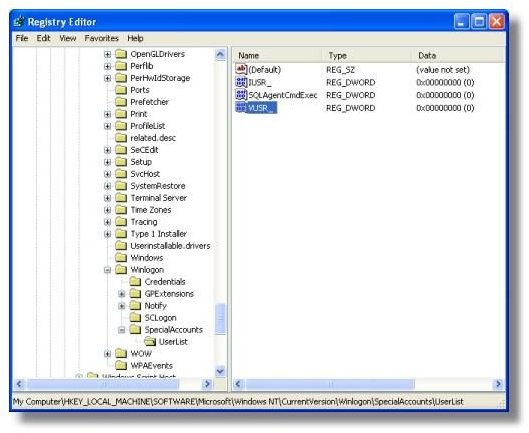
The Windows Registry holds a wealth of values behind the scenes, allowing users to change settings for every conceivable element of personal computer use. Set up in a hierarchically structured database it delivers end user configurability to all of your PC, from mouse pointer clicking and control panel setup to advanced menu additions and feature disabling.
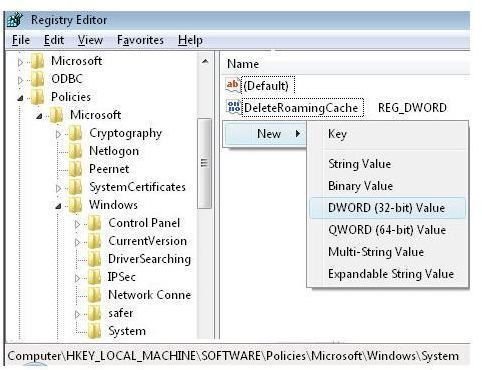
Everything you see in Windows, all of the control panel settings, menu’s, color schemes, fonts, hardware and software components, and dialog boxes, all are simply part of the visual front end and they are all driven by what is stored in the Windows Registry.
Key Points to the Windows Registry
- A database of all the operating system’s configuration.
- Covers all hardware, software and security settings.
- A back-end database for the front-end Control Panel.
- Troubleshooting area for operating system problems.
- Offers far reaching Windows configurability for advanced users.
- Not a place for the novice user.
In the following articles we will look at the structure of the Windows Registry and how it delivers a clean windows interface. Then we will discuss how the Registry can be edited for your own personal needs. Finally we will discuss some excellent examples where the windows registry can be edited to optimize your end user PC experience and lock down permissions.
This post is part of the series: Windows Registry User Guide
An Introduction to the Windows Registry, looking at the structure of the registry, how it can be tweaked and changed to optimize PC performance and what is the best software for cleaning the Windows Registry.
- An Introduction To The Windows Registry
- The Windows Registry Editor Hierarchical Structure - Hives, Keys & Values
- What is the Windows Registry? Tweaking the Registry Editor
- Optimizing the Windows Registry - Good Practice & Top Registry Edits
- Optimizing the Windows Registry - The Best Windows PC Cleaning Software for the Registry Editor