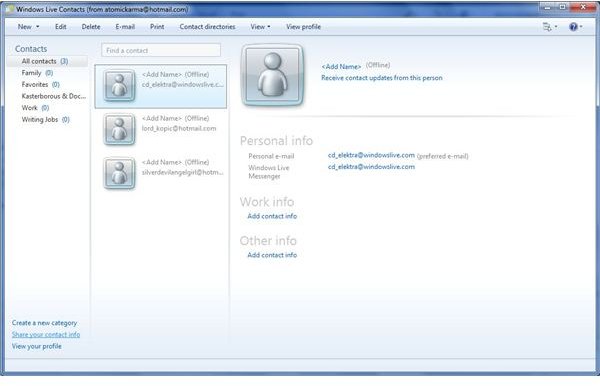
With Windows Live Mail, you don’t need to worry about losing your Windows Live contacts and calendar data when you reinstall.
What is Windows Live Mail?
Windows Live Mail is a component part of Windows Live Essentials . Under Windows 7 it can be used as the default email client (although it needs to be separately downloaded) and is a popular choice for Windows 7 users to get their email from POP, IMAP and Windows Live/Hotmail accounts.
It isn’t entirely without its problems, however; there are some performance issues that need resolving. Beyond this misgiving it is a generally decent entry-level email application that will effectively serve the needs of the majority of its users.
For those that do run into problems with Windows Live Mail, however, uninstalling and re-installing the software might be a path that they choose to take. How can this be done safely, and without losing contacts and calendar data?
If I Re-install Windows Live Email Will I Lose All My Contacts and My Calendar?
The quick answer to that question is “no.” With the right preparation in advance, you can retain your contacts and your calendar and not worry about them being lost.
However this is all a matter of preparation – not to mention taking note of what sort of email account you have. This is where it gets complicated, as POP and IMAP accounts (the two most popular forms of email account for domestic desktops) are quite different to Windows Live email accounts. POP email accounts send the contents of your server inbox to your computer, where they are stored in a mailbox.
IMAP accounts work in a slightly different way, with a mirror image of your inbox and folders stored on the mail server. If you move a message from your inbox to a folder on your computer, the same message is moved on the server, and this synchronisation is echoed when a new email is received on the server.
Retaining Your Windows Live Contacts and Calendar Data
A Windows Live/Hotmail email account works in a similar way to IMAP. With a Windows Live email account, your messages, contacts and calendar data are between you Windows Live Mail client and the server. This works in a similar way to Microsoft Exchange, and is seen by many as a free alternative to Microsoft’s proprietary enterprise email solution.
So if you are using a Windows Live email account with Windows Live Mail and plan to reinstall the application, your data will not be lost; when you reinstall and add your username and password to create a new account, the application will synchronize with your email account and update the contacts and calendar data!
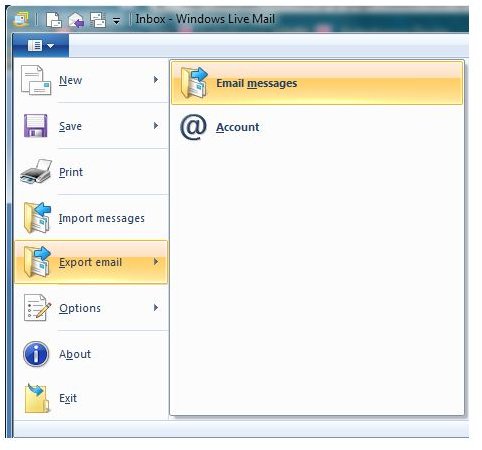
Note that for users of POP and IMAP accounts, emails will be lost, so you should take steps to retain copies of these. IMAP users will need to ensure that copies remains on the email sever, while POP users can back-up their emails in Windows Live Mail. This is done via Menu > Export Email > Email Messages, where you can select Microsoft Windows Live Mail to export to a location on your PC or network.
(Screenshots by author)


