Windows Vista SP2: Should You Install It?

Written by:  • Edited by: Bill Bunter
Updated Feb 4, 2011
• Related Guides: Vista | Windows Vista

The new Service Pack for Windows Vista is being offered by Microsoft. This article will discuss if you should install the new service pack for Windows Vista.

Windows Vista SP2 Features

A better version of Vista is what you will find on Vista SP2 because it contains improvements and new additions.

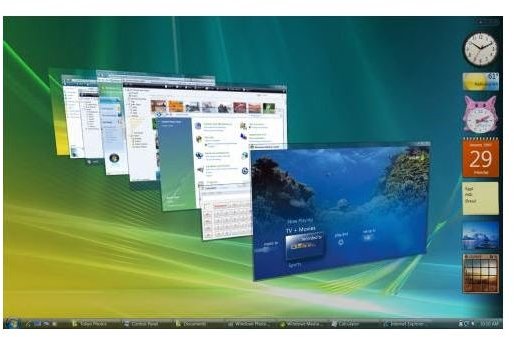
Windows Vista Screen Shot
click to enlarge
What are the improvements on Vista SP2?

  • Improves performance for Wi-Fi connections
  • Improvement on Windows Media Center (WMC) in the area of content protection for TV
  • Improves backwards compatibility for Terminal Server license keys
  • Improved performance of RSS feed sidebar

Some changes and additions on Vista SP2 are:

  • Adds support for the 64-bit CPU from VIA Technologies
  • Integrates the Windows Vista Feature Pack for Wireless
  • Added the ability to record data to Blu-Ray Disc media
  • Added Windows Search 4.0
  • exFAT file system will now support UTC timestamps
  • Removes the limit of 10 half open outbound TCP connections

The Latest is the Greatest

Some people want the latest version of the software because it is better than previous version. However, not everyone is comfortable but if you have a proper backup, you will have confidence installing Service Pack 2 and start enjoying the improvements on Vista. Also, the Service Pack 2 installer can restore you to previous state if there are problems with the installation. This is similar method that Microsoft has done when they released Service Pack 1.

Other people will install only the critical and important security updates from Microsoft instead of installing Service Pack 2 for Vista. Then they will manually install the hotfixes by downloading it individually. The problem in doing this is your system is still missing the required service pack that future updates might or might not need.

Also, you should know that the service packs for any Microsoft products has been reviewed carefully to make sure it has the latest code base. You don’t want older codes that can cause instability and data loss.

Should You Install SP2 for Vista?

If you want to take advantage of the changes and improvement and will have the support for the next updates that Microsoft will provide, you should install Vista SP2 but that is after you finished with the following actions:

  1. Run a complete PC backup using Vista Backup utility or any third party backup programs
  2. Review the list of programs that have known issues with Vista SP2. Contact the software vendor or visit their website to find out if they have support for SP2.
  3. Install the prerequisite: Vista SP1 and KB955430
  4. Disable any real-time protection by firewall, anti-virus, anti-spyware or anti-malware programs to avoid conflicts during the installation

Vista SP2 is another update by Microsoft which includes not only hotfixes but stability and realibility so you can continue to have fun and support from Microsoft in using Vista.


Comments

Showing all 13 comments
 
Donna Buenaventura Mar 27, 2011 10:31 AM
RE: Windows Vista SP2: Should You Install It?
Hi saeed,
Do you get any error code or message when it failed to install SP2? If so, please post back in your next reply the error code/message.

Also, are you installing it using Windows Update program or using the standalone installer downloaded from Microsoft Download Center?

Can you please try disabling antivirus and firewall program (temporary only) and try installing SP2 again.

Make sure you have the pre-requisites:
1. Critical and Recommended Updates are installed. Get those using Windows Update application
2. You have Vista SP1 installed. Note that you cannot install SP2 if you are not on SP1.
3. You have to have KB955430 before installing SP2 for Vista. See http://support.microsoft.com/?kbid=955430

Regards,
Donna
saeed Mar 27, 2011 6:04 AM
vista SP2
i don't know how can i install SP2 in my laptab,so far i have windows vista, i tried to download in internet but i couldn't install it,
mr tim Jan 14, 2011 4:17 AM
vista sp2
I have a hp dv5 laptop that came with vista sp1 installed. Ave tried severally to install microsoft updates but it seems every time i update, the performance of my laptop decreases. I used the system recovery disks and restored the factory image. I turned off microsoft updates and only update using the hp software update program. So far i have no problems at all with vista sp1, in fact its super fast. I had installed win 7 ultimate before on the same comp and realized its slow when it comes to opening web pages. I would not advice any one to download any vista updates if ur comp came pre installed with vista sp1...
RIA Jan 2, 2011 12:52 PM
sp2
I HAVE ALSO HAD PROBLEMS AFTER INSTALLING THIS UPDATE HAD TO TAKE MY PC BACK TO FACTORY SETTINGS NOT USING IT AGAIN .
John Oct 31, 2010 2:04 PM
Warning
There is no reason to install these service packs. I had to do a complete system rewipe to restore it to original factory conditions. Windows wanted to install it again, so I did, not realizing that THAT was what caused the problem in the first place. Now I'm doing a complete rewipe of the hard drive again, and not installing ANY service packs. F*ck windows.
HECTOR EDMONDSON Sep 25, 2010 5:56 PM
Vista SP2
I finally got around to installing SP2 on September 24th and I have had no problems at all with my Vista Home Premium.
stephen May 19, 2010 2:28 PM
Vista sp2
the worst thing about it is some of the things it claims to have updated (wi-fi) was somehow disabled i then struggled for days to even turn on my pc my only option was full system restore p***** because i only got the pc done the updates then this vista is the biggest dissapointment to windows ever hopefully 7 is a apology for this futile attempt to upgrade our computers
short answer no dont whatever you DO NOT install service pack 2
Noel Jan 16, 2010 2:21 PM
VistaSP2
Installed vista SP2 about 2weeks ago on my COMPAQ Presario and its been a wild ride..First my pc shut down entirely, I couldnt turn it on,,tried for days to turn it on (luckily I have another pc)..I went online and got help from reviews..Finally got my compaq to go on..Had to do system restore twice..my Audio didnt work, SLOW to Start and Kept giving me the BLUE screen saying Crash Dump..didnt know what that was all about..Finally got things started and running without SP2...I'm staying with SP1....
B ruce Oct 11, 2009 11:52 AM
vista Side bar
I installed service pack 2 and now my sidebar has a grey box where the gadgets are the gadgets are there but i can't see my back ground
Rey Sep 1, 2009 2:56 AM
VISTA SP2
I gain 6 gig space installing SP2 in my VISTA 64 ULTIMATE w/ 4 gig ram..lots of improvement and fast..i stick for Vista for another year b4 upgrading to Windows 7..
shitanshu Aug 10, 2009 4:20 PM
vista sp2 on pavilion dv4 13001tx
i inatalled vista sp2 on my hp pavilion dv4-1304tx lap top every thing was ok except audio. i tried everything from driver update, fix it, hp healthcare, uninstalling again reinstalling driver, as suggested by microsoft support . finally after wasteing 2 days. restored my system. i dont understand why microsoft is releasing sp2 when compatible drivers are not available from hardware manufacturers. my advice is stay away from inatalling vista sp2 if you dont want to waste your time.
Mal Aug 6, 2009 9:58 AM
Vista SP2
I too installed SP2 on that date Bob and have not had a single problem, might be worth uninstalling and then re installing.
Bob McGovern Aug 4, 2009 6:20 PM
Vista SP2
I installed SP2 July 23 and my computer has locked up daily since.
 
blog comments powered by Disqus
Email to a friend