Is Firefox running particularly slow on your Mac lately? Chances are, you need to clean your hard drive. Here are the steps that I use to make that Firefox run faster on my Mac. I also provide other resources in case my methods does not work for you.
Delete Unused Applications and Files
Do you have applications and files that you haven’t touched in at least one year? Chances are, you may never need them again. Just in case you do, back them up on an external hard drive. Then delete them from your computer.
Make sure to go through your Preferences folder inside the System folder to delete any files that relate to your old applications. You will be surprised by how much hard drive space you can regain by doing this initial task. Sometimes it will be as little as a few megabytes. Other times, you could regain as much as a gigabyte.
Clean Your Cache and Logs
Full caches and logs are usually the number one reason why your Mac slows down over time. You can invest in a Mac cleaning program such as MacKeeper and do a daily purging. MacKeeper also cleans out duplicate files, old files, and languages you will never use. The first sweep with MacKeeper cleared 60GB of files out of my cache. Both Firefox and my computer ran normally after that maintenance session.
Clean My Mac is another utility software that is similar to MacKeeper. This software is comparable to MacKeeper in that it has all-in-one disk maintenance utility.
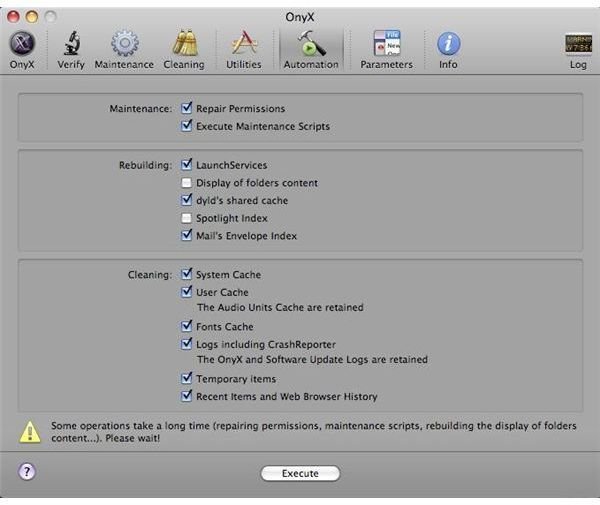
Alternately, you can save your money and use a free program called Onyx. It will clean out your caches, delete obsolete files, delete cookies, clear browser history and bookmarks, repair your permissions, and more. You can set Onyx up to run automatic maintenance sessions so that you don’t have to stop what you are doing.
Check for Spyware and Viruses
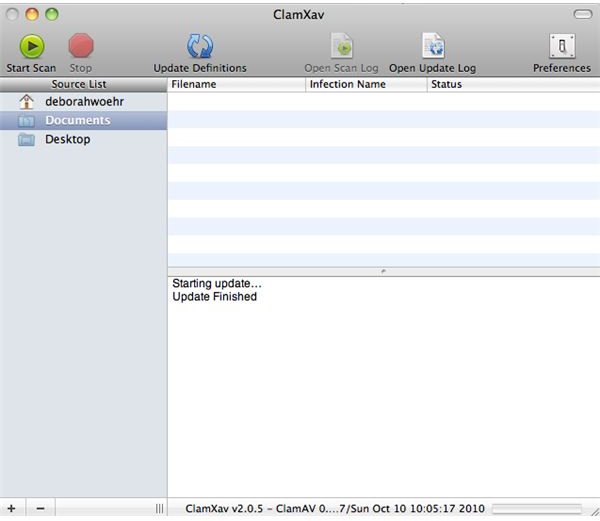
Yes, Macs can get invaded with spyware and viruses like PCs. The best freeware I have found online is ClamXav . This program will pull any infected files and stick them in a “Bad File” folder, which you can dispose of after the scan is finished.
The best paid alternative I have found to ClamXav is MacScan. MacScan will scan your hard drive as well as clean out your browser history and cookies. I was amazed by how fast Firefox ran when I used the demo version of this program.
Get Under the Firefox Hood
What if you tried the above and Firefox still runs too slow? I found some tutorials on YouTube that will take you under the hood to set Firefox’s parameters. Please see the Resources section for the links to these tutorials. At this point, I must be honest with you by saying that I have not tried this because the above procedures have worked well for me.
Conclusion
I have included some steps to maintain your hard drive and Firefox settings so that Firefox will run faster on Mac OS X. In addition, I have included two videos that will help you get under the hood of the software and optimize its performance.
Resources
YouTube, [HD] How to make Mozilla FireFox Run Faster [TuT], https://www.youtube.com/watch?v=M52z7Zk39ew&NR=1
YouTube, How To Make Firefox Faster On Mac and PC, https://www.youtube.com/watch?v=n9YLzdPCY84


