
Referencing the best office suites on the Linux platform. For word processing, spreadsheets, databases, presentations and more, these top open source office apps rival and even surpass Microsoft Office for functionality, speed, reliability, and as we discuss, come with minimal compatibility issues.
Introduction
There are some outstanding open source office suites available for Linux users, which to say are in the mold of Microsoft Office is a gross disservice. Developed and tailored for specific user requirements throughout the open source community, many of what follow offer so much more than the standard Word Processor, Spreadsheet, Database and Presentation functionality set of the all powerful Microsoft Office, which, as great as I think it is, does have its limitations, and over-complications. So let’s take a look at what is available for the Linux user.
OpenOffice - The No.1 Linux App?
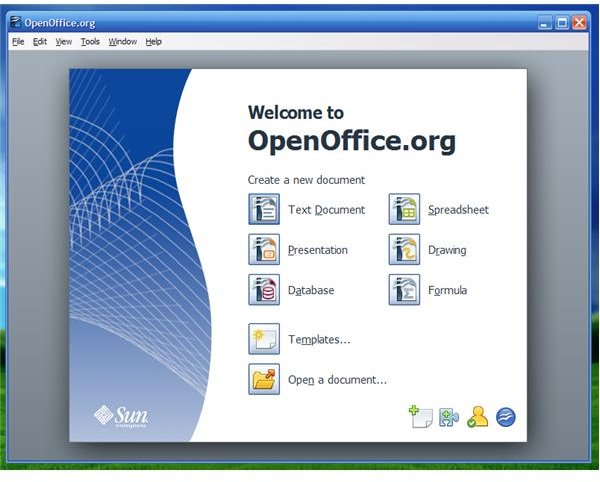
To open up our Linux Office Suites reference guide, we must look first at the most popular and like-for-like competitor to Microsoft Office - OpenOffice.org . In this exceptional, in-depth article, Tolga Balci takes a look at OpenOffice.org (OOO) and its component modules - Writer, Calc, Impress, Base, Draw and Math.
Rightfully claiming to be “the leading open-source office software suite”, OpenOffice has an impressive array of features, a small install footprint and isn’t close to being the resource hog of its friendly foe in Windows!
For a similar point of view, Jack Wallen rates OpenOffice as the most popular “must have” Linux app in the first part of his excellent series on Top Linux Applications. In Linux Applications: OpenOffice, Jack offers his opinion on OOO, which comes as default on any Linux distro and has excellent interfacing for migration and conversion to and from Microsoft Office.
OpenOffice Compatibility & Installation
On the subject of OpenOffice and MS Office compatibility (a subject that concerns many would-be converts), in Exploring the Compatibility of Microsoft Word and Open Office Writer Rob Dubas discusses the areas of seamless compatibility between the two, but also highlights where, at times, there is a complete breakdown in communication between the two, first on looking at the basics - .doc format, fonts, layout/formatting.
In the second part of this series - Compatibility Between Microsoft Word and Open Office Writer: Advanced Functions , Rob looks at deeper compatibility issues concerning tables, images, breaks, columns and track changes. He also intimates at how, without the help of WINE, you still may encounter problems with the most complex of formatting and image based documents.
Even though OpenOffice comes as default on the major Linux distros, for upgrade and restore purposes Josef Nankivell looks at the release of OpenOffice 3.0 with its enhanced feature set. His article on Installing OpenOffice on Ubuntu provides a step-by-step guide to the upgrade/restore process on the most popular of Linux distros.
For further OOO install reference material, Rob looks at Installing Open Office.Org on a Debian system . This simple beginner’s guide should help you get started with OpenOffice. These steps will help you to simply download, decompress, install, and run OOO. There is also guidance for desktop integration tweaks and file associations with Gnome and KDE.
Wanting to take OpenOffice mobile? Or simply didn’t know there was the ability to run a portable version of OOO? In OpenOffice.org Portable On Linux? Berry Van der Linden looks at how easy and effective the portable OpenOffice 3.0 release is, asking, for office productivity on the go, does it work and how productive can you be?
KOffice
Self proclaiming to be “the most comprehensive Office suite in existence” in Linux Office Suites: KOffice Tolga Balci discusses the vast array of functionality that makes such a claim valid. Discussing how OpenOffice may have additional suites (math and vector drawing) to the standard MS Office word processor, spreadsheet, database, presentation, email and publishing apps, yet KOffice has even more with image editing, project management, reporting and others.
KOffice possesses a whole host of resilient and highly effective apps to go with its standard KWord, KSpread, KPresenter, Kexi, Kivio, Karbon14, KPlato, KChart, KFormula and Kugar. This, in no uncertain terms, makes KOffice the most comprehensive and fully functional set of office apps across any computer platform and fitting for any need.
Gnome Office
Following his discussion on KOffice, Tolga next takes us through Gnome Office . It’s not an all encompassing, fully integrated suite in the mold of OOO or KOffice, but a collection of individual office apps - Word Processor (AbiWord), Spreadsheet (GNumeric), Database (Glom), Email and Groupware (Evolution).
Gnome is easy paced across its entire GUI and application set, catering for most needs, certainly if MS Office fits with your standard requirements. It’s not as extensive as KOffice or OpenOffice by any means, but very functional and simple to use. Gnome also has an excellent track record of working with all distros and can be installed direct from most package managers.
IBM Lotus Symphony

Launched in 2007 and based on OpenOffice.org, the IBM Lotus Symphony suite comes with Document, Spreadsheet and Presentation functionality sets. Compliant with all pre-2007 office formats, IBM has concentrated on these core apps in making Symphony a reliable, resilient and worthy rival to Microsoft Office.
Symphony is feature rich across its trio of application areas and is based on the principle structure of OOO. What is more, being developed by IBM from the core architecture that brought us such excellent apps as Lotus Word Pro, 1-2-3, and Freelance Graphics, Symphony promises much more in the future.
This post is part of the series: Top Linux Applications
Referencing the best Linux apps as rated and reviewed on Bright Hub. From Office suites and productivity management, to security and multimedia, these linux applications are designed to help you get the most from your Linux distro.


