Get a small business network up and running with the minimum of fuss. You don’t need engineers, CCNA’s or thousands of dollars of equipment to get connected. Read here to find out how!
Can you remember the days when the only way to share computer data with a colleague was to walk over to their desk with a floppy disk? Thanks in part to advances in technology, but mainly in the increased user friendliness of that technology, sharing data between computers is now easier than ever.
Connecting computers together increases efficiency, makes data sharing simpler and allows multiple computers to share a single internet connection. It might seem technical and appear too complicated for some, but it really isn’t once you break it down. If you want learn how to set up a small business computer network, read on.
The most basic component of a computer network is the computer itself. After all there’s no need for a network if you don’t have at least one PC. The rest of the elements are optional, as networking can be as varied as your needs. For example, a network doesn’t have to connect to the internet, use a router, or cables.
For the purpose of this article we are going to assume that you want to discover how to set up a small business computer network with a cable connection, wired networking, two Windows computers and a router. This is the most common small network at the present time.
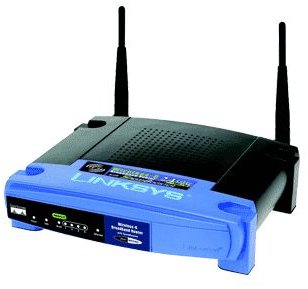
The internet connection will be provided by your ISP. They should also provide a modem that handles the connection between you and their network. To this modem we will connect a router, which will handle the communication between our network and the modem. The router is the middleman, it controls where and how traffic is transmitted between machines and the network. It’s also the guardian, often including a firewall to protect the network from outsiders.
Setting Up
The modem and router will be connected by ethernet cable. This can be Cat5, Cat5e or Cat6 cable and should be straight through, not crossover. Use a single cable from the output of the modem to the input of the router. Depending on the model the input port might be labeled “Internet”, or not. This is the basis of our network.
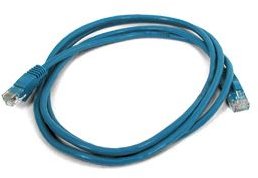
Now we need to connect the computers. Each one will need a Network Interface Card (Nic) to be able to connect to the network. Some motherboards have them built in, otherwise a separate card will need to be acquired. Connect the computer to the router with another length of ethernet cable, using a network port on the router. Again, the naming convention may differ on each router, but they are often just named “Port 1, Port 2” etc.
Repeat this for the other computer and the physical networking is complete. Now is a good time to install firewall software on each computer. The router might contain a hardware firewall, but an extra layer of protection is definitely recommended.
Configuration
Turn everything on and wait for everything to find each other. Newer routers, Windows operating systems and modems all have the capability to “auto discover” using the TCP/IP protocol. Once the router is fully booted, a Windows computer will automatically discover the network and ask you if you want to connect to it.
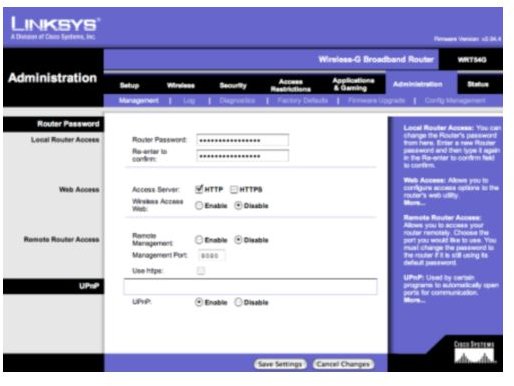
Most router configuration is done through a web page located at an address that came with the router. Access this page through a browser and complete the configuration to fully enable the network. Ensure that the firewall is enabled, that you change the username and password for the router and that it can see both computers.
Log on to each computer and make sure it can access the internet. Then it’s time to set up networking within Windows. One of the main features of networking computers is to be able to swap files and data between them. To do that, we need to configure Windows so it can see the other computers on the network. My article on Mapping Network Drives in Windows Servers is relevant to all current versions of Windows so I suggest you check it out!


