Microsoft MapPoint is an extra program you can buy from Microsoft. There’s a North American and a European version. At $299 list price, it is pricey. You also might be able to pick up a copy on eBay for less than the list price. MapPoint allows you to do some very cool geographic analysis of data.
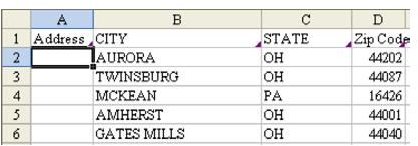
Strategy: Let’s say that you have a retail store and keep a mailing list of everyone who shops in your store. The data contains street address, city, state, and zip code, as shown in Fig. 1477.
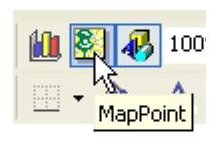
Select the data, including the headings, and select the MapPoint symbol, as shown in Fig. 1478.
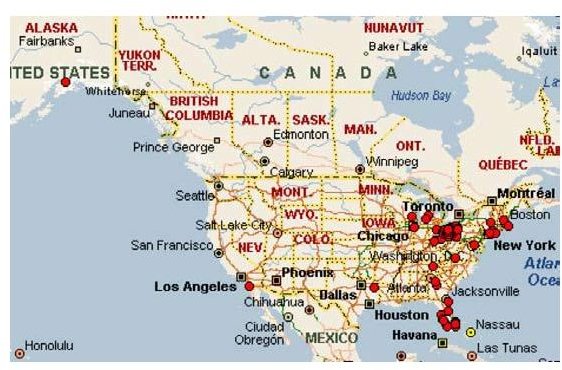
MapPoint will match your addresses to its database. Soon, you will have a map in Excel that shows your customers, as shown in Fig. 1479. This store had one customer from Alaska and several from Florida.
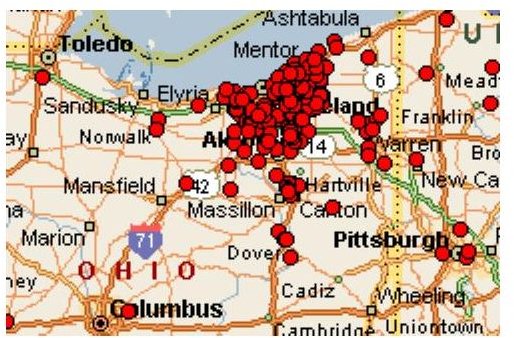
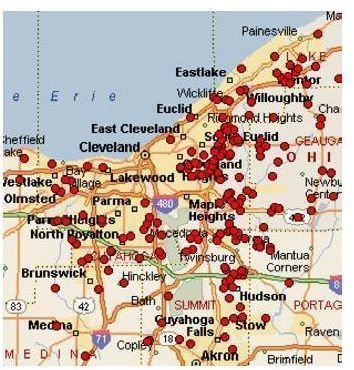
Click and drag to zoom in to the region around your store. You can see that you get a lot of customers from the local area, plus also people who travel the interstate. As shown in Fig. 1480, this store in Cleveland gets a fair amount of traffic from people who live along I-90, I-80, or I-76.
Zoom in further. You can now see from which sections of your city your customers generally come, as shown in Fig. 1481. This information will help you to target newspaper or billboard advertising.
Gotcha: In several previous versions of Excel, Microsoft had a license to bundle a MapInfo product called Microsoft Map with Excel. Microsoft Map was taken out of the default install in Excel 2000 and removed from the product entirely in Excel 2002. The MapPoint product offers far more flexibility than Microsoft Map.
Summary: Plotting geographic data in MapPoint is a great way to get a visual of your customer base.
Commands Discussed: MapPoint icon
Images
References and Additional Resources
If you’re looking for more tips and tutorials, check out 91 Tips for Calculating With Microsoft Excel . This collection of easy-to-follow guides shows how to customize charts and graphs, different ways to make complex spreadsheets easier to update, and even how to play games like Craps in Excel.
Other Resources:
Microsoft Excel Official Site, https://office.microsoft.com/en-us/excel/
Bill Jelen, Microsoft Excel 2010 In Depth, Available from Amazon.com .


