KMail 1.7 is a Linux email client that is part of the KDE Desktop Environment. In this review, we will take a closer look at KMail to see how it stands up to other email clients.
KMail is a free email program that comes as part of the KDE desktop programs where every application starts with a “K”. KDE prides itself on having programs that are full of powerful features that are easy to use; KMail is no exception.
KMail combines an attractive interface with powerful filters and strong IMAP support for a secure and powerful product. PGP/GnuPG integration and full support for HTML are just other additional bonus that makes this email client made of win. Users will get a kick out having the ability to delete unwanted emails from the server before downing loading them. KMail has options for setting up virtual folders that collects messages automatically based on the criteria set by the user.
While KMail is a great program, it has one flaw; the plain text editor is basic and primitive. While the HMTL support in the message editor is superb, there is nothing praise worthy about the editing capabilities of plain text. It is a good that that outside editors like vim and Emacs can be incorporated with the email client.
Screenshots
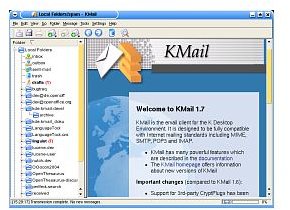
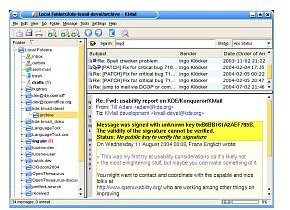
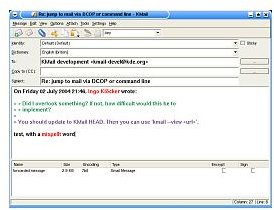
Features
· Wonderful anti-spam wizard and tools
· Useful filter log
· Quick search
· The ability to filter and delete messages at the server level
· Automatically detects mailing lists
· Support for composing, sending and receiving HTML messages.
· Support for OpenPGP and TLS/SSL connections but requires plug-ins for S/MIME
· The option to have unwanted messages bounce back to users so that they think that the email address is dead.
· Saved searches to virtual folders for email management
Pros
· Email management is a snap with powerful searches, flexible filters and virtual folders
· Uses OpenPGP and S/MIME for secure and encrypted emails
· Interface is attractive, friendly and easy to use
Cons
· Message editor needs some work when it comes to plain text editing
· Flexible message templates are not allowed
· Internal spam filters aren’t present
Verdict (4 out of 5)
I don’t use the Linux system often; mostly for programming purposes. So, using KMail on a regular basis is not ideal for me. However, for the regular Linux user, I recommend KMail and the KDE suite for any Linux user. The new 8.0 version is now in the Beta phase and offers to fix some of the problems of the 7.1 version plus add new features that will make it productive and useful.


