Microsoft Windows SharePoint Services is still a well-kept secret in the business world. Read this article to find out how you can increase your collaborative efforts with Microsoft Outlook and SharePoint.
Everyone knows what Outlook is even if they don’t understand all that it does. However, people are still in the dark about SharePoint and how it works with Outlook 2007. Together, Outlook and SharePoint allows teams to share information in a way tat promotes better teamwork on tasks and projects. With SharePoint, you can set Outlook to:
· Start discussions
· Share calendars
· Update contact lists
· Maintain version control over team-authored documents
· And much more.
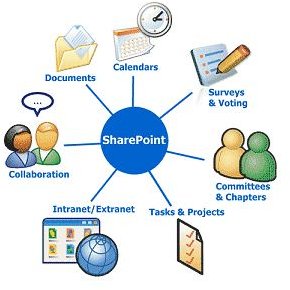
No one is a stranger to the basic features of Outlook. What SharePoint does is supercharge those features to ensure collaboration amongst teams no matter if team members are in different parts of the building or different parts of the world. In Outlook you have “My Calendar”, but in SharePoint there are Calendars, where the team can share and be informed on other members’ schedules as well as planned team events. There are also Document Libraries (a suppository of documents that can be edited and viewed by the team members), discussion boards, contact lists and task lists.
Outlook is software that manages messaging and other scheduling tools while SharePoint is the server that connects many different Outlook users together in a team effort. This is what is offered when you combine Outlook with SharePoint:
· Better Calendars
o Calendar Overlay
o Shared Calendars
o Better messages for sharing
o Deployment tools
· Better Discussions
o Simplified subscriptions
o Search conversations between team members
o Contribute from within Outlook
o Control replies to context of board
· Better Contact Management and Sharing
o Use shared contacts from personal Outlook
o Store more types of contacts and more information
· Better Task Management
o Tasks updated by managers and team members
o Integrated notices with personal tasks and calendars
· Better Document Sharing
o Use Outlook to search local or SharePoint documents
o Faster editing even when offline
To effectively build a collaborative team effort, get to now the resources that are available to the tam. SharePoint, along with the power of Outlook, could be exactly what your team has been looking for.


