Corel has successfully achieved the launch of a complete HD solution with their VideoStudio Pro X2. A great improvement from the last version, VideoStudio Pro X2 greatly impressed me with its usability.
Introduction
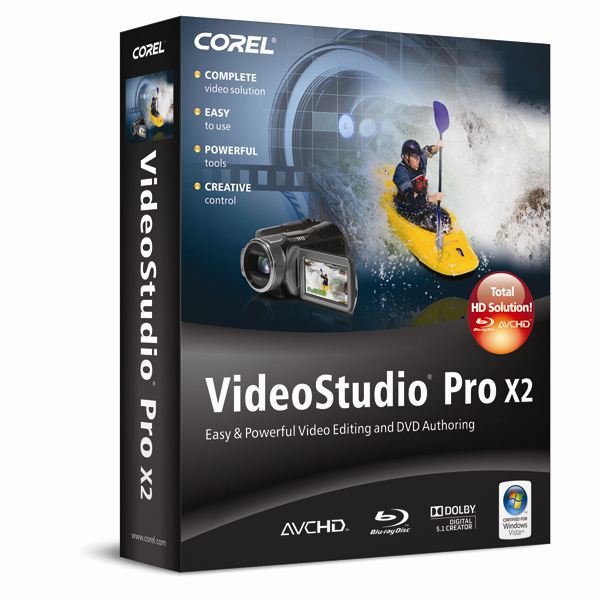
VideoStudio Pro X2 is a user-friendly video editing and disc authoring program that comes with a quality range of editing and output options. Having used the previous version, I didn’t plan on the Pro X2 to be as easy to navigate and use as it turned out to be.
With VideoStudio Pro X2, you can:
· Use the relatively easy editing tools and Movie Wizard to create entire movies
· Use the wide range of output options to share your creations
· Capture videos and photos from cameras, camcorders or from a TV tuner
· Add special effects like titles and music quickly and easily
· Create slideshows of your pictures or movie files
I found that creating high-quality HD movies is a snap using the VideoStudio Pro X2 all-in-one video-editing software. Not only has the features from the last installment transferred over, but new ones were added and packaged around a well thought-out interface that made me completely comfortable about using and writing a review about. Everyone will get something out of this program; diehard technology enthusiasts will love its dynamic functionality while novices will not be intimidated to just jump in and start using it.
Features
· Video Studio Editor – for powerful editing and disc authoring
· Movie Wizard – with just a few clicks you can create a complete movie using the amazing helpful Movie Wizard.
· DV-to-DVD Wizard – record from tape to disk in the fastest way possible
· Corel WinDVD 8 – an added bonus application that allows DVD and video playback.
· NewBlue File Effects – videos get the appearance of “old file” with 5 filters and 81 presets.
· Extensive library of templates, overlay clips, title animations, menus and effects
New Features
· New Blu-Ray Import and Output – one of the first to offer Blu-Ray support, VideoStudio Pro XP makes it easy t o import and output in the BDMV format. Users will enjoy the highest picture quality available. Plus, the encoding time is relatively shorter.
· Enhanced Smart Proxy Editing – Editing HD video is now as simple as editing standard definition videos using the Smart Proxy technology. The speed has increased by 300 percent because VideoStudio Pro X2 uses less of your system resources, but is still able to output in full HD quality.
· Custom H.264 HD Encoding – H.264 is the new codec that provides advanced quality and fast encoding. It also provides support for 1440 x 1080 and 1920 x 1080 output frame sizes.
Creativity and Sharing
Video Pro X2 comes with a variety of options to allow further development of creativity and sharing. Options include:
· Painting Creator – a painting creator that allows users to personalize their videos by painting, drawing and writing on their videos.
· Creative Content – VideoStudio Pro X2 added tons of Flash animations, frames, HD templates and overlays to visually enhance your video projects.
· NewBlue Film Effects – Remember the look of old films from the ‘Silent Film’ era? Well, now you can apply that same effect to your own projects with the NewBlue Film Effects that comes with the program. Five filter and 81 presets provides the ability to have the look of dirty projectors, dusty film and hand-cranked cameras for your HD videos.
· Mobile Device Support – Importing Apple iPhone and iPod Touch videos are now fully supported.
· Upload to YouTube – Users can now upload video directly to YouTube with great ease with the new uploader.
Pros
- User-friendly interface
- Excellent capture features
- Impressive range of output options
- Wonderful slideshow effects
- Easy upload to YouTube
- New drawing tools
- Templates for DVD menu options
- AVCHD proxy editing
- HDV
Cons
- Audio mixer not that great
- DVD menu navigation is very limited
- No solution for fixing red-ey in still images
- Inadequent noise reduction options
Conclusion
Overall, I would highly recommend VideoStudio Pro X2. If you tried and failed to use the previous version, you will impressed with the addition and improvement that the Corel Corporation made with the upgrade.For only $99.00, it is a great deal especially with the free installation and continual email support offered by the company. The program is definitely my new favorite over the CyberLink PowerDirector.


