If other video editing software programs aren’t meeting your editing needs or wants, then Video Edit Magic is definitely worth a try. The software is jam-packed with a lot of editing tools including transitions, effects and other necessary video elements. Read this review to learn more.
Video Edit Magic by DeskShare
Video Edit Magic is a wide-ranging software that lets you edit your videos and make them look more professional. The software, besides the editing process that is usually the core purpose of a video editor, also lets you import your videos from a camcorder, plus enabling you to add music to your videos. Videos can also be saved in other supported video formats.
Video Edit Magic Screenshots
Standout Features (4 out of 5)
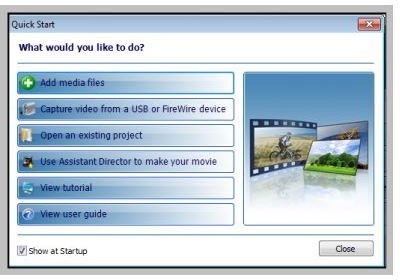
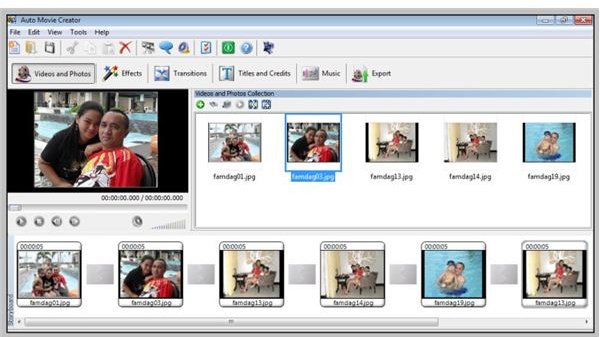
Video Edit Magic definitely has some super strong points. For one, it follows a drag and drop feature that will allow new users to add effects and rearrange multiple videos easily and quickly. It can also convert videos from many devices from the oldest VHS tapes up to the most expensive Blu-rays . There will be no need for users to go to a video specialist to have their camcorder’s tape converted to another file as long as the necessary cables are there.
Users will also be able to edit the audio of the video even without the video itself, unlike with other software that cannot separate the video and the audio. This is very advantageous for those people who would like to insert new audio clips in the video.
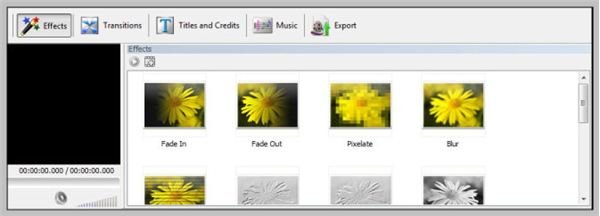
The program also has a lot of effects that can be added, such as Pixelate, Blur, Emboss, Zoom in, and a lot more. One effect can be mixed with another, so testing two effects’ look at the same time can be done. An example would be the editor’s capacity to make overlaying videos, which looks like two different clips that look as one.
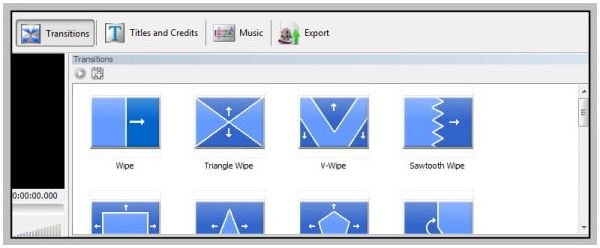
In addition, the transitions that come with the video editor is also something that should be looked forward to. Some transitions actually make a video look unpolished, but with the sharp details given by transitions included will blow you out.
Those who would like to add voiceovers and narration can do so, especially if the audio of the original video is just too bad for the ears to handle.
You can also download the free trial version at DeskShare’s website .
The Downside (2 out of 5)
If there is actually one flaw in using the program, it would have to be its price. It is a bit pricey, starting at $69.95, since it only has a slightly better performance than Windows Movie Maker , I don’t see why WMV users will pay for the program.
Conclusion (4 out of 5)
Video Edit Magic will not disappoint. It is better with some of its contemporaries. However, it should not be pit against the more advanced ones like Sony Vegas and iMovie . It can be compared with the free Windows Movie Maker.
If the people behind the program could work their way with regards to the pricing, then people will start rushing over the product. For not, WMM is a safer choice unless people are willing to spend almost $70.


